14
8.2 Logic Board
The printed circuit boards used in this product have been manufactured using surface mount technology.
These printed circuit boards cannot be effectively repaired in the field and should be returned to the
manufacturer if repair is required.
Warning: ALL SERVICE SHOULD BE DONE WITH POWER OFF AND THE AC CORD UNPLUGGED
FROM THE PRINTER.
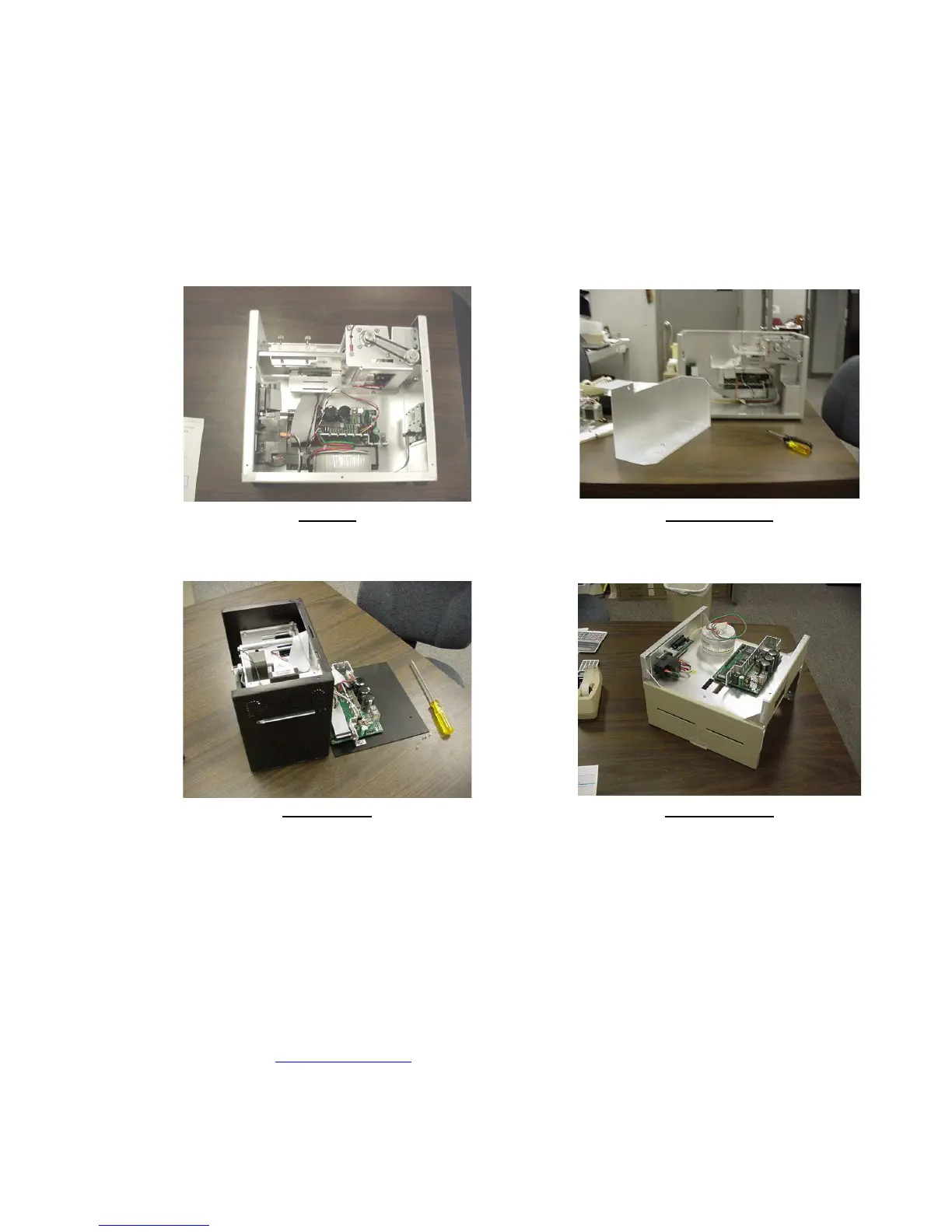
See below pictures for main logic board access:
MICRO MICRO PLUS
(Remove ticket locator)
SubMICRO DUAL MICRO
(Access rear panel) (Access bottom of cabinet)
8.2.1 Logic Board (Removal)
1. Gain access to the logic board.
2. Unplug connectors going to the main logic board.
3. Remove the nuts that secure the heat sink to the cabinet.
4. Use a screwdriver to gently wedge the logic board from the fasteners.
5. Lift board and remove.
Click here to return to > Table of Contents



 To Next Page