4
time is over. If you have selected the manual setting,
the device will stimulate only for as long as you press the
stimulation button.
6. The intensity level is reset to minimum each time the unit is
switched off and on again. While in search mode you can
see the previous intensity setting by pressing the intensity
button, after which, the previous intensity setting will
appear for five seconds in the 6 LED bar, thereby allowing
the user to decrease or increase the previous intensity level
prior to starting the stimulation mode.
7. You may select one of three rhythms; 5 Hz, 10 Hz or 20 Hz
i.e. whichever provides the best comfort and this can vary
between different areas of the body.
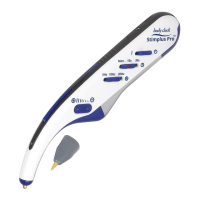
8. As soon as stimulation begins the beeping sound stops and
the green light on the top of the unit flashes indicating
stimulation. Using the intensity control you can adjust the
intensity to a comfortable level by pressing either “+” or “-”
to increase or decrease intensity. The intensity level is also
indicated by the LED scale. If the LED nearest to the tip is
flashing the intensity is set at minimum. If the LED flashing
is furthest from the tip, the intensity is on maximum.
9. Once stimulation is over, the device switches back to the
search mode and the sound is audible again.
10. During stimulation you may feel the electric current at the
stimulation site. However when in search mode you will not
feel it.
11. You can use the ear piece to hear the audible signals from
the Body Clock Stimplus Pro by yourself, thereby avoiding
others having to listen to it if it is not convenient. The ear
piece consists of a lead with a jack plug at one end and the


 To Next Page