Use arrow keys to navigate
Settings
On
O
Time
Language
Bluetooth
PHANTOM
Bluetooth
20
BODYFRIEND Massage chair
02
03
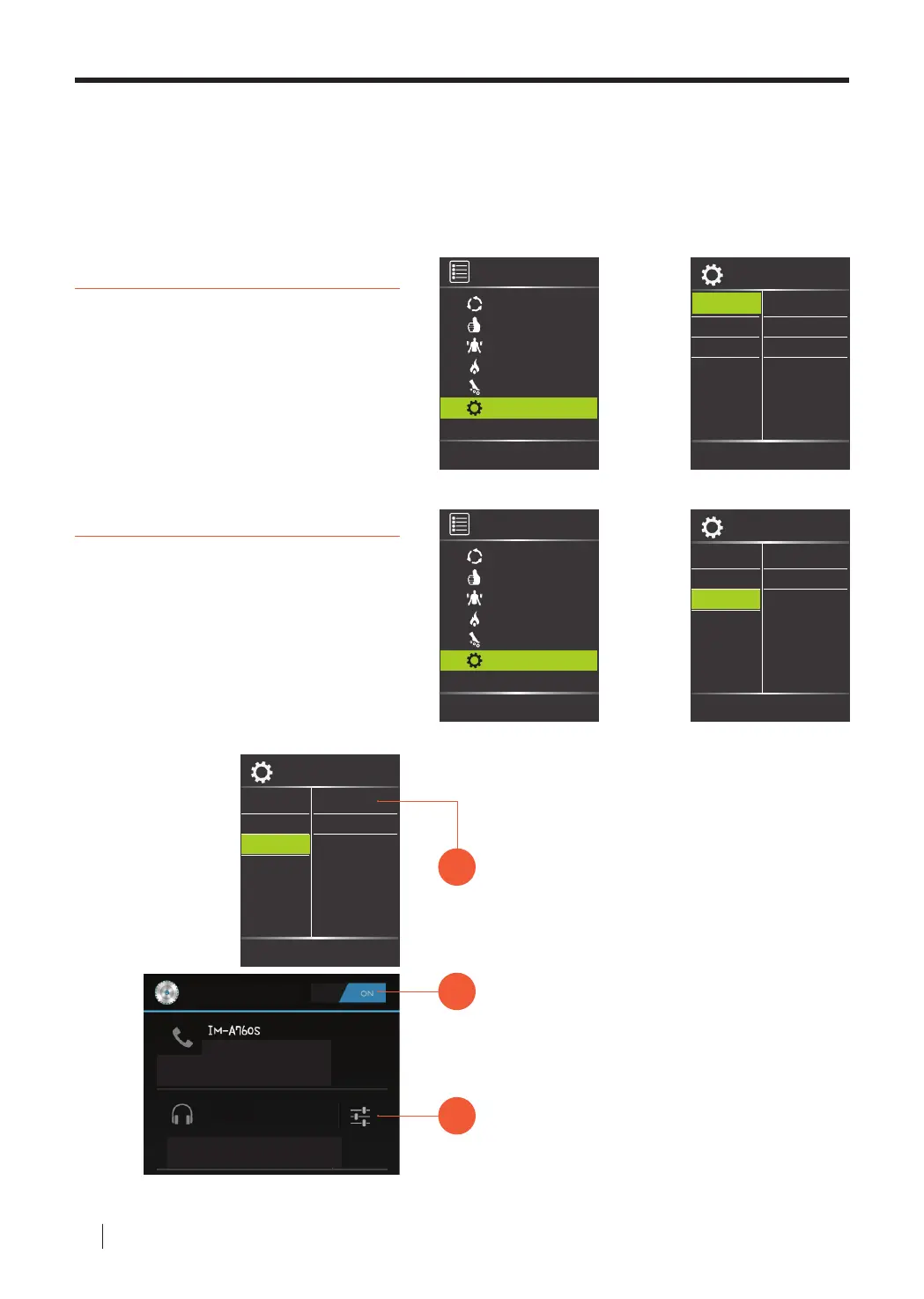
Turn Bluetooth ON on mobile device.
Pair the devices by nding "PHANTOM."
Controller Function Descriptions 04
Bluetooth
Sync personal mobile device with
Bluetooth function to play music
through the speakers while receiving a
massage.
Time
Massage modes time lengths can be
adjusted to 10min/20min/30min. (Rest
Mode is pre-set at 30 min and cannot
be adjusted).
Sync Bluetooth
Settings: Time settings and Bluetooth connectivity can be personalized
through settings.
Use arrow keys to navigate
Use arrow keys to navigate
Menu Settings
Auto
Time
Language
Bluetooth
10 min
20 min
30 min
Manual
Airbag
Heating
Roller
Settings
01
Use the controller to turn the Bluetooth
function on under the settings menu.
※ Screen capture may vary depending on individual
mobile devices.
Use arrow keys to navigate
Menu
Auto
Manual
Airbag
Heating
Roller
Settings
Use arrow keys to navigate
Settings
On
O
Time
Language
Bluetooth



 To Next Page