14
BODYFRIEND Massage chair
Menu key to select funtion
zero
Stretch
Massage
Airbag
tapping
Width
Roller
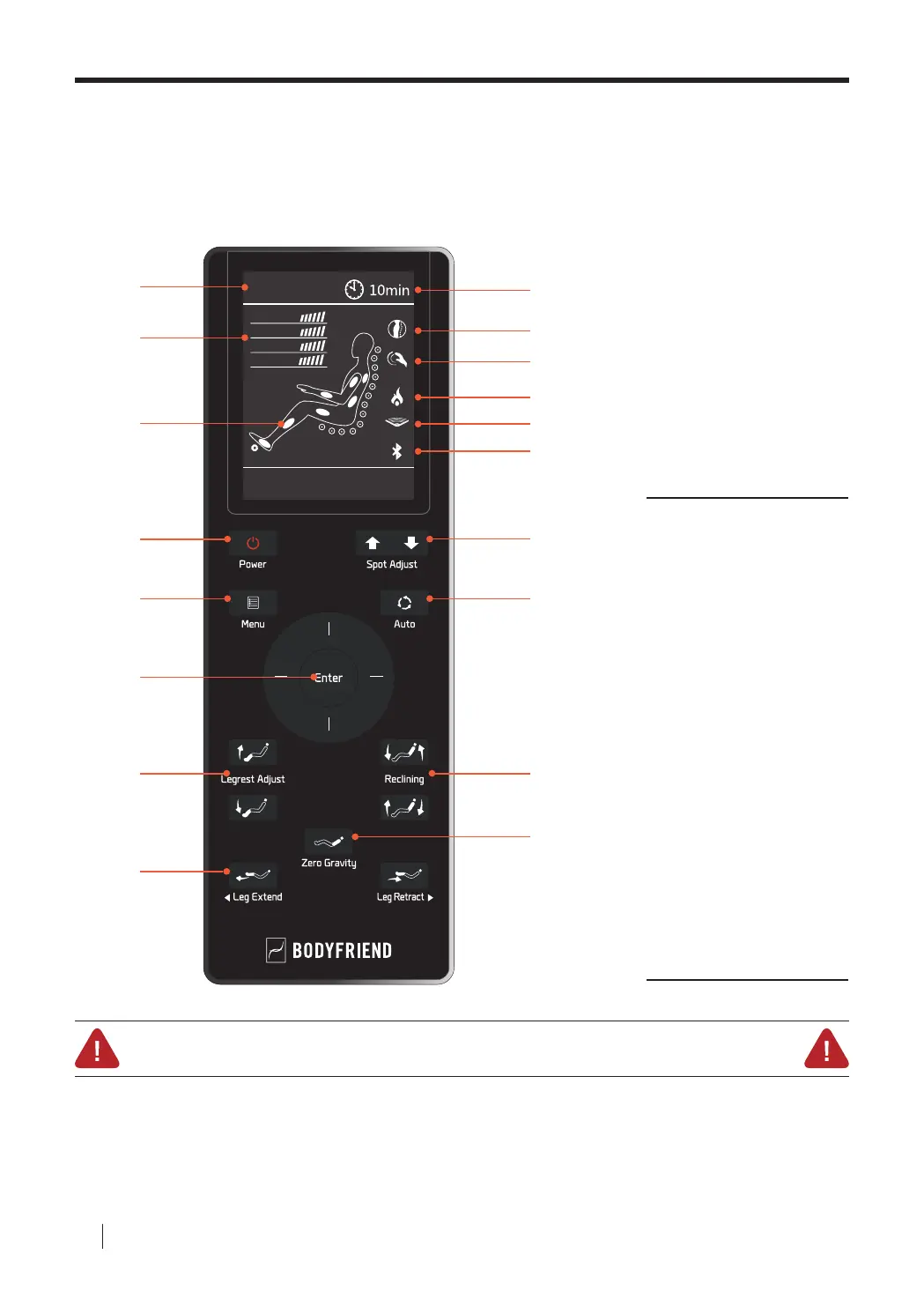
Controller Button Descriptions 01
Slide Safety Mode
This massage chair is equipped with the automatic sliding function. Therefore, if the power button is pressed during
operation, the chair will start to automatically slide back to its original resting position. When the chair is sliding back to its
original state, please make sure children, pets, or other objects do not get caught. If there are any obstacles preventing the
chair from sliding back to its original state, immediately press any button on the controller to stop the auto slide. Please
use with caution.
01
09
10
11
12
13
14
15
16
17
18
02
03
04
05
06
07
08
01 Current Massage Mode Indicator
02 Back Massage Intensity Indicator
Airbag Intensity Indicator
Feet Roller Speed Indicator
Width Indicator
03 Current Massage Spot Indicator
04 Power
05 Menu
06 Enter
07 Legrest Adjust
08 Leg Extend
09 Time Elapsed Indicator
10 Massage Spot Indicator
(Full/Partial/Fixed)
11 Massage Technique Indicator
12 Heating Indicator
13 Zero Gravity Indicator
14 Bluetooth Connectivity Indicator
15 Spot Adjust
16 Auto
17 Reclining
18 Zero Gravity
Controller
Components



 To Next Page