Media UPDATE:Update for the visual reality film, please refer to the file about
the update for software for details.
BG Service UPDATE:Update backend service, please refer to the file about the
update for software for details.
8.10. Value Setting
Watt and Level can be set at this page.
※ It is advised NOT to adjust the setting to prevent false setting.
8.11. Debug Log
Scan the condition of the orders during operation of the machine to check the process
and possible factor of the problem.
※ If remote monitoring and analysis is required, please turn on wifi and inform Andriod ID
from 8.2
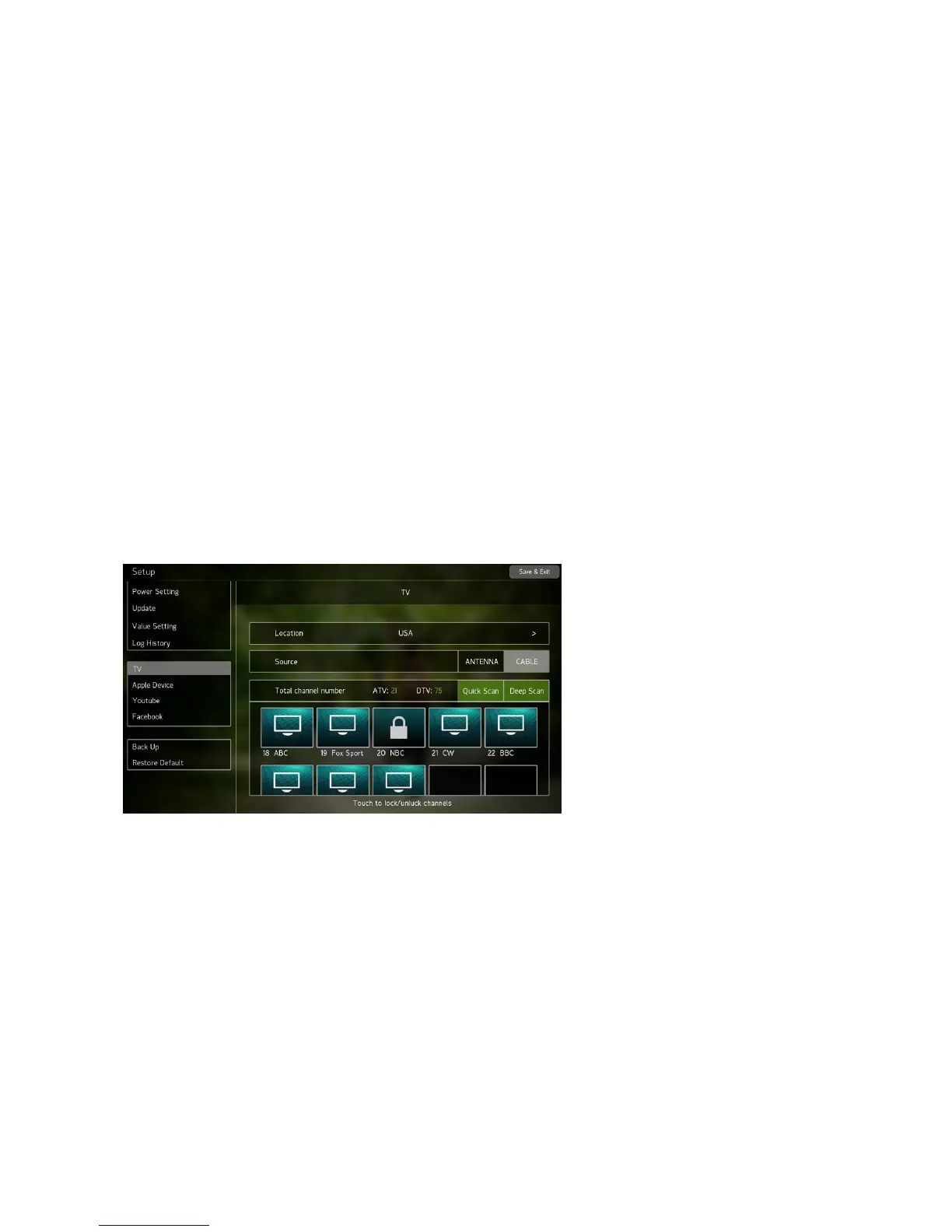
8.12. TV Setting
Choose “local nation” --> choose the TV signal, “ATV” or “DTV” --> Press Quick
Scan-->wait until the channel has been scanned to 100%( about 1 minute) -->it will display
the current channel number which has been scanned successfully) -->after the
confirmation.
If the “district” and “signal source” is set but “channel scanning” is not executed,
the function of entrance to TV is valid but there is only bland channel or irrelative
channel, so we recommend that the channel scanning should be done.
If scanning failed or the channel page did not show out, please execute Quick
Scan again, try more times. If failed again, please press Deep Scan, then the
system will execute more frequent scanning, but the scanning will take long time.


 To Next Page