c) Effects Loop
Your individual channel volume levels control how hot the effects loop send signal is, depending on the
effect unit you may have to keep the channel volumes lower but you can then turn up the "Global Master
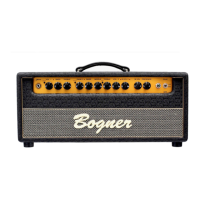
Volume" to control your amps overall volume. The Shiva's Loop is a series Loop between the Pre and
Power Amp, if you have an older version Shiva made prior to 12/1/05 see below for special info. Current
version Shiva’s made after 12/1/05 now have two Effect loop sends and one effect loop return. One send
is a low-level Pedal/Instrument level and the other send is a hotter-level Rack/Line effects level. You can
only use ONE loop send at a time. This newer version Shiva eliminates the need for the special "Effects
loop cable" that older version Shiva’s made prior to 12/1/05 sometimes needed to prevent effects from
being overloaded from the hot loop send the older Shiva’s had. Current Shiva’s allow you to use the new
low-level Pedal/Instrument level send for pedals and rack effects with inputs that overload easily. The
new hotter-level Rack/Line level loop send is perfect for rack effects or pedal effects with a lot of
headroom on their input stage. If you notice, after plugging in an effect through the loop that your tone is
distorting or too compressed, try using the low-level Pedal/Instrument level send for pedals and rack
effects with inputs that overload easily. If you're still overloading the effects input, remember to lower the
individual channel volume levels since they control how hot the effects loop send signal is, you can then
turn up the "Global Master Volume" to control your amps overall volume. If you would like to use the
Shiva as a "Power Amp" only with other manufactures Preamps, plug your external preamps output into
the "Power Amp In" Input jack on the back panel, located near the Effects Loop section. The "Power Amp
In" bypasses the Shiva's preamp, you can still use the Master volume and Presence controls since these
controls are part of the power amp circuit.
NOTE for Older Shiva's made prior to 12/1/05 Effects Loop: The Loop is a series Loop between the
Pre and Power Amp; designed for line level-Fx (we used a Rocktron Intelifex). If you want to use an
instrument level (floor) Effect unit or if your line level (rack) Effect unit is too sensitive for the hot send
signal, you can use our special built in Boost Amp. All you need is a special level ducking cable, available
from us or you can make your own, see the "How to Make Effects Cable" link on Shiva portion of our
website. Plug this special cable between the Effects Loop Send output and Input of your Effect unit, make
sure to insert into the Effects unit input the modified 1/4" plug. Plug the output of your Effects into the
input of the Boost Amp (located on the back) and hook up the output of the Boost Amp to the return of the
Fx Loop with a short jumper cable. This is necessary because of the lower output send level so it does
not distort the input of your FX but we have to bring the level back up after it leaves the FX in order to
keep the original tone of the amp. Remember (if you use the Loop) the Channel Volume controls work like
send levels, the higher you set the Volume, the more Level comes into the Effect. Set the Master Volume
for overall Volume. The Loop circuit is always in the sound chain (even if nothing is hooked up to it). If you
want to bypass your FX, you would have to do it on the FX unit.
If you plug into the send you tap the signal of the Pre Amp and you could also send it to a recording
device, mixer or another power amp etc. It would not be necessary to return the signal back into the amp.
On the other hand if you plug into the return you disconnect the Pre Amp from the Power Amp. You could
use your Shiva just as a Power Amp. As always, you must have the amp under load from a speaker cab
or load box or damage may occur.
d) Reverb
If you switch the Reverb in, you hear a slight level loss. This is because the reverb circuit loads the amp
down. On most amps you don't hear that because they don't have real reverb bypass and the amp is
down loaded all the time. We decided not to do this because we like the open sound of the amp if you
don't use the reverb. It is possible to change that with a very easy modification. Contact the factory for
details. You have individual Reverb controls for each channel located on the back panel.


 To Next Page
 Loading...