Operation
Set a user personal code as follows:-
Withthesafedooropen,theword“Opened”willbedisplayed.
1.Press '*' and enteracodeofbetween3and6numerals
2.Press“#”andtheSafeDoorwilllock.
3.Theword“Closed”willappear.
Toopenthesafe:-
1.Enterthepersonalcode.
2.Theword“OPENED”willbedisplayedandthesafedoorwillopen.
Toclosethesafe:-
1.Whentheword“OPENED”isdisplayed,press“#”
2.Whenthedisplayisblank,enteryourpersonalcode
Notes:-
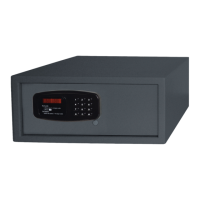
Ifanincorrectcodeisenteredinerrorthedisplaywillshow“E-CODE”,press“*”tocancel
Ifanincorrectcodeisenteredthreetimes,thedisplaywillshow“HOLD-5”andwilllockthekeypad
for5minutes.Afterveminutesthecorrectcodecanbeenteredtoopenorlockthedoor.
Set the master code as follows:-
OpentheSafewiththemastercode:
1.Press“#”twice,theword“SUPER”willbedisplayed.
2.Enterthemastercode,thedefaultcodeis“000000”.
3.Theword“OPENED”willbedisplayedandthesafedoorwillopen
Tochangethemastercode,thesafedoormustbeopenedrst.
Theword“OPENED”isdisplayed,press“*”twice,and“PROG”isdisplayed.
Inputthecurrentmastercode.
Press“#”andtheword“CODE”isdisplayed
Enteranew6digitmastercode
Press“#”and“DONE”willbedisplayedrst,thenthenewmastercodewillbedisplayed.
Theword“GOOD”willbedisplayedtoconrmthenewmastercode.
Cleaning, Care & Maintenance
TheexterioroftheSafecanbecleanedbywipingwithadampcloth.
Dustoruserdebriscanbebrushedfromtheinterior,orremovedusingavacuumcleaner.


 To Next Page