
 Need help?
Do you have a question about the bolid SIGNAL-20M and is the answer not in the manual?
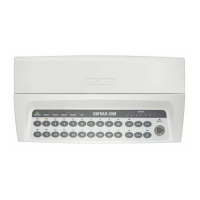
Overview of the Signal-20M panel, its purpose, and capabilities.
Detailed technical specifications, electrical parameters, and environmental limits.
Lists all components included in the standard package for the Signal-20M.
Explains the physical design, front panel elements, and operational principles.
Details various input types, their logical states, and configuration parameters.
Specifies resistance, voltage, and current parameters for input circuits.
Details the types, electrical specifications, and monitoring modes of outputs.
Parameters for controlling output behavior, timing, and monitoring.
Information on types of credentials, storage, and configuration parameters.
Defines user rights for inputs/outputs and access control levels.
Describes the panel's behavior and functions in Quiescent mode.
Procedures for entering PINs and operating the panel locally.
How to operate the panel via a network controller or administrator menu.
Explains the meaning of LED indicators for inputs and outputs.
Details the buzzer signals and their corresponding events.
Key system-wide configuration parameters like PIN length and network address.
How to configure input and output parameters via software.
Information on product marking, sealing, and warranty voiding.
Restrictions on use and essential safety measures before starting.
Step-by-step instructions for installing the control panel.
Diagrams and instructions for wiring panel connections and input circuits.
Default settings for inputs, outputs, system, and credentials.
Procedures and requirements for updating the device's firmware.
General maintenance guidelines and safety precautions for qualified personnel.
Steps for performing annual functional tests, including indication and output checks.
Guidelines for storing, shipping, and disposing of the product.
Information on the product's warranty period and claim procedures.
Lists certificates of conformity and compliance with safety regulations.
 General
| Brand | bolid |
|---|---|
| Model | SIGNAL-20M |
| Category | Security System |
| Language | English |

 To Next Page
