Automatically Power on/o & Pairing
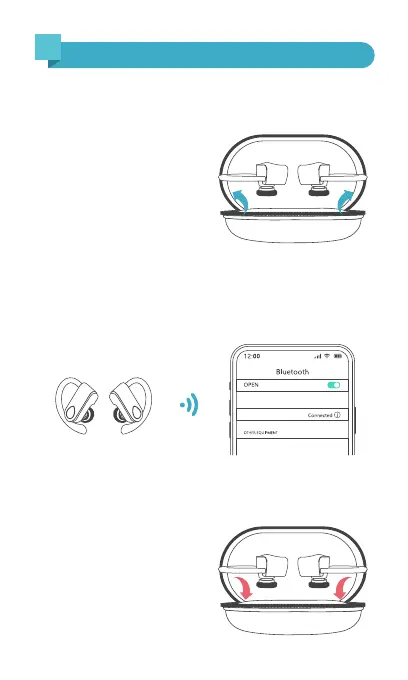
2. For first-time pairing: Activate Bluetooth setting on your
phone, search and connect "S12" .
For subsequent use: When you take out the earbuds from
the charging case, they will automatically connect to your
device.
3. Put the earbuds back into
the charging case, they will
disconnect and power off
automatically.
Note: If the earbuds are not connected to your device over
5 minutes, the earbuds will power off automatically.
(Make sure the earbuds and charging case have power.)
1. Take out the earbuds from
the charging case, they will
automatically power on and
enter pairing mode.
8
How to power on/o & pair?
6


 To Next Page