- 35 -
;! 0*:%3! )3$! =:))*+!0&?$1! "$))&+5-!03$! )&?$1! &+4&%()*1!
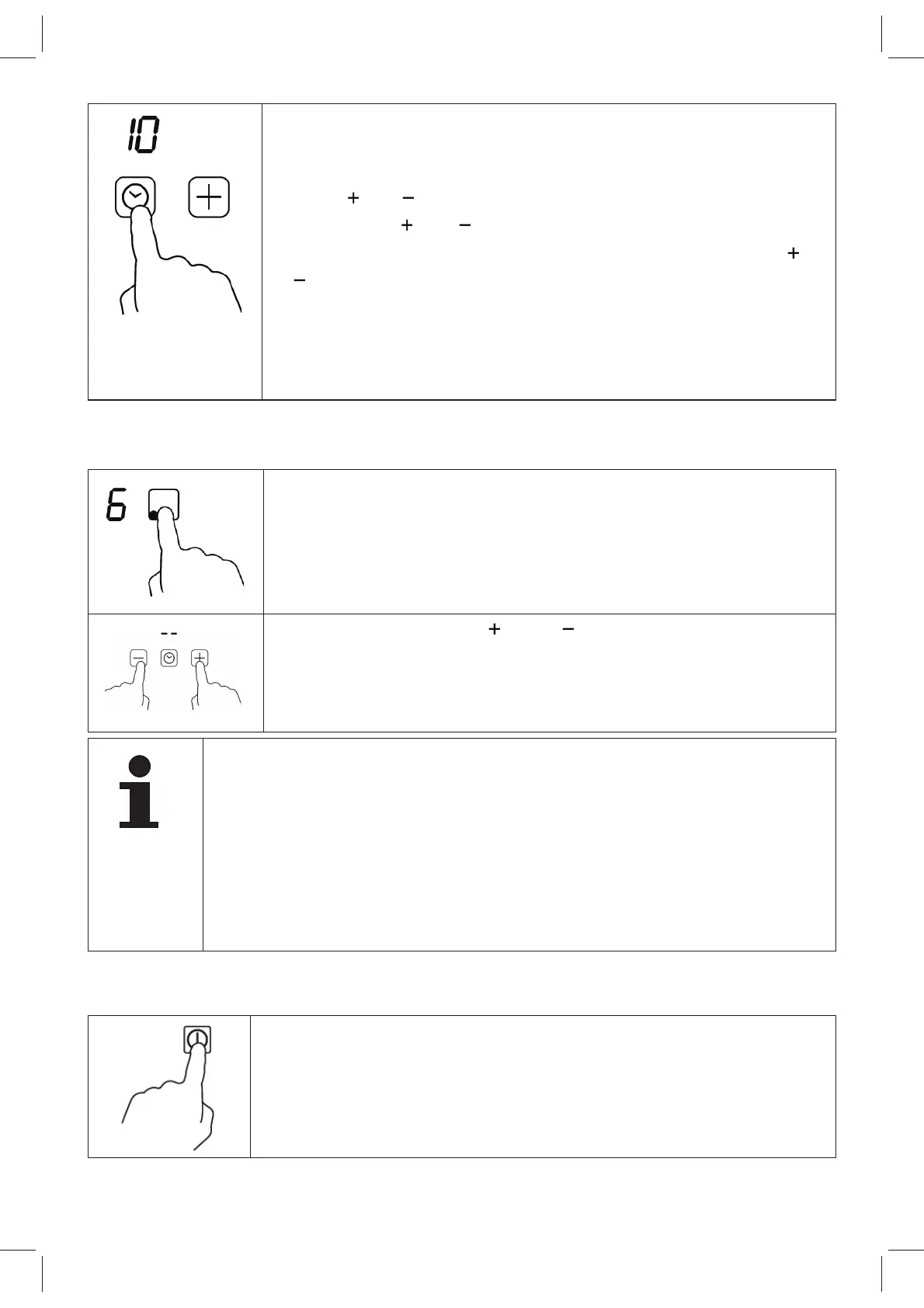
shows “10” and the timer can be set.
;! "$)!)3$!)&?$1!=$)9$$+!Y!(+4!ee!?&+:)$,!9&)3!)3$!=:)-
tons
or .
;! U(%3!)&?$!
or !&,!)*:%3$46!)3$!,$)!)&?$!&,!%3(+5$4!
by one minute. By continuously touching button
or
!6)3$!,$)!)&?$!&,!%3(+5$4!&+!,)$#,!*7!Ya!?&+:)$,-
;! C7)$1!)3$!)&?$1!3(,!=$$+!,$)6!)3$!)&?$1!4&,#8(>!Q(,3$,!
for 5 seconds. A red dot next to the cooking level indi-
cates that a timer has been set for this cooking zone.
The display shows the remaining time.
Canceling the Timer Setting
;! "$8$%)!)3$!%**G&+5!@*+$!7*1!93&%3!)3$!)&?$1!&,!)*!=$!
canceled on the control panel.
;! 0*:%3!)3$!=:))*+,!
and !6()!)3$!,(?$!)&?$!)*!%(+-
cel the timer for the cooking zone. The timer display
shows “--”.
NOTE
/!E+!)&?$1!?*4$6!)3$!#*9$1!8$2$8!%(+!=$!%3(+5$4!9&)3*:)!%3(+5-
ing the time setting.
/03$!)&?$1!7:+%)&*+!%(+!(8,*!=$!,$)!7*1!,$2$1(8!%**G&+5!@*+$,-!
The display shows only the shortest remaining time.
/!03$!)&?$1!7:+%)&*+!&,!%(+%$8$4!93$+!)3$!(##8&(+%$!&,!):1+$4!
off.
/!C7)$1!)3$!,$)!)&?$6!)3$!%**G&+5!@*+$!&,!):1+$4!*77!(:)*?()&%(88>-
Other Timer Use
;! 03$!3*=!?:,)!=$!):1+$4!*+!(+4!+*!%**G&+5!@*+$!?(>!=$!
selected.


 To Next Page