1616
Connection conditions
WARNING:
• Theinstallationtothemainssupplymustconformtothelocalstandardsandregulations.
• Improperconnectionmaycausetoanelectric shock!
• Innoeventthedeviceshouldbeconnectedtoanextensioncord,adapterplugorthelike.
• Donotmodifytheplugprovidedwiththeappliance.Iftheplugdoesnottproperlytotheoutlet,letinstallaproperoutletbyanauthorizedspeci-
alist.
• Ensurethatyourmainspowercorrespondswiththespecicationsoftheappliance.Thespecicationsareprintedontheratinglabel.
• Connectthemainscabletoaproperlyinstalledandearthedwalloutlet.
• Guidethemainscableinsuchawaythatitdoesnotgetincontactwithanyhotcomponentsofthedevice.Donotleaditoversharpedgesor.
Startup / Operation
General information about the operation
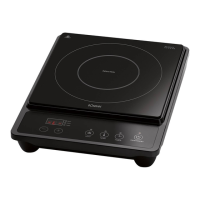
• Theapplianceisoperatedthroughthebuttonsonthecontrolpaneloftheappliance.
• Thebuttonsreacttotheslightesttouch.Youdonotneedtoapplyanypressure.
• Theappliancereactsbestwhentouchingthebuttonswiththengertipsandwithdryhands.
• Onceatouchhasbeenregistered,abriefbeepwillsound.
• Ensurethatthecontrolpanelisalwayscleananddry.Objectsorasmallliquidlmcanimpairoperation.
Selecting the right cookware
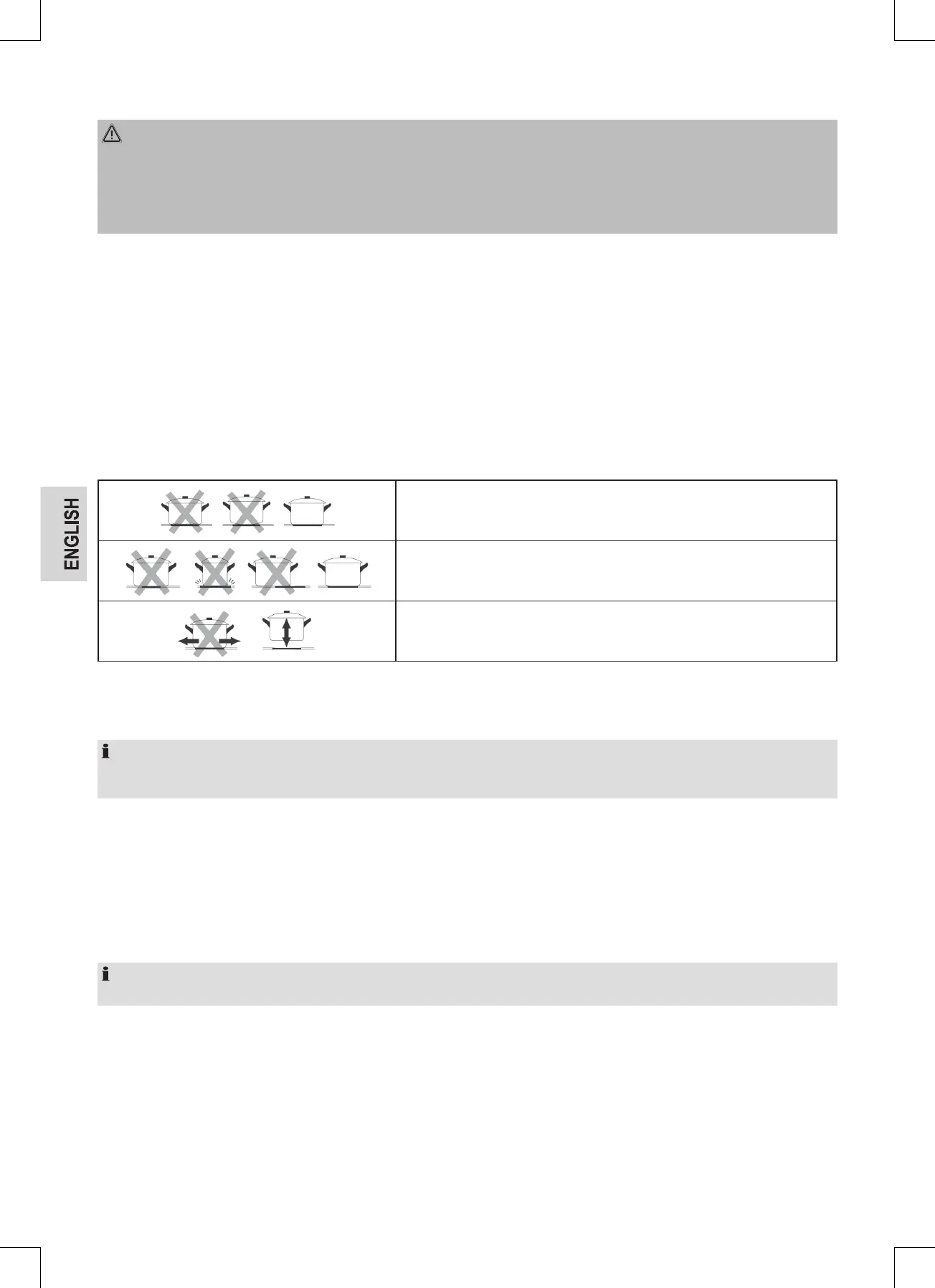
Only use cookware with a completely even bottom.
The bottom of the cookware should be of the same size as and be centered on the
cooking zone.
To prevent scratches, do not slide the cookware across the cooking zone, but lift it.
Turning the appliance on/off
Presstheon/offbuttononthecontrolpaneltoturnontheappliance.Afterturningiton,abeepwillsoundandallthedisplayswillshow“-”or“--”.The
appliance is now in standby mode.
NOTE:
• Ifyoudonotselectafunctionwithinoneminute,theappliancewillswitchoffautomatically.
• Thecookingzonecanbeturnedoffatanytimebypressingtheon/offswitch.
Turning a cooking zone on/off
• Placesuitablecookwareontothecookingzonetobeused.Ensurethatthesurfaceofthecookingzoneandthebottomofthecookwareareclean
and dry.
• Selectatthecontrolpanelthedesiredcookingzonebythecookingzoneselectionbuttons.Thepowersetting“0”isashing.
• Setthedesiredheatingsettingfrom1to9withthe(+)or(-)button.Firstthepowersetting“5”isdisplayed.Bypressingthe(+)or(-)button,the
setting is changed continuously.
• Toswitchoffacookingzone,selectthecorrespondingcookingzonebytheselectionbuttonandpressthebuttons(-)untilthepowerlevel“0” is
indicated.Youcanalsopressthe(+)and(-)buttonsatthesametimetoresetthepowertosetting0andthecookingzonewillbeturnedoff.
NOTE:
The power settings can be changed at any time during cooking.
Using the timer to turn one cooking zone off
Youcanusethetimertoautomaticallyturnoffone cooking zone after a set duration.
• Selecttherespectivecookingzonethatyouwouldliketosetthetimerfor.Setthedesiredpowersettingwiththe(+)or(-)button.
• Pressthetimerbutton.Theminuteindicationashes“10” and the timer can be set.
• Makeanadjustmentofbetween1and99minuteswiththebutton(+)or(-).
• Witheachpushofthe(+)or(-)button,thesettimewillchangebyoneminute.Bypressingthe(+)or(-)button,thesettimewillbechangedin
10-minute increments.
• Aftersettingthetimer,theminuteindicationashesforafewseconds.Areddotnexttothepowerlevelindicatesthatatimerissetforthiscooking
zone. The minute indication shows the remaining time.



 To Next Page