6
03/2014
- Clean the interior of the device including all accessory parts located inside.
Connect the Device to the Mains Supply
IMPORTANT
- The device must be earthed properly. For this purpose the plug of the mains cable has been fitted
with the intended lead.
- Contact an electrician if the plug does not fit in the wall socket.
- In case you disconnect the device or in case of power failure: Wait for 5 minutes before restarting
the device.
Operation
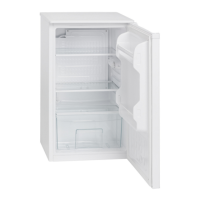
Turn on the device by connecting the plug to a wall socket and turning the temperature control, which
is located at the right side of the fridge interior. Please also refer to chapter ‘Settings’.
Settings
Setting 0 – OFF indicates the device is turned off.
Turn the temperature control clockwise, starting from this setting; the device will turn on automatically.
The Settings 1 MIN – 7 MAX regulate the inside temperature. When opening the door, the interior
lamp will turn on.
Setting 0 (or OFF) = Off
Setting 1 (or MIN) = lowest setting (warmest inside temperature)
Setting 7 (or MAX) = highest setting (coldest inside temperature)
Turning the temperature control clockwise will lower the inside temperature. Please keep in mind that
the temperature changes with the ambient temperature (of the location), with the frequency of opening
the door and the amount of food in the device.
During initial operation, turn the temperature control to the highest setting first, until the device has
reached the desired operating temperature. Afterwards It is recommended to turn the control back to a
medium setting, correcting the temperature at a later point would then be easier.
Storing Food
Note: Always store food covered or packed in order to prevent drying-out and transfer of odor or taste
onto other food items.
You may pack the food with:
- Polyethylene plastic bags or foil
- Plastic containers with a lid
- Special elasticated plastic covers
- Aluminum foil
The following Safety Precautions are Recommended
- The device is suitable for storing fresh food and drinks.
- Store fresh packed items on the glass shelves and fresh fruits and vegetables in the vegetable box.
- Place bottles in the door storage rack.
- Store meat well packed and only for 2 to 3 days. Avoid contact with cooked dishes.
- Let warm food cool down before putting it in the device.
Defrosting
The device has a automatic defrosting system. During defrosting the water drops drain off at the rear
side of the cooling chamber. The water running through a flume, is collected in a container underneath
the compressor, where it will evaporate. Make sure the flume does not get clogged. Clean it carefully
with a pipe cleaner or knitting needle. A light formation of ice on the rear side during operation is nor-
mal.
Operating Noise
NORMAL NOISE
TYPE OF SOUND CAUSE/ SOLUTION
Mumbling
Caused by the compressor during its operation.
This is stronger when it turns on or off.
Liquid sounds Caused by the circulation of the refrigerant in the device.
Click sounds The temperature control turns the compressor on or off.
Disturbing noises
Vibration of the shelves or cooling coils – check if those are
securely fastened.


 To Next Page