EasyManua.ls Logo

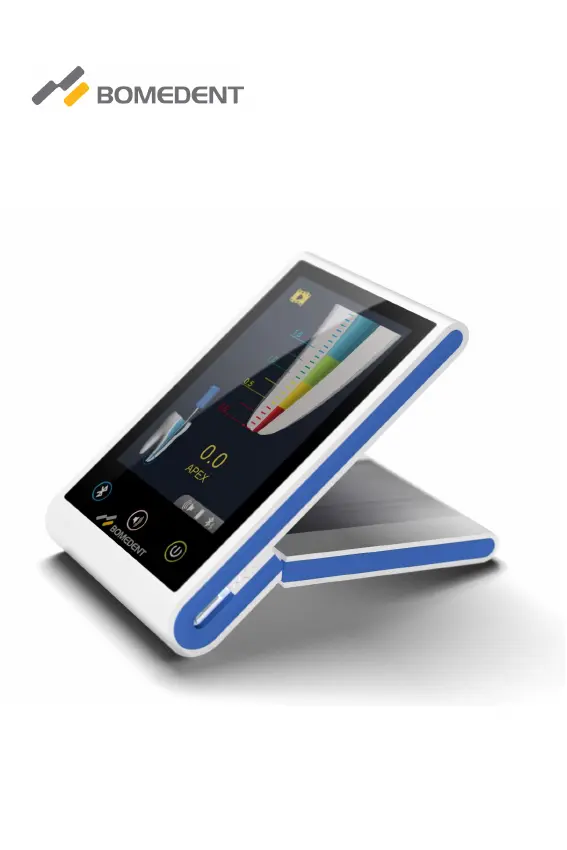
Bomedent iRoot apex - User Manual

Bomedent iRoot apex
36 pages
Print Icon
To Next Page IconTo Next Page
Loading...
Operation Manual for iRoot apex
Apex locator
Read this Operation carefully before use. Keep this Operation Manual for future reference.

Questions and Answers

Summary

Product Introduction

Product Introduction

Overview of the apex locator and its purpose in endodontic treatment.

Model and Dimensions

Details the specific model name and physical dimensions of the device.

Components

Lists and illustrates the main unit and essential accessories included with the device.

Main Technical Specifications

Provides key technical details like battery, power, screen, and buzzer specifications.

Function Introduction

Interface Display Introduction

Explains the various icons and graphical elements displayed on the device's screen.

Key Functions

Details the functionality of the device's physical buttons like Bluetooth, Volume, and Power.

Bluetooth Function

Describes how to establish and use wireless communication with other devices.

Installation and Setup

Connect Measurement Line

Guides users on connecting the necessary cables and accessories for operation.

Demo and Charging

Instructions on using the demo mode and charging the device's battery.

Product Operation

Operation Notice and Requirements

Important guidelines, precautions, and prerequisites for correct device operation.

Operating Instructions

Step-by-step guidance on how to use the apex locator during procedures.

Troubleshooting

Cleaning and Disinfection

Storage, Maintenance, and Transportation

Storage and Maintenance

Guidelines for proper storage conditions and keeping the device in good working order.

Transportation

Precautions to prevent damage during the shipping and handling of the device.

Safety and Compliance

Environment Protection

Information regarding the product's environmental impact and disposal.

After Service

Details on warranty, repair, and customer support services.

Symbol Instruction

Explains the meaning of various symbols and icons used on the device and documentation.

EMC Declaration

Technical declaration concerning electromagnetic compatibility and emissions.

Statement

Bomedent iRoot apex Specifications

General IconGeneral
TypeRoot Canal Sealer
CompositionCalcium Silicate, Zirconium Oxide
Setting TimeApproximately 4 hours
pH≥ 12
Biological PropertiesBiocompatible
PackagingSyringe
Shelf Life2 years
Storage Conditionsavoid direct sunlight

Related product manuals