EasyManua.ls Logo

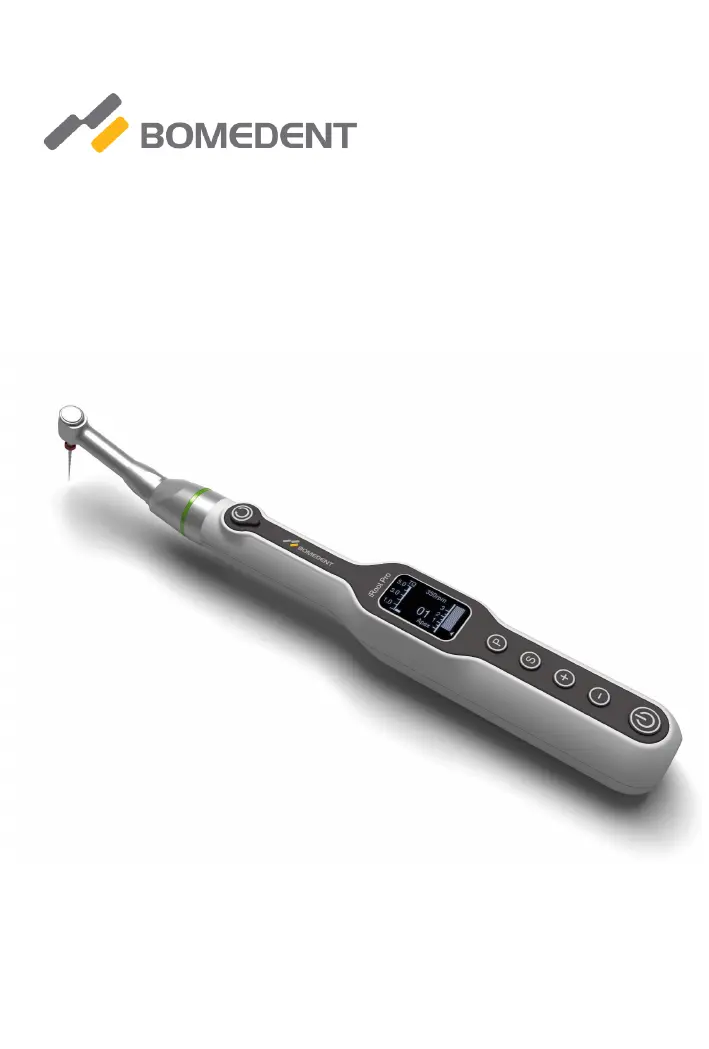
Bomedent iRoot pro - User Manual

Bomedent iRoot pro
40 pages
Print Icon
To Next Page IconTo Next Page
Loading...
Operation Manual for iRoot pro
Endo motor for root canal preparation
with integrated apex locator.
Read this Operation carefully before use. Keep this Operation
Manual for future reference.

Questions and Answers

Summary

Intended Use and User Guidance

Device Purpose and User Qualifications

Describes the device's primary use for root canal preparation and the qualifications of authorized users.

Prohibitions and Safety Precautions

Lists contraindications, prohibitions, and precautions for specific patient groups and usage.

Device Classification Details

Details classification by protection against electric shock, sterilization method, and mode of operation.

Device Symbols and Markings

Compliance and Safety Symbols Explained

Explanation of CE, WEEE, Class II, Type B, and other safety/identification symbols.

General Precautions and Warnings

Critical Operation Warnings and Contraindications

Covers contraindications, battery safety, environmental hazards, disassembly, and authorized personnel warnings.

Operational Conditions and Requirements

Environmental and Usage Requirements

Specifies environmental conditions, usage limitations, and equipment compatibility for optimal performance.

Getting Started: Functions and Components

Apex Locator and Endo Motor Functions

Describes collaborative and independent functions of the apex locator and endo motor.

System Components Overview

Detailed description and list of all parts and accessories included in the iRoot pro system.

Smarter Mode Operation Guide

Smarter Mode Sequence and Controls

Explains the 'Smarter Mode' operation sequence and how to control its functions.

Quick Start Mode Adjustment Note

Note on changing reciprocating speed and direction via the 'P' button in quick start mode.

User Interface: Keypad and Display

Keypad and OLED Display Elements

Overview of the device's keypad buttons and detailed explanation of OLED screen elements.

Device Operation: Power and Charging

Power Key and Charging Safety Warnings

Details on using the POWER key and critical warnings related to battery charging.

User Interface: Display Details

Speed, Torque, and Apex Display Readings

Visual representation of speed, torque, and apex locator readings on the OLED screen.

Key Controls and Mode Selection

Keypad Functions for Settings and Mode Selection

How to use SELECT, PROGRAM, and +/- keys for settings and working mode selection.

Apex Locator Feedback and Rotation Modes

Apical Length Indicator and Battery Status

Explanation of apical length indicator, battery symbols, and their meanings.

Rotation Mode Descriptions (FW, RV, OTR)

Description of Forward (FW), Reverse (RV), and Optimum Torque Reverse (OTR) rotation modes.

Operation Modes and Apex Locator Features

Alarm Symbol and QS Functionality

Explanation of alarm symbols and details on using the Quick Start (QS) function.

Four Working Modes and Length Determination Tips

Description of four working modes, tips for accurate length determination, and optional apical line feature.

Apex Locator Operation and Connection

Connecting for Apex Measurement and Loop Detection

Instructions for connecting components for apex measurement and steps for loop detection.

Apex Locator Measurement and Application

Independent Measurement and Application Steps

Procedure for independent apex locator measurement and steps for treatment application.

Apex Locator Feedback and Rotation Modes

Alarm and Screen Feedback Interpretation

Describes how the alarm sound and screen display change with file depth during apex locator operation.

Forward and Reverse Rotation Modes

Detailed explanation of Forward (FW) and Reverse (RV) rotation modes.

Rotation Mode Settings and OTR

Optimum Torque Reverse (OTR) Mode Explained

Explanation of the Optimum Torque Reverse (OTR) mode, including its reciprocating motion.

Setting Rotation Modes (FW, RV, OTR)

Instructions on how to set the rotation mode (Forward, Reverse, OTR) using the SELECT key.

Convenient Functions: Programs and Settings

Program Selection, Alarm Setting, and OTR Configuration

How to select programs, adjust alarm volume, and configure OTR settings.

Optional Wireless Transmission Features

Information about the optional wireless control solution for enhanced operation.

Wireless Transmission and Factory Reset

Wireless Connection Setup and Caution

How to set up wireless connection and important cautions regarding its use.

Factory Default Parameter Reset Procedure

Instructions on how to restore the device to its factory default settings.

Settings and Calibration

Factory Settings Caution and Left;Right-Hander Setting

Cautions on factory reset and how to set the device for left/right-handed users.

Auto Calibration Procedure

Procedure for performing automatic calibration of the motor.

Calibration Caution and Cleaning Procedures

Auto Calibration Power Requirement

Caution that the battery should have sufficient power before performing auto calibration.

Cleaning and Sterilization Warnings

Cautions regarding cleaning the central unit and sterilization limitations for device parts.

Maintenance: Battery and Lubrication

Battery Replacement Guide

Step-by-step guide to safely replace the device's battery.

Contra Angle Lubrication Warning

Warnings against lubricating the central unit and ensuring no lubricant penetrates the micromotor.

Technical Specifications

Device Specifications Details

Details on manufacturer, model, material, weight, power, and electrical safety.

Error Codes

Error Code List and Remedies

Table listing error codes, their descriptions, causes, and remedies.

Troubleshooting Guide

Power, Rotation, and Sound Troubleshooting

Troubleshooting steps for power failure, motor not rotating, alarm sounds, and apex locator issues.

Product Disposal and Warranty

Disposal and Warranty Information

Guidelines for product disposal and details on the product warranty and exclusions.

Electromagnetic Emissions Declaration

Emissions Test Compliance

Details on emission tests (CISPR11, IEC61000-3-2, IEC61000-3-3) and their conformity.

Electromagnetic Immunity Declaration

Immunity Test Compliance

Details on immunity tests (ESD, Burst, Surge, Voltage variations, Magnetic field) and compliance levels.

RF Emissions and Separation Distances

Conducted and Radiated RF Guidelines

Guidelines for conducted and radiated RF emissions and recommended separation distances.

RF Separation Distance Calculation

Separation Distance Table

Table of recommended separation distances for RF communications equipment based on transmitter power.

Bomedent iRoot pro Specifications

General IconGeneral
BrandBomedent
ModeliRoot pro
CategoryDental equipment
LanguageEnglish

Related product manuals