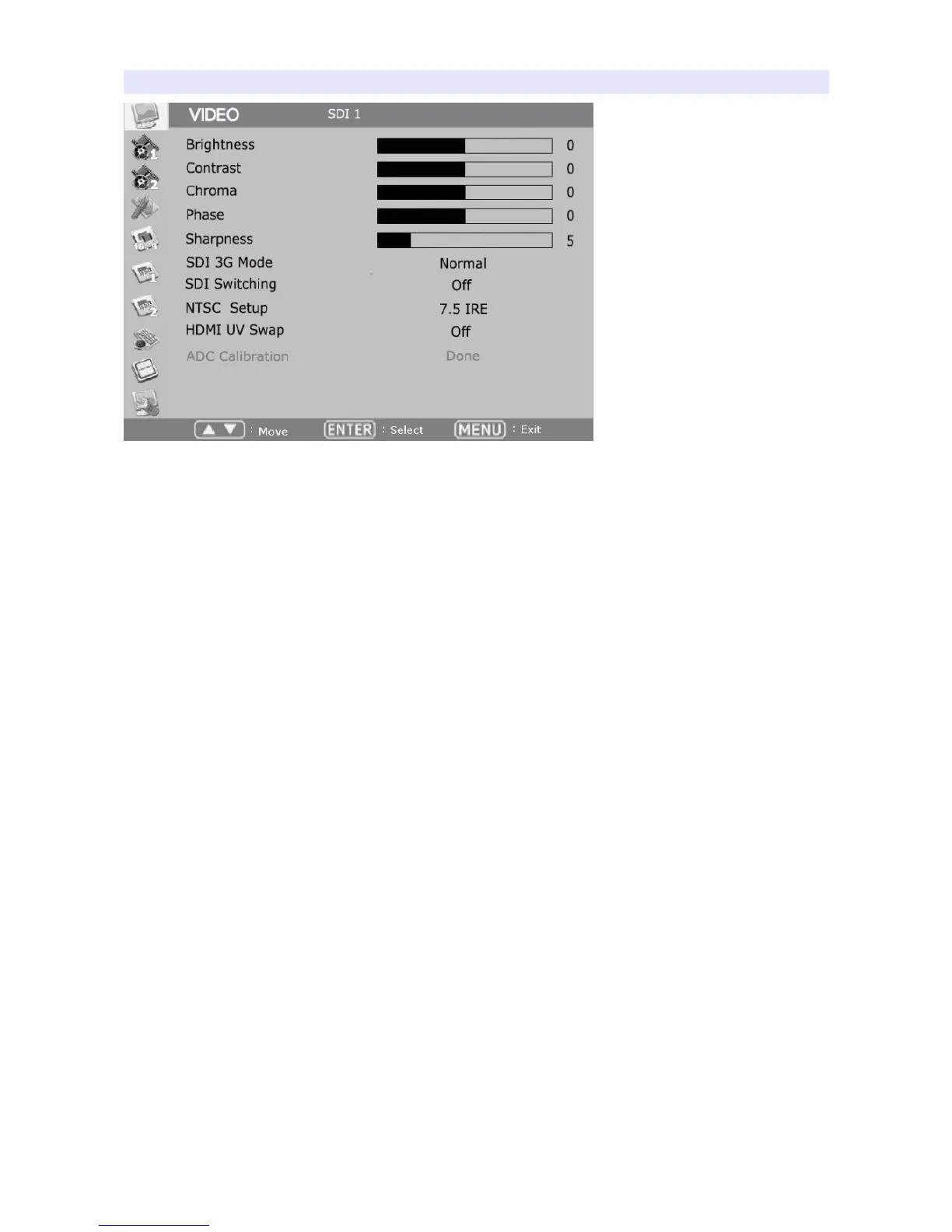
VIDEO
Brightness, Contrast, Chroma, Phase, Sharpness
Adjust color representation values.
SDI 3G Mode
Turns on SDI 3G mode to accept 3G signal.
SDI Switching
Normal : Use Normal in general condition but the screen might be blinking on
screen change when you use Matrix or Routing Switcher.
Fast : Use Fast to minimize blinking on screen change.
NTSC Setup
Select IRE among 0 or 7.5 (Default)
HDMI UV Swap
Sometimes color might be swapped on some HDMI input such as PC RGB. Turn
this mode on to return to correct color.
9


 To Next Page