3
SKS-500 User Manual Rev. 01 – 220722
3. Basic Operation
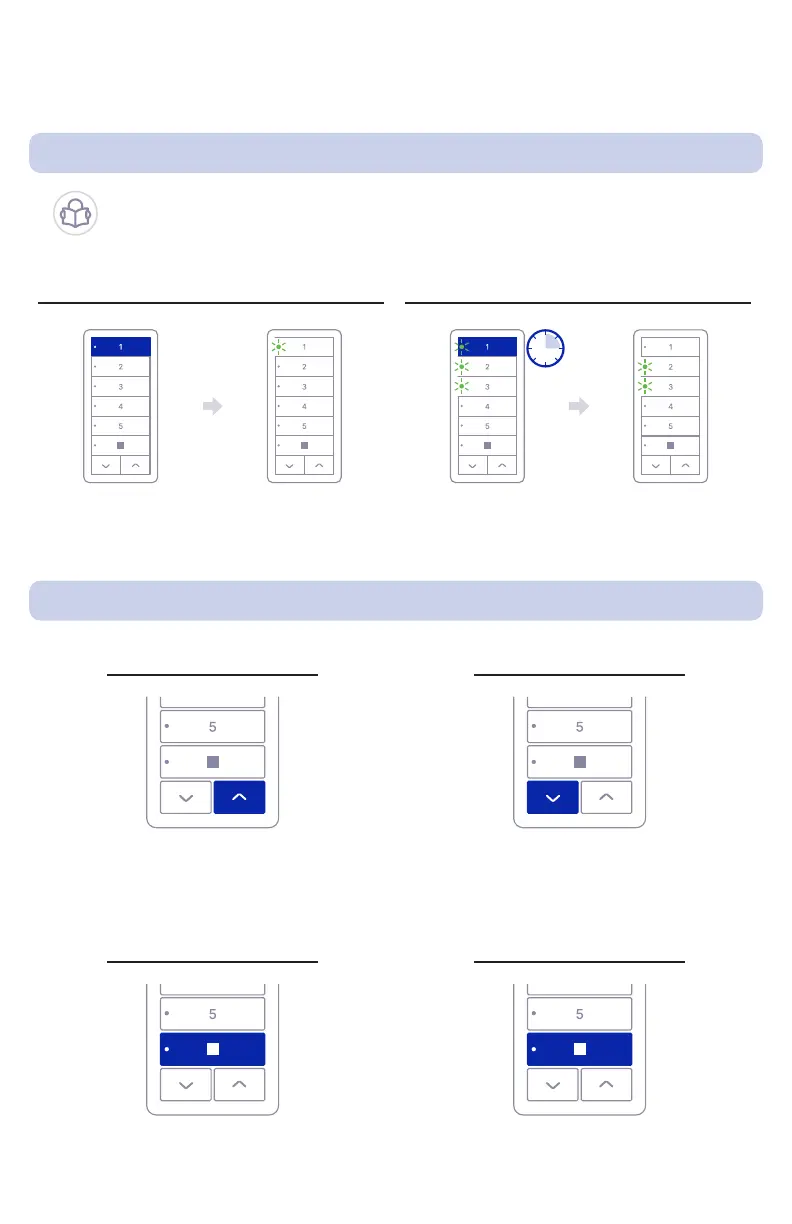
3.2. Raise, Lower, Stop Shade, and Favorite Position
3.1. Channel Selection
Raise Shade
Press UP to raise shade.
It is not necessary to hold the button
while the shade is moving
Press DOWN to lower shade.
It is not necessary to hold the button
while the shade is moving
Press desired
CHANNEL button
Hold selected
CHANNEL button
The CHANNEL LED
will light up indicating
channel selection
Button LED will
turn off
Press STOP
while the shade is stationary
Press STOP
while shade is moving
Lower Shade
Move Shade to Favorite PositionStop Shade
Select Channel Deselect Channel
You may operate one or more channels at the same time. To
deselect a channel, rst select another one. It’s not possible to
have no channel selected.



 To Next Page