4
BEFORE THE FIRST USE
MAKE DRIP COFFEE WITH COFFEE BEANS
Inspect whether all the accessories are complete and the product is damaged. Ensure
that the unit is at the OFF position. Rotate the funnel support to the left, remove the
funnel and other detachable parts, clean them in warm water, if necessary you can add
some detergents, then replace them. Pour cold drinking water into water tank until max
water level, do not place coffee and filter paper. Plug the power outlet, boil water directly
through press ‘ON/OFF’ button until no water is left. You can repeat 2-3 times to ensure
the coffee maker is clean.
1. Open the tank cover, pour clean cold water into water tank until desired cups showed
on water gauge.
Note:
1) The coffee you get would less than the water you pour in as some water
has been absorbed by coffee powder.
2) Never pour hot water, milk, coffee powder or tea and so on into water
tank.
2. Press Funnel Press Key once and rotate the funnel support to the left, ensure the filter
is inside of the Funnel Support.
3. Turn the funnel support to the right until it is locked.
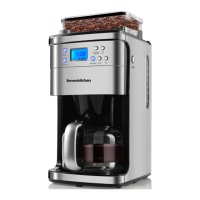
4. Put proper coffee beans (not more than 200g) into Coffee Bean Box, then cover its lid.
To avoid the coffee beans turn moist, we suggest not placing too much coffee bean in
Coffee Bean Box.
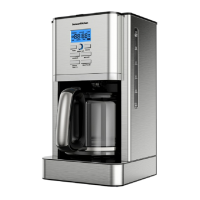
5. Plug in the power cord into the outlet. The display will show “12:00” (see “control
panel”), and the number will flash, then press Hour and Min button to set correct time.
Number will flash until Pressing Hour or Min button to set time, Note:
Automatic function cannot be available when number is flash.
6. Set the number of cup (2,4,6,8,10,12) through press “CUP” button (see “control panel”),
if you do not press the “CUP” button to set the number of cup, the default number of
cup is 12 cups.


 To Next Page