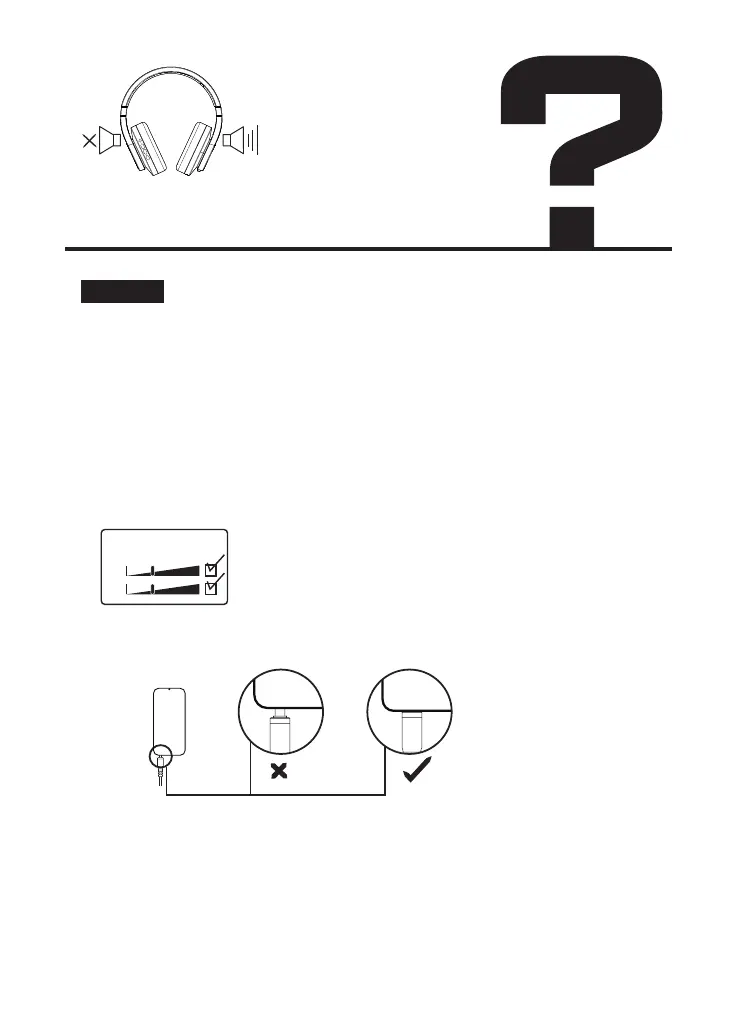
Make sure your audio source is on and the volume is up.
If your headphones have a volume button or knob, make sure to turn it up.
If you have battery-powered headphones, make sure the battery have
enough power.
Check the connection of your headphones.
Wired connection:
1. Please confirm whether your music is unilateral.
2. Please make sure the audio cable has fully inserted in the
devices you connected with.
Confirmation method:
①If connected to a computer, find the sound settings and
see if it is mono out.
②Try to play different songs with ordinary music
application.
③Try to play the same music with another headphone.
Confirmation method:
1. If connected to a computer, find the sound settings and see if it is
mono out.
2. Try to play different songs with ordinary music application.
3. Try to play the same music with another headphone.
balance
left
right
Solution:
There is no sound from
one side or both sides
我的耳机没有声音、单边失音
"确保您的音频源已打开且音量已调高。
如果您的耳机有音量按钮或旋钮,请确保将其调大。
如果您有电池供电的耳机,请确保电池电量充足。
检查耳机的连接。
有线连接:
1. 请确认您的音乐是否是单边的。
2. 音频线连接的两端(耳机及设备)均需要保证完全插入,
您连接的设备。
确认方法:
1)如果连接到电脑,找到声音设置和
看看是不是单声道。
2)尝试用普通音乐播放不同的歌曲
应用。
3) 尝试用另一个耳机播放相同的音乐。
3、清洁插头的灰尘或杂质
蓝牙连接:
确保在音频源的蓝牙设置中选择您的耳机。
确保附近没有多个发射无线电波的设备
关闭和打开耳机。
再次将耳机与音频设备配对。
尝试将耳机连接到另一个音频源。
如果听到声音,第一个音源可能需要维修。
如果您的耳机在连接到第二个音频源后没有发出任何声音,您的耳机可能需
要维修。转至产品维修。"


 To Next Page