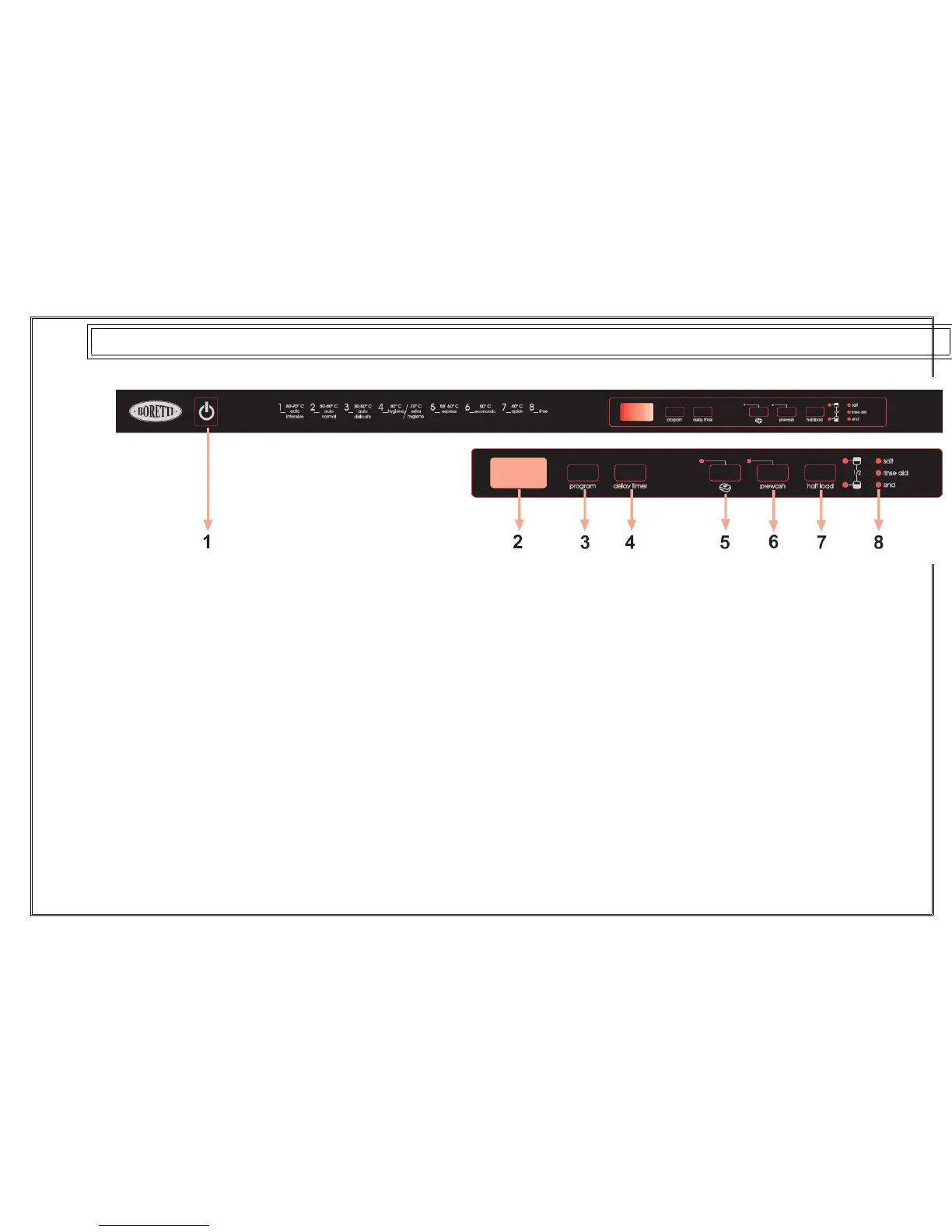
1.) Power On/Of Button
When the Power On/Of button is pressed, end of
program
indicator starts lighting.
2.) Program Display
Program display indicates the times of the programs
and the
remaining time during the program _ow. You can also
follow-up
the selected programs by this display.
3.) Program selection button
With the program selector button, you can select a
suitable
Program.
4.) Delay Timer Button
You can delay the start time of a selected program for
1-2 ….19
hours by pressing the delay timer button of your
machine. When
you press the delay timer button, delay “1h” appears
on the
program display. If you continue pressing the delay
timer button,
1-2… 19 will be displayed respectively. You can
activate the
delayed start by selecting the delay time and the
desired washing


 To Next Page