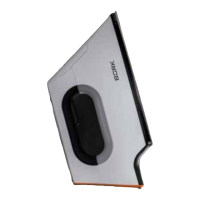
10 11
The iron has three modes of steam operation:
Constant steam supply, steam and dry ironing.
Do not direct the steam on people or animals.
CONSTANT STEAM SUPPLY MODE
• Make sure that the water tank is full.
Addwater to the tank, if necessary.
The iron is switched on in the dry ironing mode
by default.
• Use the steam level adjustment sensor,
setting the level you want.
.....
MIN MID MAX (eng.)
.....
1 2 3 (symb.)
The steam flow indicator and chosen steam
level will be displayed for a user.
• Wait until the heating indicator stops flashing
and glows continuously. The iron is ready
foruse.
• In order to perform quick turning off
ofthesteam supply and transfer the
device to the dry ironing mode, press
andhold thesteam level adjustment sensor
for2 seconds.
Please note, that different levels of steam supply
are available in different temperature modes.
Temperature mode Steam supply level
ECO ....
WOOL MIN
COTTON MIN
AVERAGE
LINEN MIN
AVERAGE MAX
The device will automatically adjust the optimum
steam level upon selection of the desired
temperature mode for user convenience.
The iron provides 4 temperature modes:
ECO
WOOL COTTON LINEN (англ.)
•
•• ••• •••• (symb.)
• Connect the device to mains.
• The display will show «ECO» inscription –
thetemperature mode with minimum heating.
This mode will ensure safe operation of the
iron, It also eliminates a possibility of causing
accidental damage to delicate fabrics.
• Set the desired level of heating of the
soleplate using the temperature adjustment
sensor.
Be careful, follow recommendations on choice
of the temperature mode for the fabric. Ironing
of delicate products at excess temperatures can
damage the fabric.
The display will flash during device heating
tovalues of the selected temperature mode.
The soleplate of the iron reaches the desired
temperature when the heating display glows
continuously. The iron is ready for use.
• Press the sensor
. twice briefly in order
tolock / unlock the control panel.


 To Next Page
 Loading...