3
Connecng to the baery
1. Idenfy polarity of baery posts. The posive baery terminal is typically marked by these leers or symbols (POS,P,+). The negave baery terminal is
typically marked by these leers or symbols (NEG,N,-).
2. Do not make any connecons to the carburetor, fuel lines, or thin metal parts.
3. Idenfy if you have a negave or posive grounded vehicle. This can be done by idenfying which baery post (NEG or POS) is connected to the chassis.
4. For a negave grounded vehicle (most common): connect the RED POSITIVE clamp rst to the posive baery terminal, then connect the BLACK NEGATIVE
clamp to the negave baery terminal or vehicle chassis.
5. For a posive grounded vehicle (very uncommon): connect the BLACK NEGATIVE clamp rst to the negave baery terminal, then connect the RED POSITIVE
clamp to the posive baery terminal or vehicle chassis.
6. When disconnecng, disconnect in the reverse sequence, removing the negave rst (or posive rst for posive ground systems).
7. A marine (boat) baery must be removed and charged on shore. To charge it on board requires equipment specially designed for marine use.
LCD ICONS:
Charging modes
Ιmportant Note:
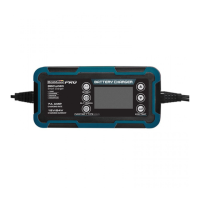
The BBC4020 charger has 12 modes: Standby, 12V STD, 12V COLD/AGM, 12V LITHIUM (LIFEPO4), 12V CAL, 24V STD, 24V COLD/AGM, 24V CAL , 13,6V SUPPLY,
REPAIR, 12V ALTERNATOR CHECK, BATTERY HEALTH CHECK. Do not operate the charger unl you conrm the appropriate charge mode for your baery. CAU-
TION: If you choose 24V Mode(s) for 12V baery, the 12V baery will be damaged!
Mode
Standby
12 V STD
12 V COLD/AGM
12 V CAL
24 V STD
24 V COLD/AGM
24 V CAL
12 V LITHIUM
REPAIR
13,6 V SUPPLY
12V ALTERNATOR CHECK
BATTERY HEALTH
CHECK
Baery Size (Ah)
-
14-230
14-230
14-230
14-115
14-115
14-115
14-230
14-230
-
-
-
Explanaon
Not charging or providing any power. The user can check the Remaining Baery Capacity (State of Charge)
Charging 12V STD baeries
Charging 12 V baeries below 10
o
C (50
o
F) or 12V
AGM baery
Charging 12 V CAL baeries
Charging 24 V STD baeries
Charging 24 V baeries below 10
o
C (50
o
F) or 24 V AGM baery (Green LED)
Charging 24 V CAL baeries
Charging 12 V lithium-ion (LiFePO4) baeries only
An advanced baery recovery mode for repairing old, idle, straed or sulfated baeries
Converng to a DC power supply for powering 12 V DC device or as a memory retainer when replacing a baery.
Check vehicle’s alternator output
Check baery health (LEAD-ACID only), including SOC, SOH, CCA and internal resistance
The following modes are advanced charging modes that require your full aenon before selecng.
(LiFePO4 12V lithium
baery 4 Cell LiFePO4)
Short circuit
warning and baery
CCA test of baery
Baery voltage to
start charging
Low temperature charging
mode and AGM baery type
Total capacity of fully
charged baery
Total me required for
charger charging
Baery CCA detecon display / baery voltage display / baery funcon display
Generator detecon display
Baery health
percentage display
Baery remaining
capacity display
Baery charging
dynamic display
Baery repair funcon
Ordinary lead-acid
baery
Baery internal
resistance display
Power mode (13,5 V 5 A)
Baery capacity to
start charging


 To Next Page
 Loading...