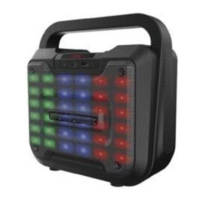
Press and hold the Power / Mode Button to turn off the unit.
The remote control has separate buttons for Power and Mode. Simply press the Power
Button on the remote control to turn on / off the unit and use the Mode Button to toggle
through the various play modes.
BLUETOOTH MODE
NOTE: Refer to the user manual of your Bluetooth enabled device for instructions on
pairing and connecting Bluetooth devices.
1. Keep the unit and your Bluetooth enabled device within 1 metre at all times during
the pairing process.
2. Turn on the unit and toggle to the Bluetooth mode with the Blue LED indicator light
on the front panel. It will be flashing indicating the unit is in pairing mode.
3. Turn on the Bluetooth function on your Bluetooth enabled device and search for
Bluetooth devices. When the search is complete, select “BTSB320” from the
Bluetooth device list. If your device prompts you for a password, use “0000”.
4. When the Bluetooth connection is successful, you will hear a confirmation tone that
the unit and your device are connected.
NOTE:
• If pairing was unsuccessful, turn off the unit first and repeat the steps above to
re-pair again.
• After successful pairing, paired devices will remember each other. Unless pairing
information is deleted, re-pairing is not required after the first time.
5. Once you are successfully connected, you can use the controls located on the side
of the unit, the controls on your Bluetooth device and or the controls on the remote
control.
6. To increase or decrease the volume, adjust the volume control on the unit and your
device.
7. To skip songs forward or backward, press the Next or Previous buttons on the unit,
remote control or on your device.
8. To pause and resume playback, press the Play/Pause Button anytime during
playback on the front of the unit on the unit, remote control or your device.
Unpair Button (on remote control only): Press the Unpair Button on the remote control to
easily disconnect the current connected Bluetooth device and connect another device.
AUDIO INPUT (AUX-IN) MODE
Requires a 3.5mm audio (AUX-IN) cable (not included).
1. Connect one end of the 3.5mm auxiliary (aux-in) audio cable to the 3.5mm Aux
Input Jack located on the back side of the unit. Plug the other end into a


 To Next Page