Need help?
Do you have a question about the Bosch DIVAR IP all-in-one 7000 2U and is the answer not in the manual?
Device is for professional installation only and not for personal or household use.
Restrict physical access to authorized personnel and limit local network access to trusted devices.
Install the latest applicable software version for consistent functionality, compatibility, and security.
System can operate in three modes: Full video recording, Pure video recording, or iSCSI storage expansion.
Central interface for software setup, upgrade, and operation mode selection.
Default administrator account is BVRAdmin. Password must be at least 14 characters with mixed case and digits.
Guide to initial setup, including language selection, license acceptance, password setting, and Software Center installation.
Select the system's operation mode: full video recording/management, pure video recording, or iSCSI storage expansion.
Steps to upgrade installed software using DIVAR IP Software Center.
Steps to update installed software to the latest version using DIVAR IP Software Center.
Recommendations for strong password rules to protect the system from unauthorized access.
Guide to configuring port forwarding on routers for internet access to the DIVAR IP system.
Instructions to establish a remote connection using BVMS Operator Client.
Instructions to establish a remote connection using the Video Security App.
Steps to install Bosch VMS Enterprise Management Server for central management.
How to activate and use system health monitoring tools via the SuperDoctor 5 Web interface.
Procedures to restore the unit to factory default image using recovery options.
Information on obtaining further documentation, software downloads, and client software.
Information on accessing support services and training resources from Bosch.
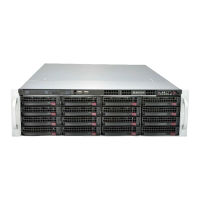
The document is a user manual for the DIVAR IP all-in-one 7000 2U and DIVAR IP all-in-one 7000 3U systems, which are video recording and management solutions from Bosch Security Systems. These systems are designed for professional installation and use in commercial and industrial environments, not for personal or household use.
The DIVAR IP all-in-one 7000 systems are based on the Microsoft Windows Server IoT 2019 for Storage Standard operating system. This OS is specifically tuned for optimal performance in network-attached storage scenarios and includes an interface for initial server configuration, unified storage appliance management, simplified setup, and support for Microsoft iSCSI Software Target.
The systems can operate in three distinct modes:
The DIVAR IP Software Center serves as the central user interface for software setup, upgrades, and operation mode selection. After installation, users must choose the desired operation mode to configure their system. The Software Center also facilitates updating and upgrading the installed software, with the latest software and upgrade packages available in the Bosch Security and Safety Systems Download Area.
While specific hardware specifications are not detailed in the provided pages, the software and operational aspects offer key insights:
BVRAdmin. The password must be set at first logon and adhere to strict requirements: minimum 14 characters, including at least one uppercase letter, one lowercase letter, and one digit.The DIVAR IP all-in-one 7000 systems offer several features for setup, operation, and remote access:
BVRAdmin account is mandatory.The manual outlines procedures for monitoring the system and recovering it to factory defaults:
BVRAdmin to activate monitoring.Enable_SuperDoctor_5_Service script in the "Tools" folder needs to be run as an administrator.SuperDoctor 5 Web interface (accessed via a desktop icon) allows for health monitoring.admin / DivaripSD5, which should be changed immediately.The document also provides links to additional documentation, client software, support services, and the Bosch Building Technologies Academy for training resources. Bosch explicitly states that it assumes no liability for damage caused by operating products with outdated software components.

 To Next Page

 General