Need help?
Do you have a question about the Bosch DIVAR IP 6000 Series and is the answer not in the manual?
Explains warning, caution, and notice message indicators for safety.
Provides essential rules for ensuring general safety during system operation and handling.
Lists critical safety instructions to be read, followed, and retained for future reference.
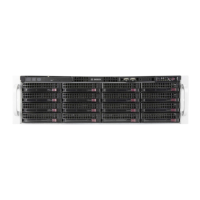
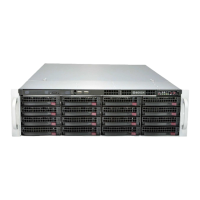
Details the key features of the high-performance chassis, including drives and expansion slots.
Describes common components included with the chassis, such as chassis, fans, and power supply.
Explains the front and rear interfaces, including buttons, LEDs, and ports.
Instructions for inspecting the shipping box and safely lifting the chassis from its packaging.
Guidance on selecting an appropriate setup location and necessary clearances.
Critical safety measures to prevent injury and ensure stability when mounting the unit in a rack.
Details ambient temperature, airflow, mechanical loading, circuit overloading, and grounding for rack mounting.
Provides general guidance for installing the chassis into a rack unit.
Procedure for connecting power and turning on the DIVAR IP system.
Overview of the DIVAR IP 6000 system based on Windows Storage Server 2012 R2.
Details the default network configuration and how the system obtains an IP address.
Methods for changing the default IP address using provided utility tools.
Describes the default iSCSI target, LUNs, and network configuration upon delivery.
Step-by-step guide to configure hard drives using the RAID setup utility via RDP.
Procedure for configuring hard drives using the RAID BIOS utility before OS boot.
Details the MIT license for the iniparser component.
Details the Microsoft Limited Public License for the MSDN Library.
Details the NTP License for the NTP Project.
Consolidates notices and cautions regarding installation and servicing by qualified personnel.
Information on obtaining and registering replacement parts for the system.
Procedure to safely shut down and disconnect power before performing maintenance.
Step-by-step instructions for safely removing the server's chassis cover.
Describes the process of installing SATA hard drives into the chassis.
Instructions for replacing the pre-installed DVD-ROM drive.
Guide for installing or replacing the front port panel.
Steps to install expansion cards into the chassis's PCI slots.
Instructions for installing the air shroud for proper airflow.
Procedure for replacing a system fan, including safety precautions for moving parts.
Guide for replacing redundant power supply units, including safety warnings.
How to activate system health monitoring using the SuperDoctor 5 tool.
Procedure to install the Video Recording Manager program on the unit.
Information on warranty, service, and how to request an RMA for failed parts.

 To Next Page
 General