EasyManua.ls Logo

Bosch DIVAR IP all-in-one 6000 - User Manual

Bosch DIVAR IP all-in-one 6000
24 pages
Print Icon
To Next Page IconTo Next Page
Loading...
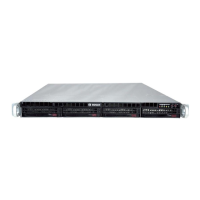
DIVAR IP all‑in‑one 6000
DIP‑6440IG‑00N | DIP‑6444IG‑4HD | DIP‑6448IG‑4HD |
DIP‑644IIG‑4HD
en
User manual

Other manuals for Bosch DIVAR IP all-in-one 6000

Questions and Answers

Summary

Safety

Operating precautions

Precautions for safe operation, handling, and environmental conditions.

Cybersecurity precautions

Measures to protect the system from unauthorized access and cyber threats.

Software precautions

Recommendations for software installation, updates, and security.

Use latest software

Importance of installing and using the latest software versions.

OSS information

Details regarding Open Source Software licenses used in the product.

Introduction

System overview

Operating system

Details about the Microsoft Windows Server IoT 2022 for Storage Workgroup.

DIVAR IP System Manager

The central user interface for system setup, configuration, and upgrades.

Operation modes

Explanation of the three available operating modes for the system.

System setup

Default settings

Preconfigured IP and iSCSI settings, and administrator account defaults.

Prerequisites

Requirements before starting the system installation and setup.

First sign-in and initial system setup

Steps for the initial login and configuring the system for the first time.

Choosing operation mode BVMS

Guide to setting up the system in BVMS operation mode.

Choosing operation mode VRM

Guide to setting up the system in VRM operation mode.

Choosing operation mode iSCSI storage

Guide to setting up the system as an iSCSI storage expansion.

Upgrading software

Remote connection to the system

Protecting the system from unauthorized access

Security measures to prevent unauthorized remote access.

Setting up port forwarding

Configuring router settings for remote access.

Choosing an appropriate client

Selecting the right client software for remote connection.

Remote connection with BVMS Operator Client

Steps for connecting using the BVMS Operator Client.

Remote connection with Video Security App

Steps for connecting using the Video Security App.

Connecting to an Enterprise Management Server

Maintenance

Signing in to the administrator account

How to log in to the administrator account for system operations.

Monitoring the system

Methods to monitor the system's status and performance.

Monitoring the system using the SuperDoctor application

Using SuperDoctor for system health monitoring.

Monitoring the system using the IPMI interface

Using the IPMI interface for hardware monitoring and diagnostics.

Replacing a faulty hard drive and configuring a new hard drive

Procedure for replacing failed hard drives and rebuilding RAID.

Replacing a faulty hard drive

Step-by-step guide to replace a malfunctioning hard drive.

Rebuilding RAID5 with the new hard drive

Steps to rebuild the RAID5 array after a drive replacement.

Collecting DIVAR IP System Manager log files

How to collect system logs for troubleshooting purposes.

Recovering the unit

Procedures for restoring the system to a default state.

Additional information

Additional documentation and client software

Links to more documentation, software downloads, and client tools.

Support services and Bosch Academy

Information on accessing support and training resources.

Bosch DIVAR IP all-in-one 6000 Specifications

General IconGeneral
ModelDIVAR IP all-in-one 6000
Product TypeNetwork Video Recorder
Recording TechnologyIP
Maximum Storage Capacity64 TB
Video CompressionH.265, H.264, MJPEG
Network InterfaceGigabit Ethernet
Power Supply100-240 V AC
Operating SystemLinux
Power Supply Frequency50/60 Hz
Maximum Recording Resolution12MP
RAID SupportRAID 0, 1, 5, 6, 10
Network Interfaces2 x RJ-45
Form FactorRackmount
Operating Temperature0°C to 40°C (32°F to 104°F)

Related product manuals