EasyManua.ls Logo

Bosch VIP X1600 - User Manual

Bosch VIP X1600
132 pages
Print Icon
To Next Page IconTo Next Page
Loading...
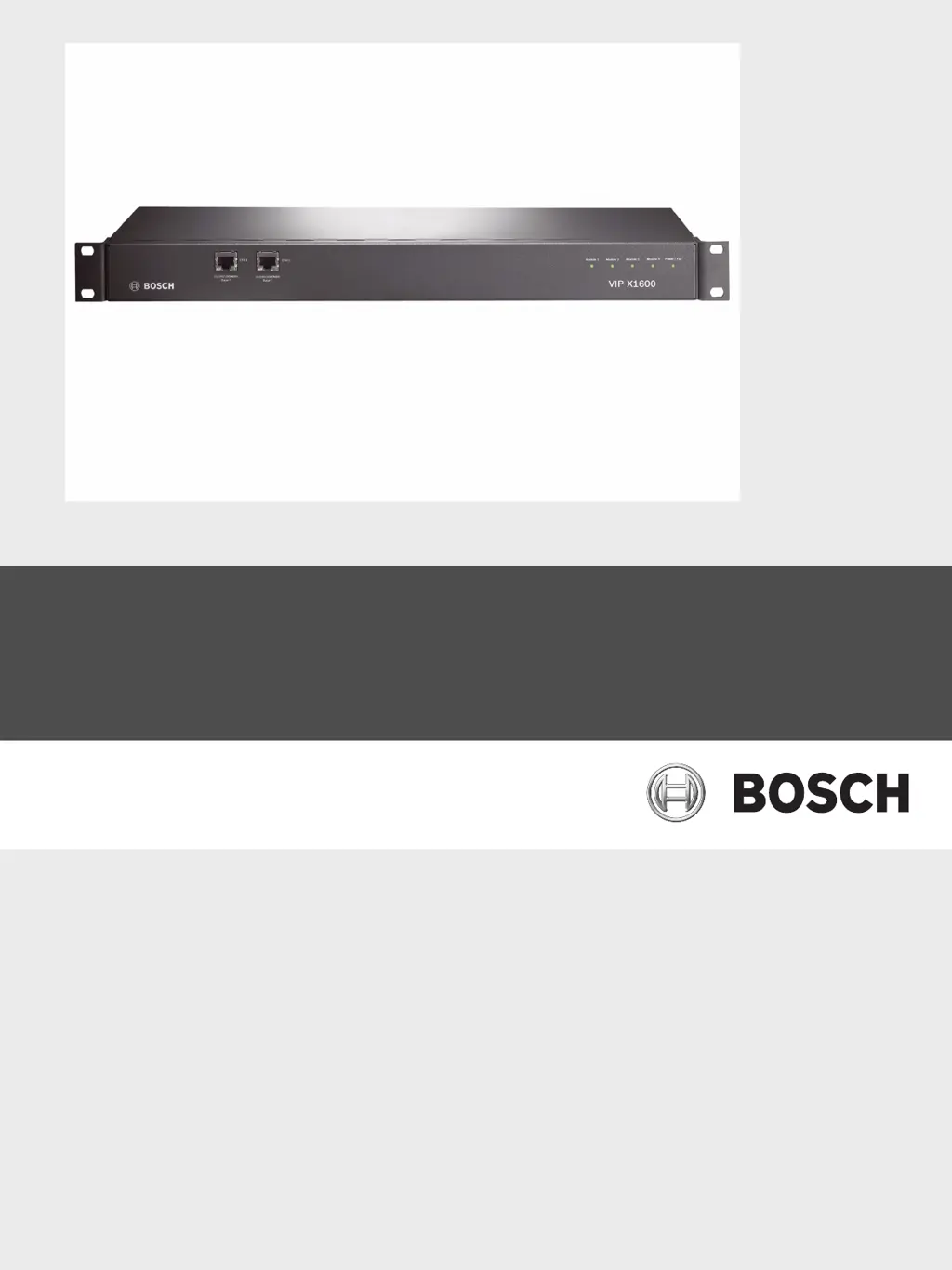
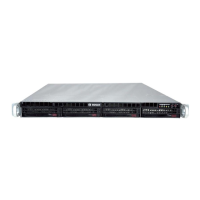
VIP X1600
Network Video Server
en Installation and Operating Manual

Table of Contents

Other manuals for Bosch VIP X1600

Questions and Answers

Summary

Preface

About this Manual

Describes the manual's intent and target audience for installation and operation.

Intended Use

Defines the VIP X1600's purpose for CCTV systems and data transfer.

Safety Information

Electric Shock Hazard

Outlines precautions to prevent electrical shock during installation and operation.

Installation and Operation

Emphasizes compliance with regulations and safe operating practices.

Maintenance and Repair

Details safety guidelines for maintenance and repair, stressing qualified personnel.

Product Description

Scope of Delivery of VIP X1600 Base

Lists components included with the VIP X1600 Base unit.

Scope of Delivery of VIP X1600 Module

Lists components included with the VIP X1600 Module.

System Requirements

Specifies hardware and software requirements for operating the VIP X1600.

Overview of Functions

Provides a summary of the VIP X1600's main features and capabilities.

Connections and Displays

Details the various physical connections and status LEDs on the VIP X1600 unit.

Installation

Preparations

Covers initial steps and environmental conditions required before installation.

Installing VIP X1600 Modules

Guides on how to install VIP X1600 modules into the base unit.

Installing in a Switch Cabinet

Provides instructions for mounting the VIP X1600 in a standard 19-inch rack.

Connections

Explains how to connect cameras, audio, network, and iSCSI systems to the VIP X1600.

Setup Using the Configuration Manager

Details how to use the Configuration Manager software for initial setup.

Configuration Using a Web Browser

Connecting

Explains how to establish a connection to the VIP X1600 via a web browser.

Configuration Menu

Introduces the main configuration menu accessible through the web interface.

Network

Sets up network parameters like IP address, subnet mask, and DNS for integration.

Partitioning

Manages storage partitions for recording camera data.

Recording Profiles

Defines different recording profiles that can be used in the recording scheduler.

Maintenance

Covers firmware updates and general system maintenance procedures.

Operation

Operation with Microsoft Internet Explorer

Explains how to operate the VIP X1600 using a web browser.

The LIVEPAGE

Describes the main interface for viewing live video and controlling the system.

Saving Snapshots

Details how to capture and save individual video frames as JPEG images.

Recording Video Sequences

Explains how to record and save video clips from the live feed.

The RECORDINGS Page

Provides access to recorded video sequences for playback and review.

Backup

Covers backing up video sequences and images to a computer's hard drive.

Maintenance and Upgrades

Testing the Network Connection

Describes methods for testing the network connectivity of the VIP X1600.

Unit Reset

Details the procedure for resetting the VIP X1600 to factory default settings.

Firmware

Covers firmware updates and general system maintenance procedures.

Appendix

Troubleshooting

Offers guidance on resolving common issues and contacting customer support.

General Malfunctions

Lists common malfunctions, their possible causes, and recommended solutions.

LEDs

Explains the meaning of the various LEDs on the unit for status indication.

Specifications

VIP X1600 Base

Lists the technical specifications for the VIP X1600 Base unit.

VIP X1600 Module

Lists the technical specifications for the VIP X1600 Module.

Protocols;Standards

Details the various protocols and standards supported by the VIP X1600.

Index

Symbols

Defines symbols used within the manual for clarity and reference.

Summary

Preface

About this Manual

Describes the manual's intent and target audience for installation and operation.

Intended Use

Defines the VIP X1600's purpose for CCTV systems and data transfer.

Safety Information

Electric Shock Hazard

Outlines precautions to prevent electrical shock during installation and operation.

Installation and Operation

Emphasizes compliance with regulations and safe operating practices.

Maintenance and Repair

Details safety guidelines for maintenance and repair, stressing qualified personnel.

Product Description

Scope of Delivery of VIP X1600 Base

Lists components included with the VIP X1600 Base unit.

Scope of Delivery of VIP X1600 Module

Lists components included with the VIP X1600 Module.

System Requirements

Specifies hardware and software requirements for operating the VIP X1600.

Overview of Functions

Provides a summary of the VIP X1600's main features and capabilities.

Connections and Displays

Details the various physical connections and status LEDs on the VIP X1600 unit.

Installation

Preparations

Covers initial steps and environmental conditions required before installation.

Installing VIP X1600 Modules

Guides on how to install VIP X1600 modules into the base unit.

Installing in a Switch Cabinet

Provides instructions for mounting the VIP X1600 in a standard 19-inch rack.

Connections

Explains how to connect cameras, audio, network, and iSCSI systems to the VIP X1600.

Setup Using the Configuration Manager

Details how to use the Configuration Manager software for initial setup.

Configuration Using a Web Browser

Connecting

Explains how to establish a connection to the VIP X1600 via a web browser.

Configuration Menu

Introduces the main configuration menu accessible through the web interface.

Network

Sets up network parameters like IP address, subnet mask, and DNS for integration.

Partitioning

Manages storage partitions for recording camera data.

Recording Profiles

Defines different recording profiles that can be used in the recording scheduler.

Maintenance

Covers firmware updates and general system maintenance procedures.

Operation

Operation with Microsoft Internet Explorer

Explains how to operate the VIP X1600 using a web browser.

The LIVEPAGE

Describes the main interface for viewing live video and controlling the system.

Saving Snapshots

Details how to capture and save individual video frames as JPEG images.

Recording Video Sequences

Explains how to record and save video clips from the live feed.

The RECORDINGS Page

Provides access to recorded video sequences for playback and review.

Backup

Covers backing up video sequences and images to a computer's hard drive.

Maintenance and Upgrades

Testing the Network Connection

Describes methods for testing the network connectivity of the VIP X1600.

Unit Reset

Details the procedure for resetting the VIP X1600 to factory default settings.

Firmware

Covers firmware updates and general system maintenance procedures.

Appendix

Troubleshooting

Offers guidance on resolving common issues and contacting customer support.

General Malfunctions

Lists common malfunctions, their possible causes, and recommended solutions.

LEDs

Explains the meaning of the various LEDs on the unit for status indication.

Specifications

VIP X1600 Base

Lists the technical specifications for the VIP X1600 Base unit.

VIP X1600 Module

Lists the technical specifications for the VIP X1600 Module.

Protocols;Standards

Details the various protocols and standards supported by the VIP X1600.

Index

Symbols

Defines symbols used within the manual for clarity and reference.

Bosch VIP X1600 Specifications

General IconGeneral
BrandBosch
ModelVIP X1600
CategoryNetwork Hardware
LanguageEnglish

Related product manuals