EasyManua.ls Logo

Bosch VIP XD - User Manual

Bosch VIP XD
80 pages
Print Icon
To Next Page IconTo Next Page
Loading...
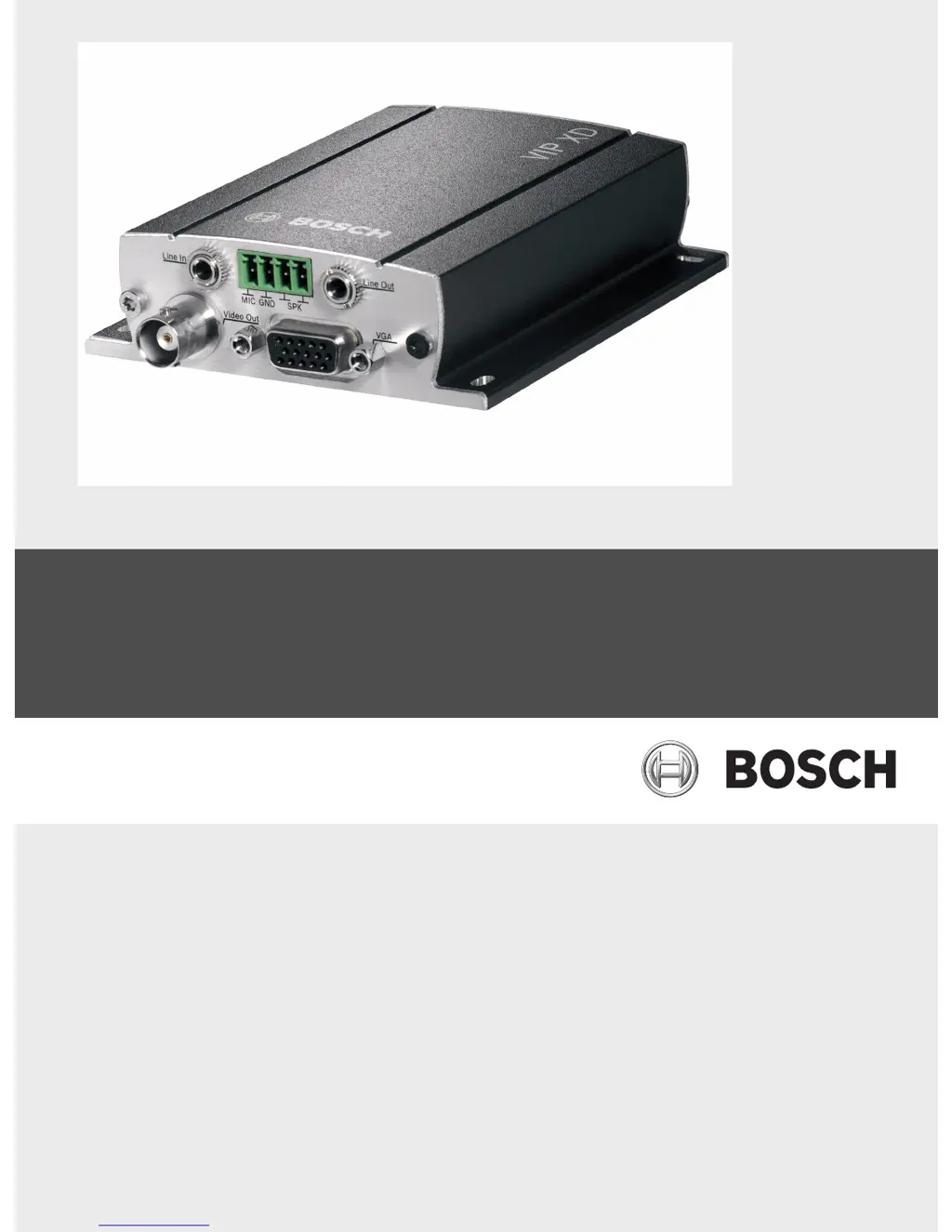
VIP XD
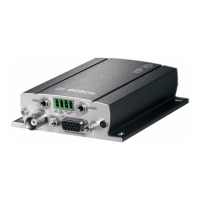
Network Video Server
en Installation and Operating Manual

Other manuals for Bosch VIP XD

Questions and Answers

Summary

Safety Information

Electric Shock Hazard

Provides critical safety instructions for power connection and handling to prevent electric shock and damage.

Installation and Operation

Emphasizes compliance with regulations, network knowledge, and following manual steps for safe installation.

Maintenance and Repair

Stresses that only qualified personnel should perform maintenance or repairs due to no user-serviceable parts.

Product Description

Overview of Functions

Details the VIP XD's capabilities, including video reception, quad view, sender/receiver functionality, and configuration methods.

Installation

Preparations

Covers essential preparations for installation, including environmental conditions, ventilation, and cable management.

Connections

Details how to connect monitors and audio devices (Line In, Line Out, MIC, SPK) to the VIP XD.

Configuration Using a Web Browser

Configuration Menu

Details how to navigate and make changes within the VIP XD's configuration menu via the web interface.

Password

Explains the password protection mechanism with 'service' and 'user' levels and how to set them.

Alarm Connections

Configuring how the VIP XD responds to alarms, including automatic connection to IP addresses.

Audio Alarm (Audio Version Only)

Configuring audio alarms based on signal strengths and frequency ranges to avoid false alarms.

Alarm E-Mail

Setting up automatic e-mail notifications for alarm states.

Network

Setting up network parameters like IP address, subnet mask, gateway, and DynDNS.

Maintenance

Instructions for updating firmware and configuration files remotely.

Function Test

Performing tests to ensure the VIP XD functions correctly after installation and configuration.

Operation

Connecting

Describes establishing a connection to the VIP XD using Internet Explorer and installing necessary components.

Connections Between the Sender and Receiver

Details establishing connections between senders and receivers, including password entry and data/audio checkboxes.

Hardware Connections Between Video Servers

Connecting VIP XD as a receiver with a compatible sender via Ethernet.

Maintenance and Upgrades

Unit Reset

Restoring the unit to factory default settings using the reset button.

Appendix

Troubleshooting

Provides a table of common malfunctions, possible causes, and recommended solutions.

Specifications

Summary

Safety Information

Electric Shock Hazard

Provides critical safety instructions for power connection and handling to prevent electric shock and damage.

Installation and Operation

Emphasizes compliance with regulations, network knowledge, and following manual steps for safe installation.

Maintenance and Repair

Stresses that only qualified personnel should perform maintenance or repairs due to no user-serviceable parts.

Product Description

Overview of Functions

Details the VIP XD's capabilities, including video reception, quad view, sender/receiver functionality, and configuration methods.

Installation

Preparations

Covers essential preparations for installation, including environmental conditions, ventilation, and cable management.

Connections

Details how to connect monitors and audio devices (Line In, Line Out, MIC, SPK) to the VIP XD.

Configuration Using a Web Browser

Configuration Menu

Details how to navigate and make changes within the VIP XD's configuration menu via the web interface.

Password

Explains the password protection mechanism with 'service' and 'user' levels and how to set them.

Alarm Connections

Configuring how the VIP XD responds to alarms, including automatic connection to IP addresses.

Audio Alarm (Audio Version Only)

Configuring audio alarms based on signal strengths and frequency ranges to avoid false alarms.

Alarm E-Mail

Setting up automatic e-mail notifications for alarm states.

Network

Setting up network parameters like IP address, subnet mask, gateway, and DynDNS.

Maintenance

Instructions for updating firmware and configuration files remotely.

Function Test

Performing tests to ensure the VIP XD functions correctly after installation and configuration.

Operation

Connecting

Describes establishing a connection to the VIP XD using Internet Explorer and installing necessary components.

Connections Between the Sender and Receiver

Details establishing connections between senders and receivers, including password entry and data/audio checkboxes.

Hardware Connections Between Video Servers

Connecting VIP XD as a receiver with a compatible sender via Ethernet.

Maintenance and Upgrades

Unit Reset

Restoring the unit to factory default settings using the reset button.

Appendix

Troubleshooting

Provides a table of common malfunctions, possible causes, and recommended solutions.

Specifications

Bosch VIP XD Specifications

General IconGeneral
ModelVIP XD
CategoryNetwork Hardware
Input Channels1
Video CompressionH.264
Audio CompressionG.711
Network Interface10/100 Mbps Ethernet
ProtocolsTCP/IP, HTTP, HTTPS
SecurityPassword protection
Power SupplyPoE (802.3af)

Related product manuals