VIP XD Configuration Using a Web Browser | en 25
Bosch Security Systems Installation and Operating Manual DOC | V4.0 | 2009.06
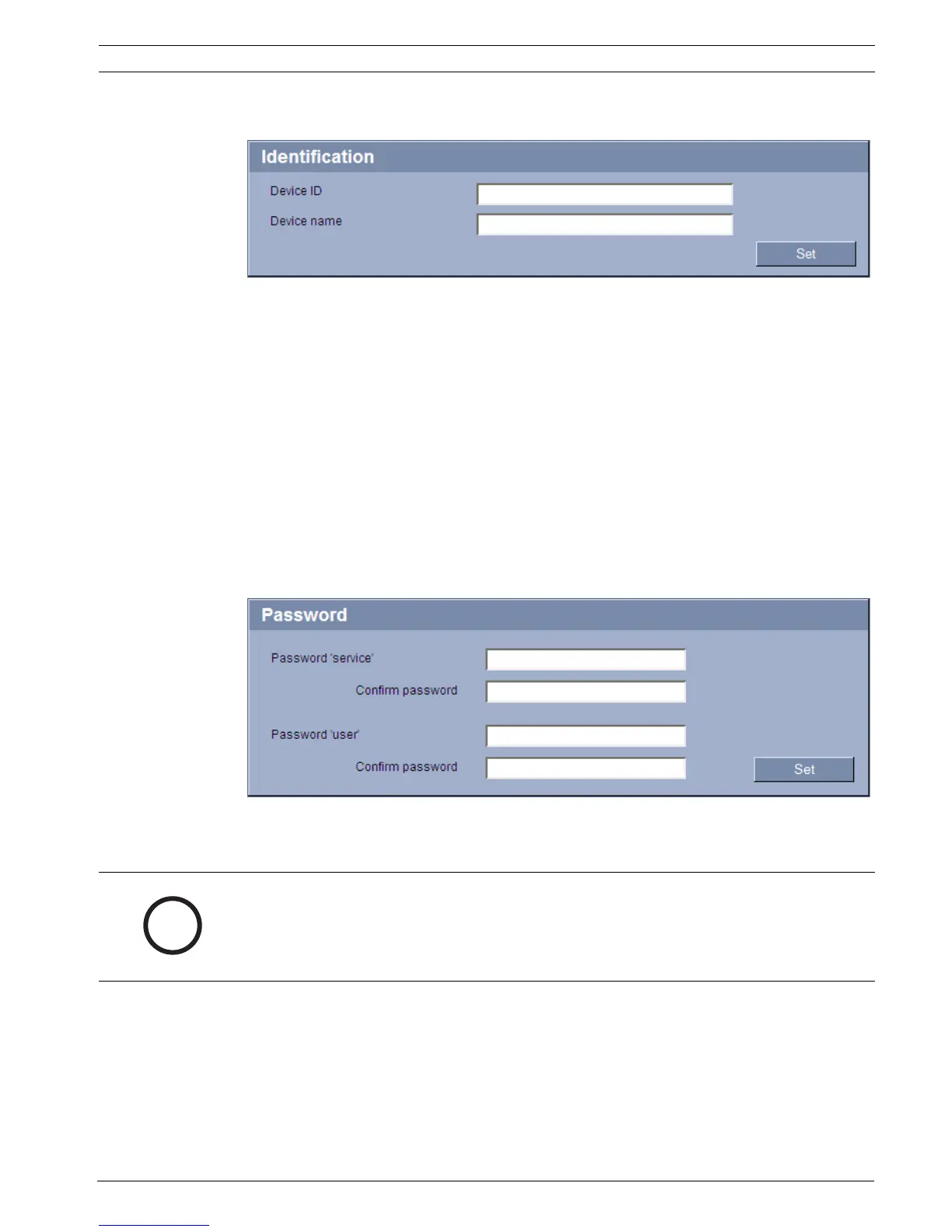
5.3 Identification
Device ID
Each VIP XD should be assigned a unique identifier that you can enter here as an additional
means of identification.
Device name
You can give the VIP XD a name to make it easier to identify. The name makes the task of
administering multiple units in larger video monitoring systems easier, for example using the
VIDOS or Bosch Video Management System programs.
The device name is used for the remote identification of a unit, in the event of an alarm for
example. For this reason, enter a name that makes it as easy as possible to quickly identify the
location.
5.4 Password
A VIP XD is generally protected by a password to prevent unauthorized access to the unit. You
can use different authorization levels to limit access.
NOTICE!
Proper password protection with a user password is only guaranteed when the higher
authorization level service is also password protected. When assigning passwords, you should
therefore always start from the highest authorization level, service, and use different
passwords.




 To Next Page