6 720 680 223
Installation instructions
27
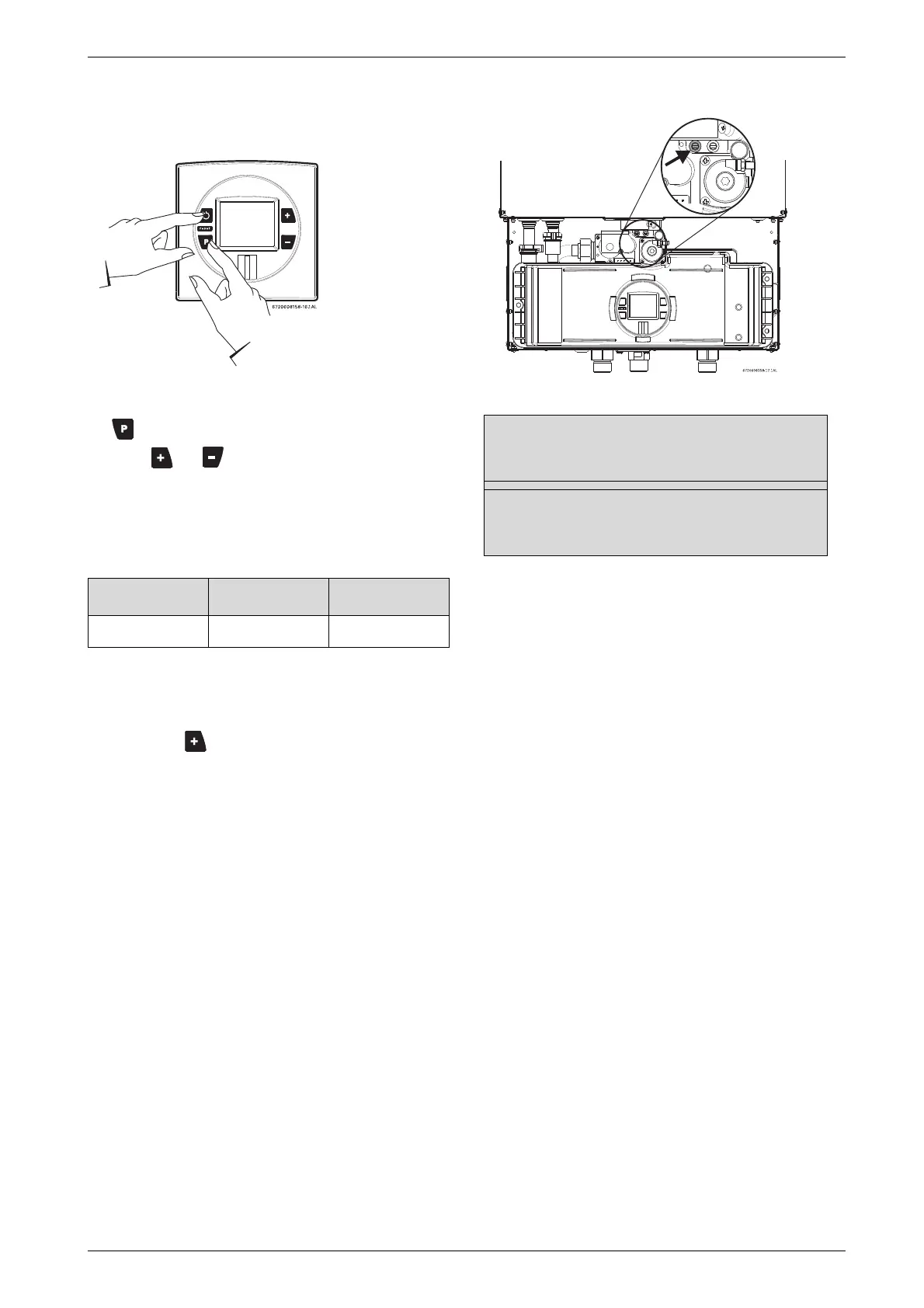
B Press and hold "Program" (P) button and press ON/
OFF button to turn appliance ON.
Fig. 33
B As soon as '188' is displayed, release "Program"
, button and the display should read P2.
B Press or until P1 appears.
Note: While in this mode the appliance will run
constantly at maximum power and allow
maximum water flow.
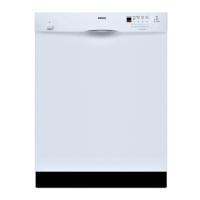
For inlet gas pressure adjustment consider the
following table:
B Turn on high volume of hot water flow (at least 6
gpm) and heater will ignite. If heater display reverts to
P2, open more hot water fixtures to allow sufficient
flow. Press until P1 reappears on display.
B Operate all other gas appliances on the same gas
piping system at maximum output.
B Record lowest operating gas pressure reading in
table 15.
Gas pressures lower than 3.5" W.C. for Natural Gas or
8" W.C. for LPG will result in insufficient degree rise to
the hot water being used, reduced hot water volume,
possible error code faults and must be corrected. See
Gas Connections, chapter 3.8, page 22.
Fig. 34 Gas pressure test port (left tapping)
Gas type NG LPG
3.5” WC 8” WC
Table 14 Minimum inlet gas pressure under full operation
Static Gas Pressure Reading (see Chapter 3.12)
enter here: ___________________ Date: ___________
Operating Gas Pressure Reading (see Chapter 3.12)
enter here: ___________________ Date: ___________
Table 15



 To Next Page