-7-
Troubleshooting Guide
PROBLEM CORRECTIVE ACTION
External USB device
cannot be charged using
the USB port.
Check that battery pack is charged.
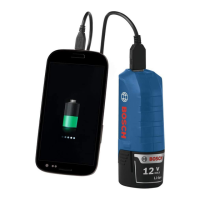
Connect the charging cable of the external USB device to
the USB port on the portable power adapter. Activate the
portable power adapter by pressing “USB ON” button.
Check that your device does not require any more than 5 V
DC, 2.1 amp maximum output.
Unfortunately, not all devices can be tested for
compatibility and your device may not be compatible.
Heated jacket heating
element does not heat
up.
Check that battery pack is charged.
Connect the cable of the heated jacket to the port on the
portable power adapter.


 To Next Page