SABBATH MODE
*************
- To select Sabbath mode, press [Cooking Mode] key for some seconds
while in stand-by to enter the user options menu and select the item.
- Sabbath is actually a bake mode, with additional “no work”
requirements due to religious faith.
- To start a Sabbath in one cavity, select it by pressing [cooking mode]
key and rotating the knob, then pressing [start] key, as usual.
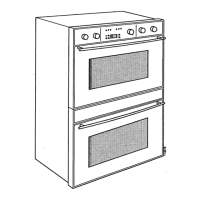
- To start a Sabbath in both cavities, in a double oven, first start a Bake in
the lower one, then start Sabbath in the upper one. Both will run
Sabbath mode.
- When Sabbath is running, “no work” requirements are:
1. Working fan is disabled.
2. Light switching is not possible even when opening the door.
3. Latch motor is disabled.
4. No beep tones are allowed.
5. The display is prevented from changing messages, flashing, etc.
6. Keys are disabled with the exception of [Cancel] for single oven and
[Upper Cancel, Lower Cancel] for the double.
7. Timed and delayed cooking are not allowed.
8. Minute minder is disabled too.
9. Probe cooking is not available.
Press the correspondent [Cancel] key to stop Sabbath.
*************




 To Next Page