OVEN MODEL SELECTION
This operation is normally executed at the manufacturer facilities.
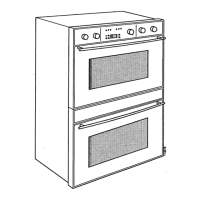
If the display board has to be replaced, the oven model must be
reconfigured. At first power-up, the Double Oven is always
configured as a 30” both multifunction cavities.
MANUAL TEST ACCESS PROCEDURE:
1. Press CANCEL key.
2. Turn the knob 4 detents CW.
3. Turn the knob 6 detents CCW.
4. Press START key.
5. The writing MANUAL TEST is displayed.
To reconfigure the oven model as a different double:
1. Press [Cooking Mode] key.
2. Turn the knob to select the correct oven model.
N° MOD DISPLAY OVEN MODEL
1 C 30 CONVECT 2 30” DOUBLE OVEN
MULTIFUNCTION/MULTIFUNCTION
3 D 30 THERMAL 2 30” DOUBLE OVEN
MULTIFUNCTION/THERMAL
5 G 27 CONVECT 2 27” DOUBLE OVEN
MULTIFUNCTION/MULTIFUNCTION
7 H 27 THERMAL 2 27” DOUBLE OVEN
MULTIFUNCTION/THERMAL
3. Press [Start] key to accept the new selection, the control
sounds a tone.
4. Press [Cooking Mode] key again to quit the oven model menu
and going back to manual test procedure.




 To Next Page