ELETTRODOMESTICI
VIA CHECCHI 98
I 21013 GALLARATE
ITALY
Page 4 of 28
Tuesday, June 18, 2002
BOSCH 700 SERIES:
SERVICE INSTRUCTIONS FOR OVEN TESTING AND BASIC TROUBLESHOOTING
OVEN MODEL SELECTION
This operation is normally executed at the manufacturer facilities. When a Display Board needs to be replaced in the field, Service
Technicians must take care of it.
One single part number exists for the Display Board: its default configuration is:
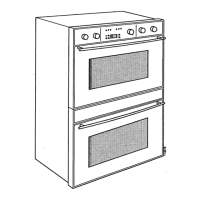
30” Double Oven - Upper Multifunction Cavity / Lower Multifunction Cavity
After installing a new Display Board, at first power-up, the action must be:
SELECT THE CORRECT OVEN MODEL
Two different kinds of transition exist:
DBL=>DBL
DBL=>SGL
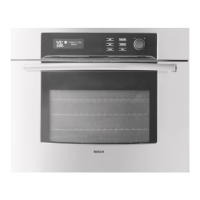
The DBL=>SGL transition occurs only once. The transition SGL=>DBL is never allowed. Once a Display Board has been already re-
configured as a SGL, the transition SGL=>SGL is also possible.
WARNING
ALWAYS KEEP PRESSED [START] KEY WHEN YOU FIRST POWER-UP THE OVEN, UNTIL THE CLOCK IS DISPLAYED.
Single Oven: this action prevents the control from running the power-up latch auto-test and it’s absolutely important when a Display
Board is installed in a Single Oven for the first time. Being still configured as a DBL, the control can’t perform successfully the latch
test. If this event occurs unintentionally, remove power and repeat the procedure after a few minutes.
Double Oven: the latch test can be performed correctly, even before configuring the oven model. Keeping pressed [START] key just
allow the operator to save time.
Wait for the clock to appear, before releasing the [START] key.




 To Next Page