LB20 EVAC Cabinet Loudspeaker Models Installation and wiring | en 11
Bosch Security Systems B.V. Installation manual 2017.09 | V.02 | F.01U.345.361
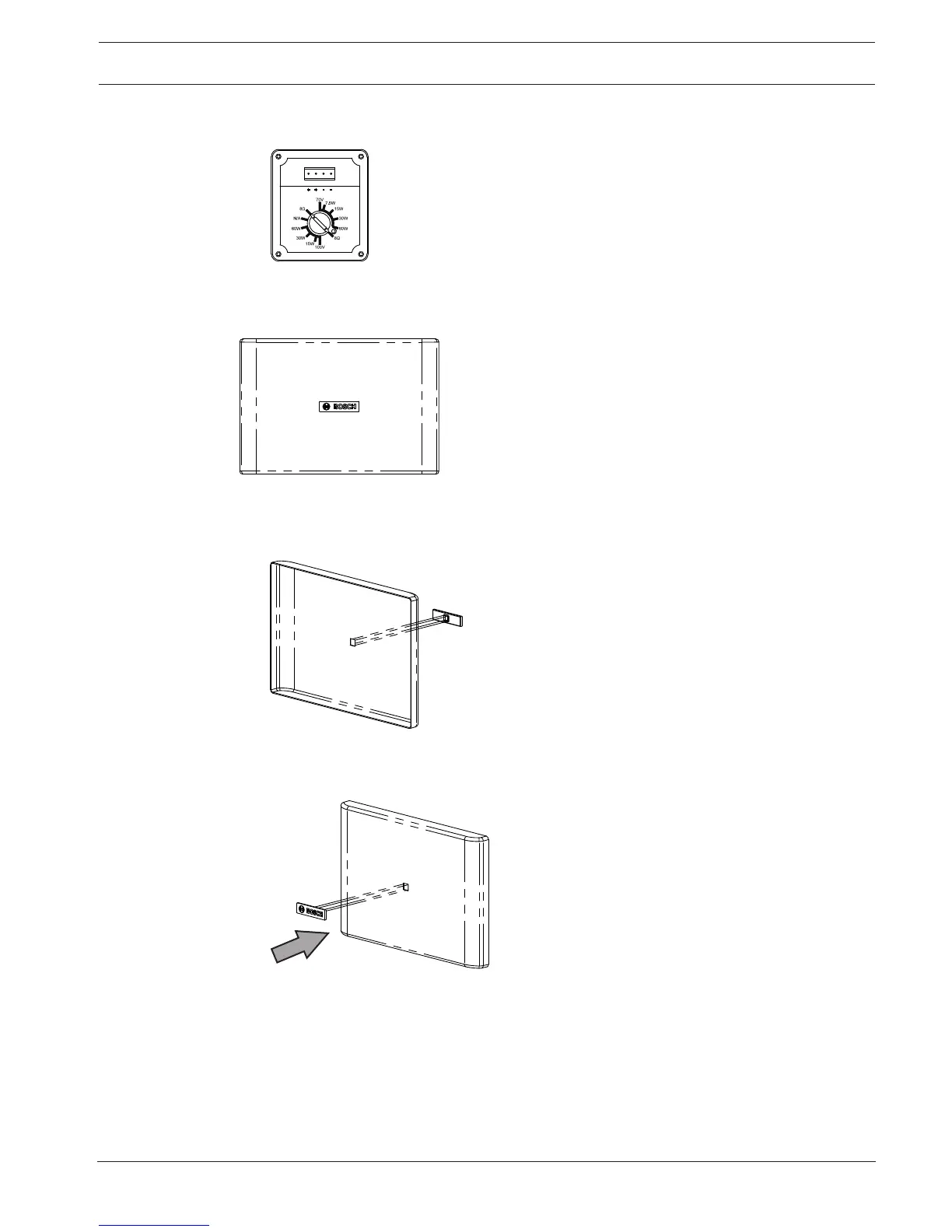
2. If 8 ohm mode is desired, remove the safety screw.
Safety screw (A) is shown in the previous step.
3.5 Replacing the logo
An additional logo is included, horizontal installation is shown.
To replace the logo, do the following:
1. Remove the existing logo.
2. Clean the surface with alcohol.
3. Align the logo with the square guide.
4. Remove the paper backing.
5. Insert the logo.
Press firmly to ensure the logo is applied.



 To Next Page