EasyManua.ls Logo

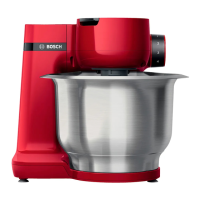
Bosch MUM9BX5S22 - User Manual

Bosch MUM9BX5S22
262 pages
Print Icon
To Next Page IconTo Next Page
Loading...
https://tehnoteka.rs
Uputstvo za upotrebu
BOSCH multipraktik MUM9BX5S22
Tehnoteka je online destinacija za upoređivanje cena i karakteristika bele tehnike,
potrošačke elektronike i IT uređaja kod trgovinskih lanaca i internet prodavnica u Srbiji.
Naša stranica vam omogućava da istražite najnovije informacije, detaljne karakteristike
i konkurentne cene proizvoda.
Posetite nas i uživajte u ekskluzivnom iskustvu pametne kupovine klikom na link:
https://tehnoteka.rs/p/bosch-multipraktik-mum9bx5s22-akcija-cena/
1 / 262

Table of Contents

Questions and Answers

  • B
    Brenda ChanAug 17, 2025
    What to do if my Bosch Kitchen Appliance displays 'FOR SCALE STOP MACHINE'?
    • C
      Connie HillAug 17, 2025
      If your Bosch Kitchen Appliance displays 'FOR SCALE STOP MACHINE', it means the scale is switched on while the appliance is running. To resolve this, switch the appliance off and wait until it stops before using the scale.
  • H
    hessedwardAug 20, 2025
    What to do if my Bosch Kitchen Appliance switches off during use?
    • V
      Valerie MartinezAug 20, 2025
      Your Bosch Kitchen Appliance might be switching off during use due to several reasons: * Too much food being processed at once or for too long. To resolve this, turn the rotary switch to 'y', disconnect the mains plug, reduce the processing quantity, and allow the appliance to cool down to room temperature. * The swivel arm was opened. To fix this, turn the rotary switch to 'y', press the release button, and push the swivel arm down until it locks into place. * The bowl or bevel gear (accessory) has become loose. To correct this, turn the rotary switch to 'y', disconnect the mains plug, tighten the bowl by turning it until it stops, and tighten the bevel gear and close the locking lever completely.
  • T
    Tina LarsonAug 22, 2025
    Why does my Bosch Kitchen Appliance display 'ERROR MOTOR OVERLOAD'?
    • J
      Jillian MejiaAug 22, 2025
      The 'ERROR MOTOR OVERLOAD' message on your Bosch Kitchen Appliance indicates: * Too much food has been processed at once or for too long. To resolve this, turn the rotary switch to 'y', disconnect the mains plug, reduce the processing quantity, and allow the appliance to cool down to room temperature. * The appliance or an accessory is blocked. To fix this, turn the rotary switch to 'y', disconnect the mains plug, and check and clear any blockages in the appliance or accessories. * The scale is exposed to vibrations. Do not use the appliance on worktops when e.g. a dishwasher is running underneath.
  • J
    Jennifer BushAug 26, 2025
    What to do if my Bosch Kitchen Appliance shows 'ERROR CHECK BOWL'?
    • L
      Lindsey RileyAug 26, 2025
      If your Bosch Kitchen Appliance displays 'ERROR CHECK BOWL', it means the bowl or bevel gear (accessory) has become loose. To fix this, turn the rotary switch to 'y', disconnect the mains plug, tighten the bowl by turning it until it stops, and tighten the bevel gear and close the locking lever completely.
  • W
    Willie WrightAug 28, 2025
    What does 'OVERLOAD SCALE' or 'UNDERLOAD SCALE' mean on my Bosch Kitchen Appliance?
    • P
      Peter HarrisAug 28, 2025
      The 'OVERLOAD SCALE' or 'UNDERLOAD SCALE' message on your Bosch Kitchen Appliance indicates that the measurement result is outside the scale's range (-990 g to 5000 g). To resolve this, do not add more than 5000 g of ingredients or remove more than 990 g of ingredients.
  • R
    Robin SmithAug 31, 2025
    What does 'ERROR ARM OPEN' mean on my Bosch Kitchen Appliance and how to fix it?
    • T
      Taylor MejiaAug 31, 2025
      The 'ERROR ARM OPEN' message on your Bosch Kitchen Appliance means the swivel arm was opened. To fix this, turn the rotary switch to 'y', press the release button, and push the swivel arm down until it locks into place.
  • J
    Jamie ColeSep 2, 2025
    Why won't the swivel arm on my Bosch Kitchen Appliance open?
    • J
      Janice AndersonSep 2, 2025
      The swivel arm on your Bosch Kitchen Appliance may not open because an accessory is fitted to the red rear drive. To open it, remove the accessory, press the release button, and then open the swivel arm.
  • R
    rlucasSep 5, 2025
    Why does my Bosch Kitchen Appliance not show weight changes when adding ingredients?
    • G
      gregory90Sep 5, 2025
      Your Bosch Kitchen Appliance may not show weight changes because the quantity of added ingredients is less than 5 grams (0.01 lb). Add at least 5 grams (0.01 lb) for the scales to provide correct measurements.
  • A
    April OrtizSep 8, 2025
    What does 'OVERLOAD or UNDERLOAD' mean when using SensorControl Plus on my Bosch MUM9BX5S22?
    • C
      crossdavidSep 8, 2025
      The message 'OVERLOAD or UNDERLOAD' when using SensorControl Plus on your Bosch Kitchen Appliance indicates that too much or too little of the ingredients was added for the selected program. Add ingredients according to the specified quantities.
  • A
    anthonynelsonSep 12, 2025
    Why can't I start SensorControl Plus on my Bosch Kitchen Appliance, and it says “ADD INGREDIENTS” even after adding them?
    • N
      nguyenmarcusSep 12, 2025
      If you can't start SensorControl Plus on your Bosch Kitchen Appliance and it displays “ADD INGREDIENTS” even after you've added them, it's likely that the ingredients were added before the scales were activated. To fix this, empty the bowl, select the program again, and only add ingredients after the program has been selected and the scales show “0 g” or “0.00 lb” (depending on setting) or “ADD INGREDIENTS” appears on the display.

Summary

Intended use

Important safety information

Crucial safety guidelines and precautions for safe operation and handling of the appliance.

Overview

Before using the appliance for the first time

Instructions for unpacking, cleaning, and preparing the appliance before initial use.

Parts and operating controls

Identification of all appliance parts and their functions.

Parts and operating controls

Function buttons

Explanation of the function buttons used for special features and programs.

Rotary switch with illuminated ring

Description of the rotary switch for speed selection, program start, and appliance off.

Tools

Inserting and removing tools

Step-by-step guide for inserting and removing the appliance's tools.

Preparation

Settings

Procedure for configuring the appliance settings, including language and units.

Using without additional functions

Adding more ingredients

Instructions on how to add ingredients during the processing cycle.

Using the time and timer function

Using SensorControl Plus

Using the scales

Pre-setting the weight

Guide to setting a target weight and counting down until it is reached.

Using accessories

Cleaning and maintenance

Detailed instructions for cleaning the appliance and its accessories.

Re-adjustment of tools

Safety systems

Information on appliance safety features like lock-out, overload, and swivel arm protection.

Troubleshooting

Display

Troubleshooting common display errors and issues.

Kundendienst - Customer Service

Bosch MUM9BX5S22 Specifications

General IconGeneral
Product TypeFood Processor
CategoryKitchen Appliances
Power1500 W
Bowl Capacity5.5 l
Speed Settings7
ColorSilver
MaterialStainless Steel
Weight12.8 kg
Pulse FunctionYes
Included AccessoriesWhisk

Related product manuals