EasyManua.ls Logo

Bosch PLENA matrix - User Manual

Bosch PLENA matrix
54 pages
Print Icon
To Next Page IconTo Next Page
Loading...
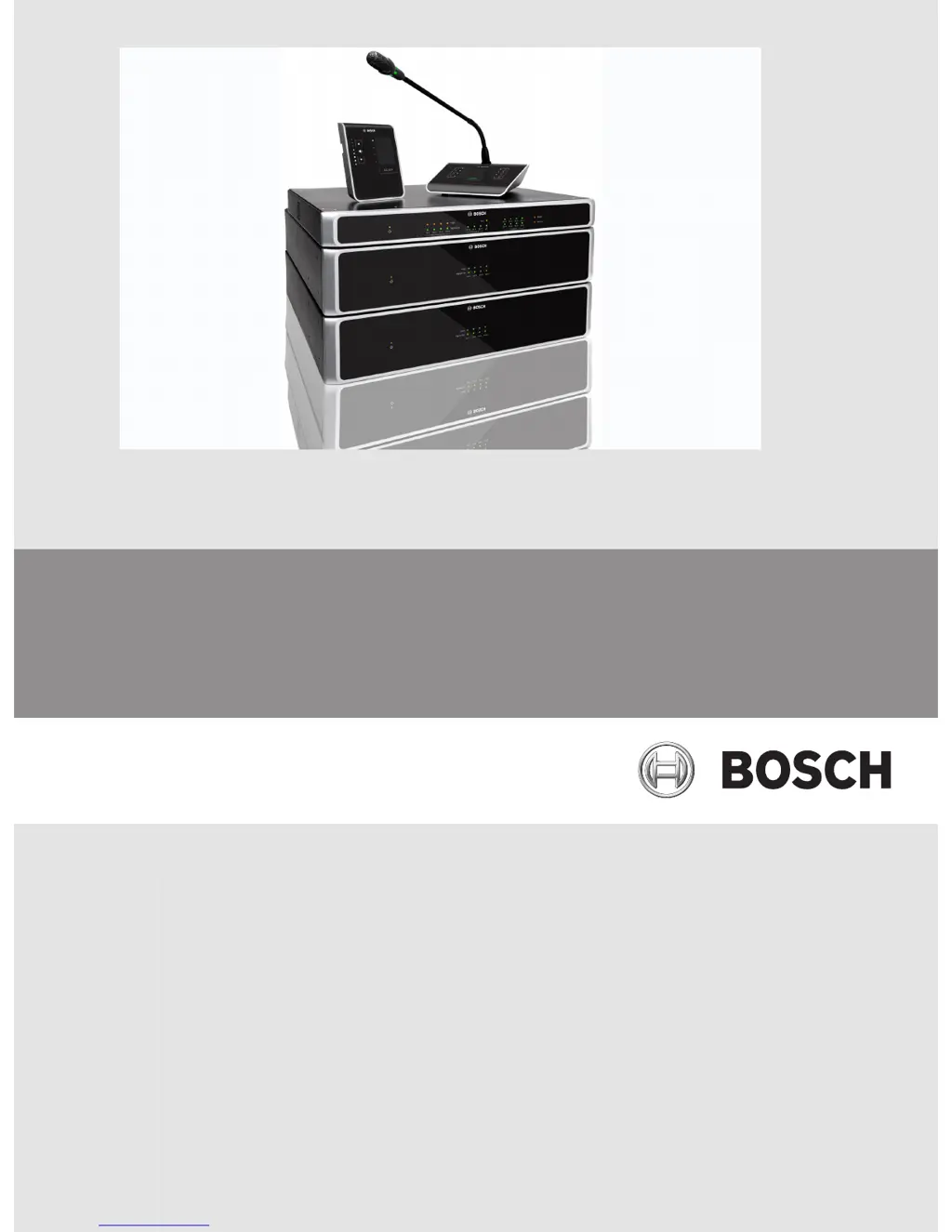
PLENA matrix
Public Address system
en Operation manual

Table of Contents

Questions and Answers

  • R
    Randall BellAug 14, 2025
    What to do if Bosch PLENA matrix call station is activated but announcement did not come through the system?
    • H
      Hayley ReidAug 15, 2025
      If the call station has just been turned on, wait 15 seconds until the unit has been identified by the DSP matrix mixer before attempting to use it. Wait for LEDs to turn green on the call station before talking, or deactivate the chime via the GUI. Within the GUI, check that all call station levels are set appropriately and the mute is not activated. Speak slowly and clearly towards the microphone. This may be happening because a chime has been programmed to play before any announcement, the announcement level is not at a sufficient level for the selected zone, or the user is not speaking loudly enough towards the microphone.
  • D
    David SpearsAug 17, 2025
    How to fix Bosch PLENA matrix Speakers call stations or wall control panels that do not work and lights continue to flash around?
    • J
      Jennifer MooneyAug 18, 2025
      Check that all cables in the cable run are using the correct CAT?5 pin configuration (no crossover cables). Check if a cable has been damaged in the daisy?chain. This issue occurs because the DSP matrix mixer is not able to configure the unit.
  • S
    Steve CalderonAug 21, 2025
    What to do if Bosch PLENA matrix Speakers rack units are not found in target search?
    • A
      Alexander GarciaAug 21, 2025
      Check all units are connected to power, check cabling is correctly connected, and check that the PC is connected to the network. This issue may arise because Ethernet cables have been disconnected, the unit(s) and/or router are not on, or the PC is not connected to the network.
  • A
    Alexandra ParkerAug 25, 2025
    How to fix Bosch PLENA matrix call station’s microphone that becomes active without the user touching the PTT button?
    • K
      kevinlawrenceAug 26, 2025
      Change call stations to have different IDs. This issue occurs because multiple call stations have been set with the same ID.
  • J
    Janice RodriguezAug 28, 2025
    Why do Bosch PLENA matrix call stations / wall control panel's LED keep rotating?
    • B
      Brenda JohnsAug 28, 2025
      Check that the switches have been fully switched to the appropriate positions, and reset power to the unit. Check that the CAT?5 cable is not damaged in any way. Download and connect with the latest version of PC GUI and check the RS485 status 'Device > RS486 device status'. This happens because the RS485 ID cannot be identified.
  • M
    Mark GuerreroAug 31, 2025
    Why Bosch Speakers wall control panel volume control takes two button presses to increase the LED indicator?
    • J
      jack68Aug 31, 2025
      Be assured the unit is not faulty or broken. The unit will be affecting the audio at 3dB every time you press the button. You should listen to audio through the PA system to confirm that this is the case. This is normal, as the LEDs only indicate +/-6dB steps.
  • R
    Robert AdamsSep 4, 2025
    What does it mean if the fault light is lit for about a second on my Bosch Speakers amplifier?
    • C
      Cynthia WagnerSep 4, 2025
      The amplifier automatically retries the channel after one minute. This indicates an overload or short condition.
  • R
    ronald84Sep 6, 2025
    What does it mean if the fault LED flashes quickly for around 30 seconds on my Bosch PLENA matrix amplifier?
    • B
      Bobby MyersSep 7, 2025
      The channel will be re?activated after it has cooled down. This indicates a thermal error on the channel.
  • I
    ilewisSep 10, 2025
    What to do if Bosch PLENA matrix amplifier fault LEDs flash slowly?
    • V
      Valerie HillSep 10, 2025
      Send immediately for service and/or contact the Bosch authorized dealer or installer for assistance. This is due to PSU failure (or thermal cut?out).

Summary

Safety

Safety Precautions

General safety guidelines for operating and installing the PLENA matrix system.

Service Safety Caution

Warning for qualified service personnel regarding electrical shock hazards during servicing.

System Overview

PLM-8 M8 8 Channel DSP Matrix Mixer

Describes the DSP Matrix Mixer as the system's heart, detailing its connectivity and control features.

PC Configuration and User GUI

Describes the PC GUI for setup and control of the DSP Matrix Mixer and amplifiers.

Installation

DSP Matrix Mixer and Amplifier Installation

Details the rack mounting procedure for the DSP matrix mixer and multi-channel DSP amplifiers.

PC GUI Software

Provides instructions for PC requirements and installation of the PC GUI software.

Connections

Multi Channel DSP Amplifier Connections

Details the various input and output connectors on the multi-channel DSP amplifier.

DSP Matrix Mixer Connections

Describes the various input and output connections on the PLM-8M8 DSP Matrix Mixer.

Configuration

DSP Matrix Mixer PC GUI Configuration

Explains how to use the PC GUI software for configuring DSP settings of the matrix mixer.

Multi Channel DSP Amplifier PC GUI

Details how to control and configure DSP features of the amplifier using the PC GUI software.

Operation

DSP Matrix Mixer Operation

Describes the DSP Matrix Mixer's lack of external controls and reliance on connections or PC GUI.

Troubleshooting

Troubleshooting: Power and Audio Issues

Addresses issues where the device does not power on, lacks audio, or has distorted sound.

Troubleshooting: Amplifier Faults

Covers amplifier specific fault conditions like constant red light, brief or flashing LEDs.

Troubleshooting: Panel Communication Issues

Addresses issues with call/wall panels not working, having rotating LEDs, or communication errors.

Troubleshooting: Call Station Specific Issues

Diagnoses problems like unintentional microphone activation or announcements not being heard.

Troubleshooting: System Connectivity Issues

Covers issues where rack units are not found in searches, likely due to network or power.

Customer Service and Support

Provides guidance on contacting support if troubleshooting steps do not resolve a fault.

Maintenance

Bosch PLENA matrix Specifications

General IconGeneral
BrandBosch
ModelPLENA matrix
CategorySpeakers
LanguageEnglish

Related product manuals