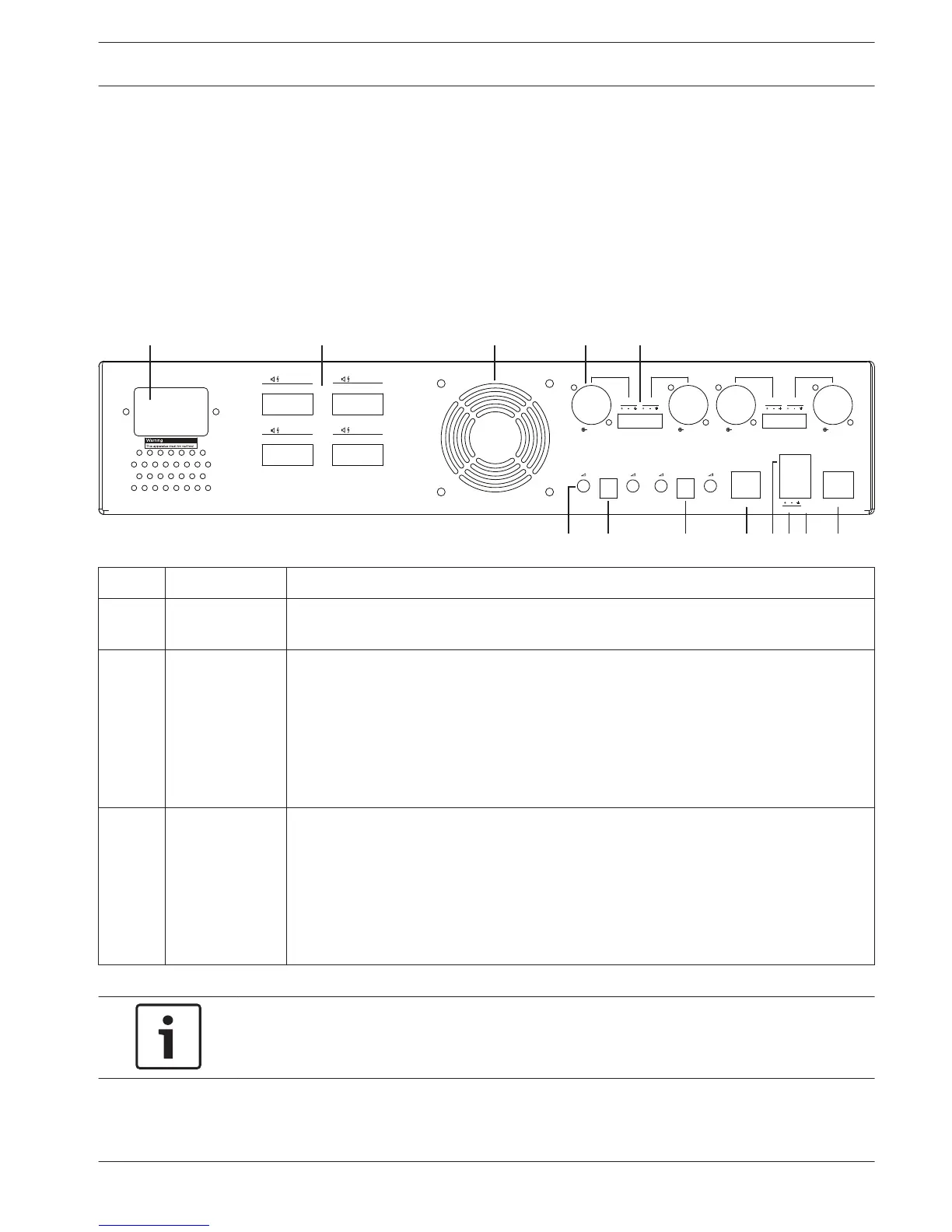
Multi Channel DSP Amplifier settings
The multi channel DSP amplifier does not require an ID to be connected to the DSP matrix
mixer. Amplifier settings that are configured by DIP switches are; input sensitivity and bridging
channels together. The DSP features are only able to be configured, after you have connected
to the unit using the PC software GUI. Refer to; Multi Channel DSP Amplifier PC GUI, page
28).
Some amplifier settings are configured by DIP switches; such as, the input sensitivity and
when bridging channels together.
Number Item Description
12 Line input
control
– 4 x audio input (1-4) level adjustment control:
– The range of attenuation is approximately between 0dB and >50dB.
13 Input
sensitivity /
bridge (input 1
and 2 shown)
– 3‑way DIP switch for input level sensitivity and bridge mode setting:
– Switch 1: Input Sensitivity Channel X: 6.15V (UP) / 1.22V (DOWN) input
sensitivity. Default: DOWN.
– Switch 2: Bridge Channels X-Y: Active (UP), Single channel mode (DOWN).
Default: DOWN.
– Switch 3: Input Sensitivity Channel Y: 6.15V (UP) / 1.22V (DOWN) input
sensitivity. Default: DOWN.
14 Input
sensitivity /
bridge (input 3
and 4 shown)
– 3‑way DIP switch for input level sensitivity and bridge mode setting:
– Switch 1: Input Sensitivity Channel X: 6.15V (UP) / 1.22V (DOWN) input
sensitivity. Default: DOWN.
– Switch 2: Bridge Channels X-Y: Active (UP), Single channel mode (DOWN).
Default: DOWN.
– Switch 3: Input Sensitivity Channel Y: 6.15V (UP) / 1.22V (DOWN) input
sensitivity. Default: DOWN.
Notice!
Hardware settings cannot be overruled or changed by the GUI configuration software.
See also
– DSP matrix mixer PC GUI, page 26
7.3
PLENA matrix Configuration | en 25
Bosch Security Systems B.V. Operation manual 2013-06 | V1.0 |


 To Next Page