EasyManua.ls Logo

Bosch Plena PLE-10M2-EU - User Manual

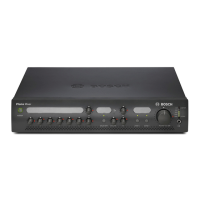
Bosch Plena PLE-10M2-EU
34 pages
Print Icon
To Next Page IconTo Next Page
Loading...
Installation and User Instructions
PLE-10M2-EUen
Plena Easy Line Mixer

Other manuals for Bosch Plena PLE-10M2-EU

Question and Answer IconNeed help?

Do you have a question about the Bosch Plena PLE-10M2-EU and is the answer not in the manual?

Summary

Important Safeguards

Alerts on the Apparatus

Icons indicating hazards, double insulation, and waste disposal.

General Safety Instructions

Key instructions for safe operation and maintenance.

Installation and Environmental Safety

Guidelines for ventilation, heat, water, and installation location.

Electrical and Power Safety

Rules for power sources, grounding, and cord protection.

Power-Cord Protection

Route power cords to avoid damage from walking or pinching.

Overloading and Liquid Entry Precautions

Do not overload outlets or spill liquids to prevent hazards.

Servicing and Damage Handling

Procedures for qualified servicing and handling damaged units.

Safety Checks and Disconnection

Procedures for safety checks, replacement parts, and disconnection.

Lightning Protection and Pre-Operation

Advice on lightning protection and reading separate safety instructions.

1 Introduction

1.1 Purpose

Provides information for installing, configuring, and operating the mixer.

1.2 Digital Document

Manual is also available as a PDF document.

1.3 Intended Audience

Manual is for installers and users of Plena systems.

1.4 Related Documentation

Refers to Safety Instructions (9922 141 1036x).

1.5 Alerts

Explains four types of alerts: Note, Caution, Warning, Danger.

1.6 Icons

Details Note icons and hazard icons (Caution, Warning, Danger).

1.7 Conversion Tables

Provides conversions for length, mass, pressure, and temperature units.

2 Description

2.1 The Plena Product Range

Plena offers public address solutions and system elements.

2.2 Contents of Box

Lists items included in the product packaging.

2.3 The Plena Easy Line Mixer

High-performance unit for mixing up to six microphone/line signals.

2.4 Controls, Connectors, and Indicators

Details controls and indicators on the front panel.

2.4.2 Optional Wall Panel

Describes the optional remote control wall panel.

2.4.3 Rear Panel Layout

Details connectors and switches on the rear panel.

3 Installation

3.1 Unit Unpacking

Instructions for removing the unit from its packaging.

3.2 Rack Mounting (Optional)

Guidance on mounting the unit in a 19" rack.

3.3 Settings and Connections Check

Verify connections and settings before connecting power.

3.4 Connecting to Mains Power

Steps to connect the unit to the mains power supply.

4 Connections and Settings

4.1 Connecting Inputs

Overview of connecting various input signals to the mixer.

4.1.1 DC Supply (Battery)

How to connect a 24 VDC battery for backup or primary power.

4.1.2 Priority Microphone (Input 1)

Connecting the priority microphone with PTT functionality.

4.1.3 Secondary Microphone (Input 2)

Connecting the secondary microphone with VOX activation.

4.1.4 Additional Microphones (Inputs 3-6)

Connecting additional microphones for background music.

4.1.5 Emergency Inputs

Connecting telephone or 100V signals for emergency announcements.

4.1.5.1 Connecting 100 Volt Input

How to connect a 100 Volt input signal.

4.1.5.2 Connecting Telephone Lines

Connecting telephone lines via a coupler for safety.

4.1.6 Music Source Inputs

Connecting CD players, tuners, or other devices for background music.

4.2 Connecting Outputs

Connecting power amplifiers and other devices to the mixer outputs.

4.2.3 Master Output

Using the master output for music or mixed signals.

4.2.4 Line Out;Loop Through

Connecting external processing equipment via insert points.

4.3 Unit Settings

Overview of rear panel settings including DIP switches.

4.3.1 Rear Panel Settings

Details DIP switch configurations for various functions.

Rotary Controls Overview

Explains ducking level, chime volume, and emergency volume controls.

Master Switch Settings

Explains settings for the line out or music only master switch.

4.3.2 Pin Settings and Labelling

How to use custom labels and pins for settings.

5 Operation

5.1 Switch On and Off

Procedure for turning the unit on and off.

5.2 Microphone;Line Controls

Adjusting individual volume levels for microphone/line inputs.

5.3 Music Controls

Selecting and adjusting volume for music sources.

5.4 Tone Controls

Adjusting bass and treble for microphone/line and music inputs.

5.5 Output Controls

Controls for managing audio output to zones.

5.5.1 Zone Selection

Routing audio to loudspeaker zones 1 and 2.

5.5.2 Master Volume Control

Adjusting the master volume for all outputs.

6 Technical Data

6.1 Electrical Specifications

Details mains and battery power supply specifications.

6.1.3 Performance Specifications

Frequency response and tone control range.

6.1.5 Microphone;Line Input Details

Detailed specifications for microphone/line inputs 1 through 6.

6.1.6 Music Input Specifications

Sensitivity, impedance, and S/N for music inputs.

6.2 Mechanical Specifications

Dimensions, mounting, color, and weight.

6.3 Environmental Specifications

Operating and storage temperatures, relative humidity.

Summary

Important Safeguards

Alerts on the Apparatus

Icons indicating hazards, double insulation, and waste disposal.

General Safety Instructions

Key instructions for safe operation and maintenance.

Installation and Environmental Safety

Guidelines for ventilation, heat, water, and installation location.

Electrical and Power Safety

Rules for power sources, grounding, and cord protection.

Power-Cord Protection

Route power cords to avoid damage from walking or pinching.

Overloading and Liquid Entry Precautions

Do not overload outlets or spill liquids to prevent hazards.

Servicing and Damage Handling

Procedures for qualified servicing and handling damaged units.

Safety Checks and Disconnection

Procedures for safety checks, replacement parts, and disconnection.

Lightning Protection and Pre-Operation

Advice on lightning protection and reading separate safety instructions.

1 Introduction

1.1 Purpose

Provides information for installing, configuring, and operating the mixer.

1.2 Digital Document

Manual is also available as a PDF document.

1.3 Intended Audience

Manual is for installers and users of Plena systems.

1.4 Related Documentation

Refers to Safety Instructions (9922 141 1036x).

1.5 Alerts

Explains four types of alerts: Note, Caution, Warning, Danger.

1.6 Icons

Details Note icons and hazard icons (Caution, Warning, Danger).

1.7 Conversion Tables

Provides conversions for length, mass, pressure, and temperature units.

2 Description

2.1 The Plena Product Range

Plena offers public address solutions and system elements.

2.2 Contents of Box

Lists items included in the product packaging.

2.3 The Plena Easy Line Mixer

High-performance unit for mixing up to six microphone/line signals.

2.4 Controls, Connectors, and Indicators

Details controls and indicators on the front panel.

2.4.2 Optional Wall Panel

Describes the optional remote control wall panel.

2.4.3 Rear Panel Layout

Details connectors and switches on the rear panel.

3 Installation

3.1 Unit Unpacking

Instructions for removing the unit from its packaging.

3.2 Rack Mounting (Optional)

Guidance on mounting the unit in a 19" rack.

3.3 Settings and Connections Check

Verify connections and settings before connecting power.

3.4 Connecting to Mains Power

Steps to connect the unit to the mains power supply.

4 Connections and Settings

4.1 Connecting Inputs

Overview of connecting various input signals to the mixer.

4.1.1 DC Supply (Battery)

How to connect a 24 VDC battery for backup or primary power.

4.1.2 Priority Microphone (Input 1)

Connecting the priority microphone with PTT functionality.

4.1.3 Secondary Microphone (Input 2)

Connecting the secondary microphone with VOX activation.

4.1.4 Additional Microphones (Inputs 3-6)

Connecting additional microphones for background music.

4.1.5 Emergency Inputs

Connecting telephone or 100V signals for emergency announcements.

4.1.5.1 Connecting 100 Volt Input

How to connect a 100 Volt input signal.

4.1.5.2 Connecting Telephone Lines

Connecting telephone lines via a coupler for safety.

4.1.6 Music Source Inputs

Connecting CD players, tuners, or other devices for background music.

4.2 Connecting Outputs

Connecting power amplifiers and other devices to the mixer outputs.

4.2.3 Master Output

Using the master output for music or mixed signals.

4.2.4 Line Out;Loop Through

Connecting external processing equipment via insert points.

4.3 Unit Settings

Overview of rear panel settings including DIP switches.

4.3.1 Rear Panel Settings

Details DIP switch configurations for various functions.

Rotary Controls Overview

Explains ducking level, chime volume, and emergency volume controls.

Master Switch Settings

Explains settings for the line out or music only master switch.

4.3.2 Pin Settings and Labelling

How to use custom labels and pins for settings.

5 Operation

5.1 Switch On and Off

Procedure for turning the unit on and off.

5.2 Microphone;Line Controls

Adjusting individual volume levels for microphone/line inputs.

5.3 Music Controls

Selecting and adjusting volume for music sources.

5.4 Tone Controls

Adjusting bass and treble for microphone/line and music inputs.

5.5 Output Controls

Controls for managing audio output to zones.

5.5.1 Zone Selection

Routing audio to loudspeaker zones 1 and 2.

5.5.2 Master Volume Control

Adjusting the master volume for all outputs.

6 Technical Data

6.1 Electrical Specifications

Details mains and battery power supply specifications.

6.1.3 Performance Specifications

Frequency response and tone control range.

6.1.5 Microphone;Line Input Details

Detailed specifications for microphone/line inputs 1 through 6.

6.1.6 Music Input Specifications

Sensitivity, impedance, and S/N for music inputs.

6.2 Mechanical Specifications

Dimensions, mounting, color, and weight.

6.3 Environmental Specifications

Operating and storage temperatures, relative humidity.

Bosch Plena PLE-10M2-EU Specifications

General IconGeneral
THD< 0.1%
Input Channels6
Line Inputs4
Power Consumption15 W
Output Channels2
Dimensions (H x W x D)100 x 430 x 270 mm
Power Supply230 V AC, 50 Hz
Frequency Response50 Hz to 20 kHz (+1/-3 dB)

Related product manuals