Home Connect NL
Basic setting
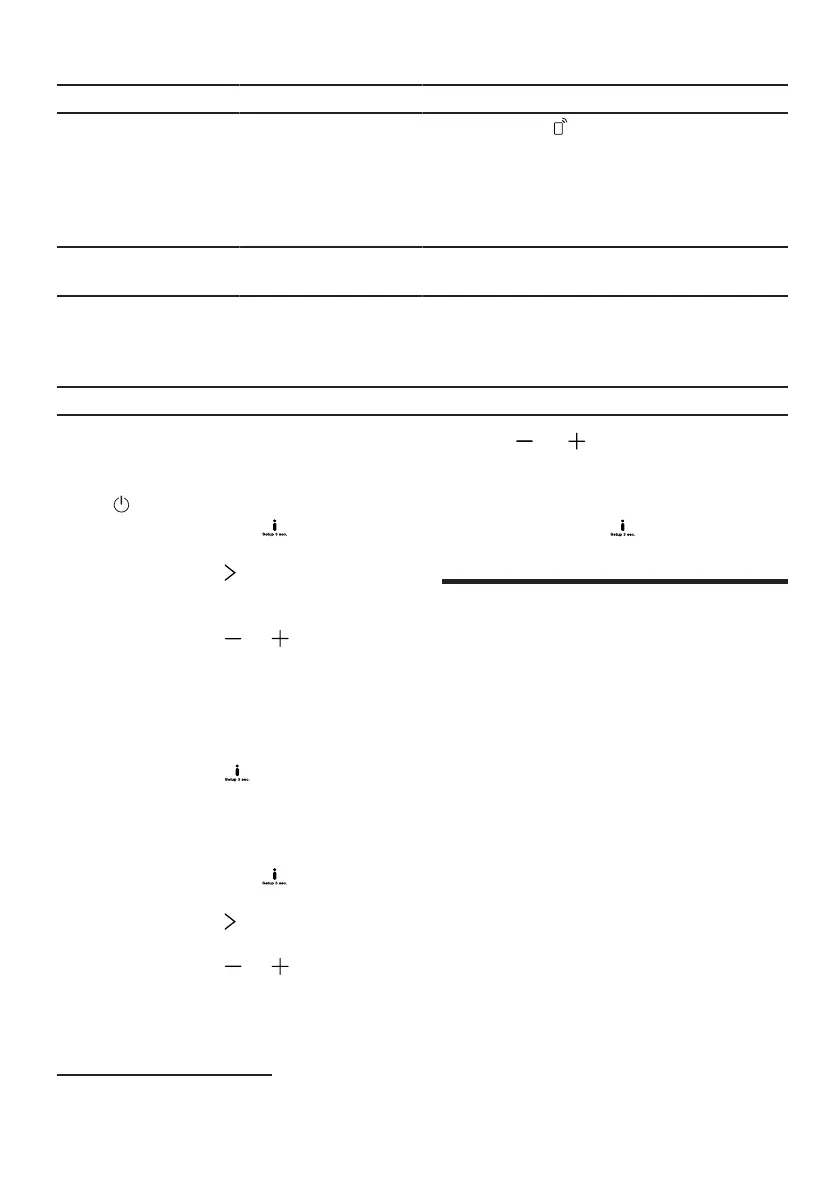
Remote Start
Choice Description
Out
Manually
constant
"Remote Start
activate.
This basic setting is only available after you have
connected the appliance with the Home Connect
app.
"Home Connect", page 41
", page 42activate or de-
Greeting
Factory setting
On1
Out
Enable or disable the display of the brand
logo when turning on the device.
Reset Reset changed settings to factory
condition.
Initial commissioning settings must
be specified.
1
Factory setting (may differ depending on the device type)
Change basic settings
Through
hold, the setting values change in
10-minute increments.
and longer pressed to
1.Open the appliance door.
2.Press.
4.To save the settings, press for
approx. 3 seconds.
3.Approx. Press for 3 seconds to access
the basic settings.
4.Press repeatedly until the display
shows the desired setting.
huhhuh
uncle Connect
uncle Connect
5.Press or repeatedly until the display
shows the desired value.
huhd
uncle Connect
this device is suitable for network
know. Connect your appliance to a
mobile terminal device to be able to
operate functions via the Home
Connect app.
The Home Connect services are not
available in every country. The
availability of the Home Connect
function depends on the availability of
the Home Connect services in your
country. Information on this can be
found at: www.home-connect.com. In
order to use Home Connect, you must
first establish a connection to the
WLAN home network (Wi-Fi1) and can
be configured with the Home Connect
app.
†→
†Device with WLAN home network
connect work (wifi)", Page 42
You can change multiple settings.
6.To save the settings, press for
approx. 3 seconds.
7.Close appliance door.
Setting time
1.Approx. Press for 3 seconds to access
the basic settings.
2.Press repeatedly until the display
reads "Time setting".
3.Press or repeatedly until the display
shows the desired time.
1Wi-Fi is a registered trademark of the Wi-Fi Alliance.
41


 To Next Page