en-us Basic Operation
18
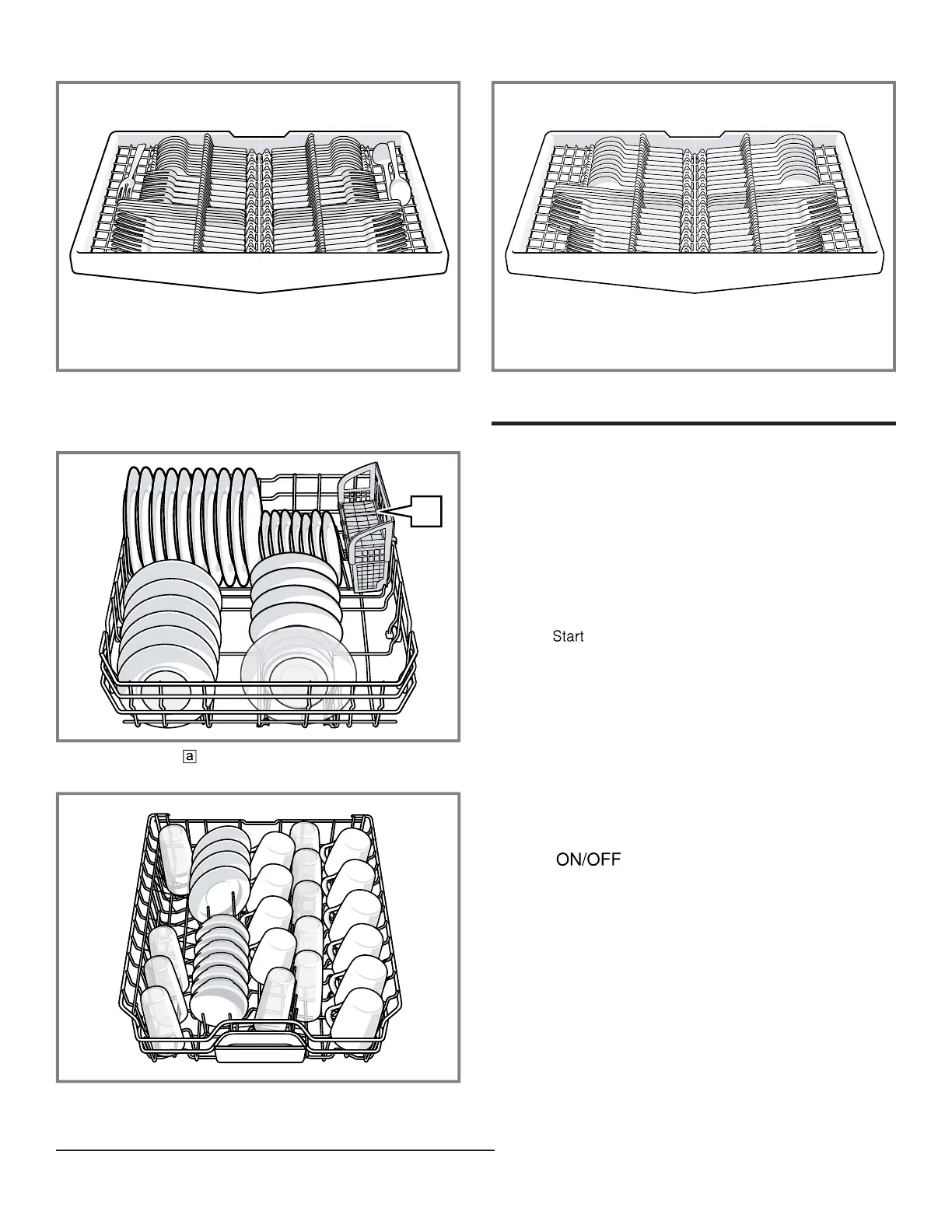
Third rack
Additional loading patterns for 10 place settings:
Lower rack
Silverware basket
1
Upper rack
Third rack
Basic Operation
12 Basic Operation
Basic Operation
12.1 Protection against unintentional
operation
Your dishwasher has a built in feature to help prevent
unintentional operation, e.g. by children. After starting the
appliance, the door has to be closed within 4 seconds,
otherwise the operation will be paused. If this occurs,
follow the steps below to restart your dishwasher.
▶ Press and close the door.
a The wash cycle will resume.
Note
Unintentional operation is activated when:
¡ Pressing Start to begin a wash cycle
¡ Setting Delay time and pressing Start
¡ Opening the door while Delay time is active
¡ Opening the door during a wash cycle.
¡ This feature cannot be deactivated.
12.2 Switching on the appliance
▶ Touch with a short 1 second touch.
The cycle last selected and the option last selected will
be set by default.
The buttons on the appliance are touch sensitive and
only require a quick, gentle touch.
Note:If you do not perform any actions on the appliance
for 10 minutes, it will automatically switch off. This feature
cannot be deactivated.
12.3 Setting a cycle
To adjust the wash cycle to the soiling level of the
dishware, select a suitable program.
1
Depending on the appliance specifications



 To Next Page