Troubleshooting en
39
Fault Cause and troubleshooting
Display "Check water
supply" flashes
A technical fault is present.
1. Press .
2. Unplug the appliance or switch off the fuse.
3. Wait at least 2minutes.
4. Insert the mains plug of the appliance in a socket
or switch on the fuse.
5. Switch the appliance on.
6. If the problem occurs again:
‒ Press .
‒ Turn off the water tap.
‒ Pull out the mains plug.
‒ Contact Customer Service →Page49 and give
the error code.
Displays flash Appliance door is not closed properly.
▶ Close the appliance door.
‒ Arrange the tableware so that no parts project
beyond the basket and prevent the appliance
door from closing properly.
Tableware is not dry. No rinse aid used or dosage set too low.
1.
Add Rinse aid →Page25.
2. Set the amount of rinse aid to be dispensed.
Programme or programme option has no drying
phase, or the drying phase is too brief.
▶ Select a programme with drying, e.g. intensive,
strong or ECO programme.
Some option buttons decrease the drying result, e.g
varioSpeed.
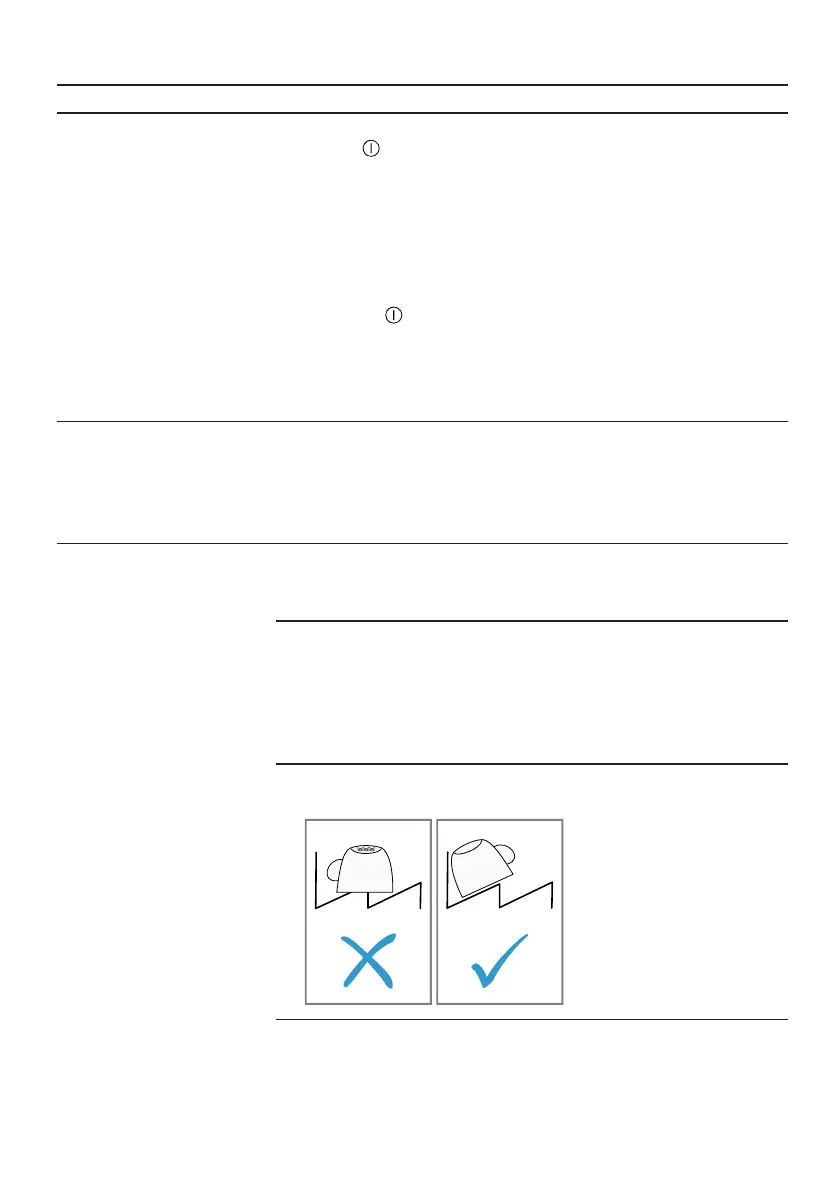
Water collects in recesses of the tableware or cutlery.
▶ Position tableware at an angle where possible.
The combined detergent used has a poor drying per-
formance.
1. Use rinse aid to improve drying performance.


 To Next Page