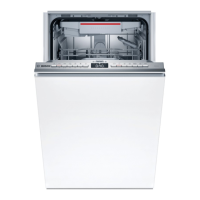
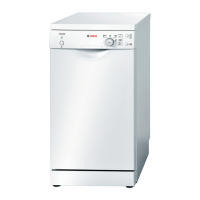
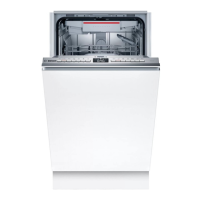
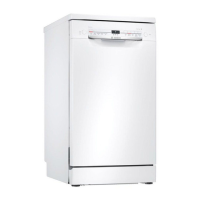
Wash Cycle Information
The cycle times in this Use and Care Manual are based on normal soil loads and 120°F incoming water and
will vary based on your actual conditions.
Table 3 - Wash Cycle Information
cycle time 110-125 min 105-129 min 95-119 min 9 min
cycle time with Half Load option 110 min 95-105 min 90-99 min --
cycle time with Sanitize option 125-145 min 120-140 min 115-130 min --
water consumption 16.7-21.9 L 11.1-20.0 L 8.2-16.3 L 4.0 L
4.4-5.8 gal 2.9-5.3 gal 2.2-4.3 gal 1.0 gal
wash temperature 66-71°C 55-66°C 50-55°C ncoming
151-160°F 131-151°F 122-131°F ncoming
rinse temperature 72°C 70°C 65-69°C ncoming
162°F 158°F 149-156°F ncoming
Note: Only sanitizing cycles have been designed to meet the requirements of 6 for soil removal and sanitiza-
tion efficacy. There is no intention, either directly or indirectly, to imply that all cycles have passed sanitiza-
tion performance tests.
Operating the Dishwasher
Start the dishwasher
1 Open the door (top controls only) and press the [On/Off] button. The LED of the last selected cycle flashes.
2 Select a cycle and desired options.
3 Press [Start] and close the door (top controls only) to begin the cycle.
Cancel a cycle
1 Open the door just far enough to expose the control panel (top controls only). Be careful of hot water
that may splash out.
2 Press and hold the [Start] button for approximately 3 seconds until the display reads "0:01".
3 Close the door (top controls only). Wait about 1 minute while the dishwasher drains.
4 Open the door (top controls only) and press the [On/Off] button.
Interrupt a cycle
1 Open the door just far enough to expose the control panel. Be careful of hot water that may splash out
(top controls only).
2 Press the [On/Off] button to turn the unit off.
3 To resume the cycle, press the [On/Off] button and close the dishwasher door (top controls only).
Setting the amount of rinse aid
The amount of rinse aid dispensed can be set from "r:00" to "r:06".
To change the setting:
1 Open the door (top controls only) and press the [On/Off] button.
2 Hold down the "A" button (see page 4) and press [Start] until the display indicates "H:00".
3 Release both buttons.
4 Press the "A" button until the display shows "r:04".
5 Press the "C" button to select the desired setting.
"r:00" = dispenser is OFF
"r:01" = lowest setting
"r:02" = low setting
"r:03" = medium setting
"r:04" = medium/high setting
"r:05" = high setting
"r:06" = highest setting
6 Press [Start] to save the setting and close the door (top controls only).



 To Next Page