NLHome Connect
Basic setting
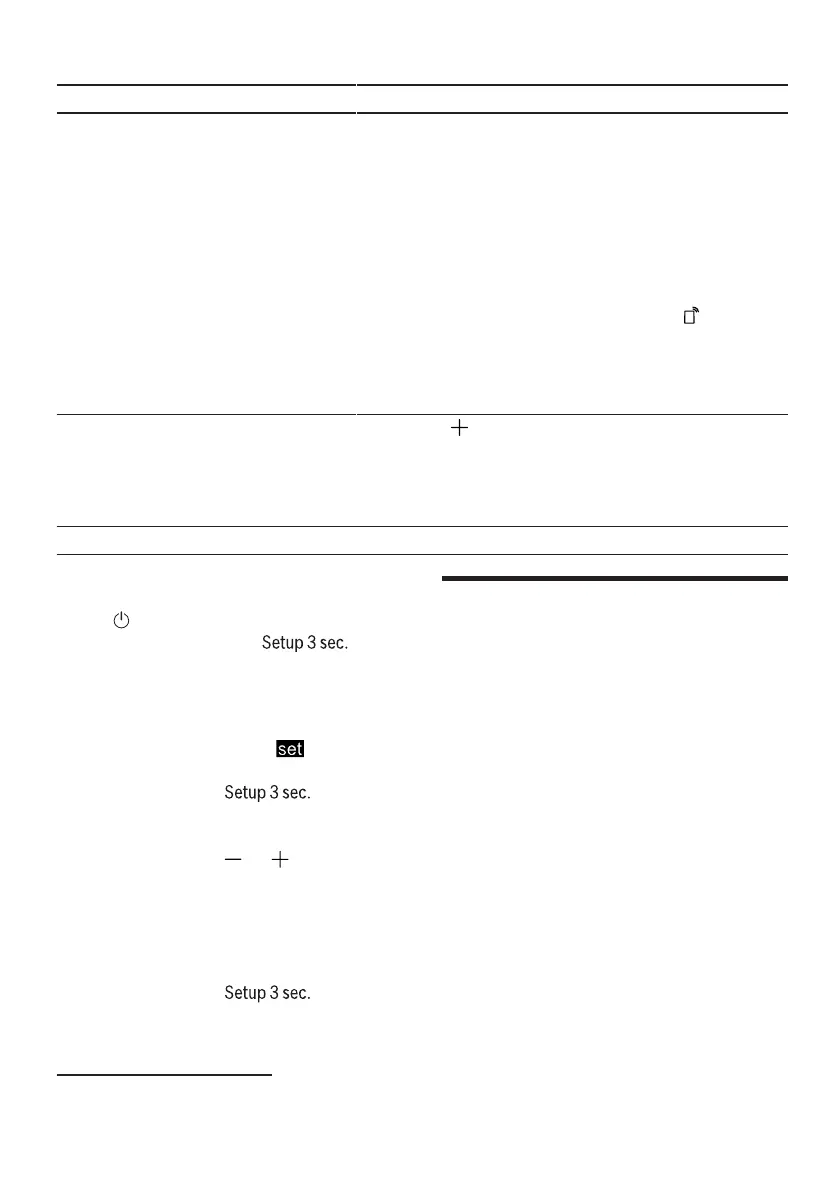
Remote start
Display text
rc:011
Choise
rc:00 - rc:02
Description
Activate or deactivate remote
start.
The following settings are possible: †
With the setting "rc:00" the start
remotely deactivated
permanently.
†With the setting "rc:01" the start
can be selected remotely via the
remote start button.
"Remote start",
page 41
†With the setting "rc:02" the start
remotely activated
permanently.
Factory setting re: Start with Reset changed settings to
factory condition.
Initial commissioning
settings must be specified.
1
Factory setting (may differ depending on the device type)
Change basic settings
huhHome Connect
uncle Connect
1.Press.
2.Approx. 3 seconds on
to access the basic settings.
Busy-
This device is network capable.
Connect your appliance to a mobile
terminal device to be able to operate
functions via the Home Connect app.
The Home Connect services are not
available in every country. The
availability of the Home Connect
function depends on the availability of
the Home Connect services in your
country. Information on this can be
found at: www.home-connect.com. In
order to use Home Connect, you must
first establish a connection to the
WLAN home network (Wi-Fi1) and can
be configured with the Home Connect
app.
†→
†Device with WLAN home network
connect work (Wi-Fi), page 41
aThe display shows H:xx
to give.
aThe display shows reflected
to give.
3.Just as often on
until the display shows the desired
setting.
to press
4.Press or repeatedly until the display
shows the desired value.
You can change multiple settings.
5.To save the settings, press . for
about 3 seconds to press.
1Wi-Fi is a registered trademark of the Wi-Fi Alliance.
40


 To Next Page