EasyManua.ls Logo

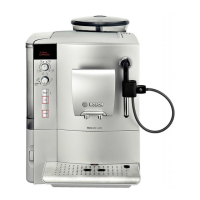
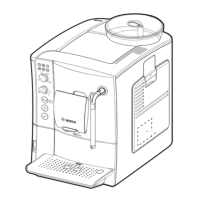
Bosch TES50328RW - User Manual

Bosch TES50328RW
128 pages
Print Icon
To Next Page IconTo Next Page
Loading...
en Operating instructions
fr Notice d’utilisation
nl Gebruiksaanwijzing
pl Instrukcja obugi
cz Návod k použití
ru Инструкция по
эксплуатации
TES 503..

Table of Contents

Question and Answer IconNeed help?

Do you have a question about the Bosch TES50328RW and is the answer not in the manual?

Summary

Safety instructions

Risk of electric shock

Connect and operate the appliance only in accordance with the specifications on the rating label.

Controls

Milk frother

Before using for the first time

Switching on the appliance

Switching off the appliance

Water filter

Filter installation and rinsing

Insert filter into water tank, fill tank, activate filter via menu, rinse.

Menu settings

Start CalcnClean

Manually select and start service programmes like descaling and cleaning.

Adjusting the grinding unit

Grinding unit operation warning

Adjust only when running; never reach into the grinding unit.

Preparation using coffee beans

Selecting drink and strength

Use rotary knobs to select coffee type, per-cup quantity, and coffee strength.

Starting the brewing process

Press the start button to begin brewing; press again to shorten.

Preparation using ground coffee

Dispensing hot water

Hot water dispensing safety

Milk frother outlet gets very hot; hold by plastic part only to avoid burns.

Preparing milk froth and warm milk

Maintenance and daily cleaning

Milk frothing burn risk

Milk frother operates at high pressure; handle carefully to prevent scalding.

Cleaning the milk system

Milk system scalding risk

Ensure milk frother is fully assembled and installed before use.

Cleaning the brewing unit

Manual brewing unit cleaning

Remove brewing unit, rinse under running water, dry, and reinsert without detergent.

Tips on energy saving

Service Programmes

Service programme warnings

Follow agent instructions, do not interrupt, and do not consume liquids.

Descaling

Cleaning

CalcnClean

Frost protection

Simple troubleshooting

Grinding unit and bean issues

Addresses 'REFILL BEANS!' and grinding problems due to bean type or container.

No hot water dispensed

Troubleshooting issues related to soiled milk frother or limescale buildup.

Milk frothing and drawing issues

Addresses problems with milk froth or drawing due to soiling, limescale, or milk type.

Slow or stopped coffee dispensing

Troubleshooting dispensing issues caused by grind setting, pre-ground coffee, or limescale.

Lack of coffee crema

Addresses issues with crema formation due to coffee type or bean freshness.

Acidic coffee taste

Troubleshooting acidic taste related to grind setting, coffee type, or roast.

Bitter coffee taste

Troubleshooting bitter taste due to grind setting, pre-ground coffee, or coffee type.

Error and hotline messages

Handles 'ERROR CALL HOTLINE' messages by advising contact with support.

Water filter installation issues

Troubleshooting problems with water filter placement and mounting.

Brewing unit issues

Addresses wet/compact grounds, soiled brewing unit, or stiff mechanism.

Variable coffee;milk froth quality

Addresses quality variations due to limescale; recommends descaling.

Brewing unit recognition issues

Addresses 'INSERT BREWING UNIT' message by recommending power cycle.

Restoring factory settings

Procedure to reset appliance to original factory settings via button combination.

Summary

Safety instructions

Risk of electric shock

Connect and operate the appliance only in accordance with the specifications on the rating label.

Controls

Milk frother

Before using for the first time

Switching on the appliance

Switching off the appliance

Water filter

Filter installation and rinsing

Insert filter into water tank, fill tank, activate filter via menu, rinse.

Menu settings

Start CalcnClean

Manually select and start service programmes like descaling and cleaning.

Adjusting the grinding unit

Grinding unit operation warning

Adjust only when running; never reach into the grinding unit.

Preparation using coffee beans

Selecting drink and strength

Use rotary knobs to select coffee type, per-cup quantity, and coffee strength.

Starting the brewing process

Press the start button to begin brewing; press again to shorten.

Preparation using ground coffee

Dispensing hot water

Hot water dispensing safety

Milk frother outlet gets very hot; hold by plastic part only to avoid burns.

Preparing milk froth and warm milk

Maintenance and daily cleaning

Milk frothing burn risk

Milk frother operates at high pressure; handle carefully to prevent scalding.

Cleaning the milk system

Milk system scalding risk

Ensure milk frother is fully assembled and installed before use.

Cleaning the brewing unit

Manual brewing unit cleaning

Remove brewing unit, rinse under running water, dry, and reinsert without detergent.

Tips on energy saving

Service Programmes

Service programme warnings

Follow agent instructions, do not interrupt, and do not consume liquids.

Descaling

Cleaning

CalcnClean

Frost protection

Simple troubleshooting

Grinding unit and bean issues

Addresses 'REFILL BEANS!' and grinding problems due to bean type or container.

No hot water dispensed

Troubleshooting issues related to soiled milk frother or limescale buildup.

Milk frothing and drawing issues

Addresses problems with milk froth or drawing due to soiling, limescale, or milk type.

Slow or stopped coffee dispensing

Troubleshooting dispensing issues caused by grind setting, pre-ground coffee, or limescale.

Lack of coffee crema

Addresses issues with crema formation due to coffee type or bean freshness.

Acidic coffee taste

Troubleshooting acidic taste related to grind setting, coffee type, or roast.

Bitter coffee taste

Troubleshooting bitter taste due to grind setting, pre-ground coffee, or coffee type.

Error and hotline messages

Handles 'ERROR CALL HOTLINE' messages by advising contact with support.

Water filter installation issues

Troubleshooting problems with water filter placement and mounting.

Brewing unit issues

Addresses wet/compact grounds, soiled brewing unit, or stiff mechanism.

Variable coffee;milk froth quality

Addresses quality variations due to limescale; recommends descaling.

Brewing unit recognition issues

Addresses 'INSERT BREWING UNIT' message by recommending power cycle.

Restoring factory settings

Procedure to reset appliance to original factory settings via button combination.

Bosch TES50328RW Specifications

General IconGeneral
BrandBosch
ModelTES50328RW
CategoryCoffee Maker
LanguageEnglish

Related product manuals