en-us Troubleshooting
34
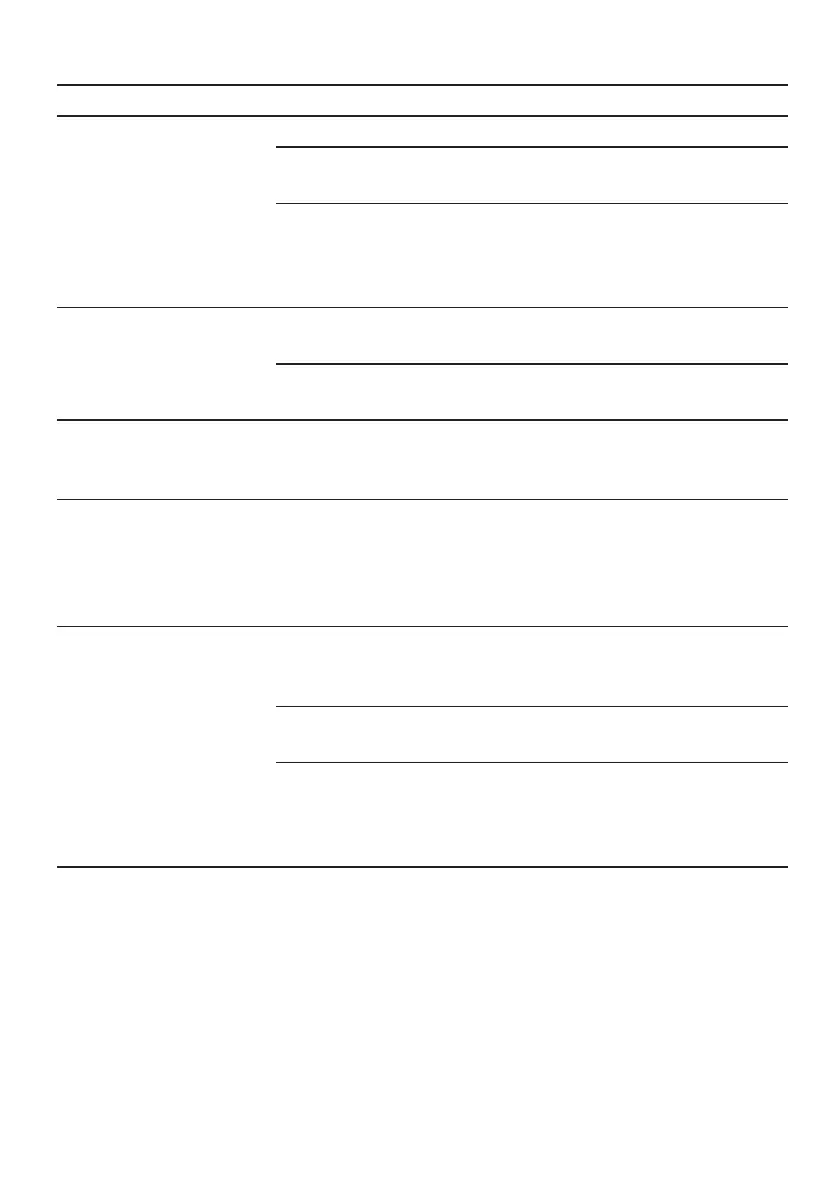
Issue Cause and troubleshooting
Display shows "Please
fill the water tank"
despite the water tank
being full.
2. Reinsert the filter.
Water filter is old.
▶ Insert a new water filter.
Limescale deposits in the water tank are blocking the
system.
1. Clean the water tank thoroughly.
2. Start the descaling program.
Display shows "Please
clean brewing unit. In-
structions in Use and
Care Manual".
Brewing unit is soiled.
▶ Clean the brewing unit.
Mechanism of brewing unit is stiff.
▶ Clean the brewing unit.
Display shows "Over-
voltage or
undervoltage".
There are problems with the power supply.
▶ Only operate the appliance at 120V∼.
Display shows "Error in
water system. Unplug
the appliance, wait one
minute and plug in
again.".
Appliance has an error.
1. Unplug the appliance and wait 60seconds.
2. Plug it back in.
Display shows "Please
run Calc'nClean pro-
gram!" very frequently.
Decalcified water still contains small amounts of lime.
1. Insert a new water filter.
2. Set the corresponding water hardness.
Incorrect or too little descaling agent used.
▶ When descaling, only use suitable tablets.
Machine care cycle has not been carried out in its
entirety.
▶ Start the "Special rinsing" machine care cycle.
→
"Machine care cycles", Page28



 To Next Page