EasyManua.ls Logo

Bosch ultraclarity pro - User Manual

Bosch ultraclarity pro
5 pages
Print Icon
To Next Page IconTo Next Page
Loading...
en-us
20
Ice and water dispenser
The following may be dispensed as necessary:
cooled water
crushed ice
ice cubes
When switching on the appliance, note the
following
The ice and water dispenser only works when the
appliance is connected to the water supply.
After the appliance has been switched on, it will take
24 hours before the first batch of ice cubes are ready.
When the appliance is connected, air bubbles will still
be in the lines.
Extract the drinking water and discard until water can
be dispensed without bubbles. Draw drinking water for
at least 5 minutes and pour away.
When using the ice maker for the first time, discard the
first 30 to 40 ice cubes. Do not use ice cubes for
hygienic reasons.
Operating the ice maker
Once the freezer compartment has reached its freezing
temperature, water flows into the ice maker and freezes
into ice cubes. The ice cubes are automatically
discharged into the ice cube container when they are
ready.
After the appliance is first switched on, it takes roughly
24 hours for the first portion of ice cubes to be
produced.
The sides of the ice cubes may occasionally stick
together. They usually break away from each other as
they move to the dispenser opening.
Ice making switches off automatically when the ice
cube container is full.
The ice maker can make approximately 140 ice cubes
within 24 hours when ice cubes are discharged several
times during the day.
As the ice cubes are being made, the sound of the
buzzing water valve, the water flowing into the ice
storage bin and the falling ice cubes can be heard.
Drinking water quality
All materials used in the water dispenser are odorless
and tasteless.
If the water has an aftertaste, this may be caused by:
Mineral and chlorine content in the drinking water
Materials from which the domestic water line or
connection line are made
Freshness of the drinking water. If water has not
been dispensed for an extended period of time, the
water may have a ”stale” taste. In this case,
dispense approx. 15 glasses of water and discard.
Note:
Rinse the water system that is connected to the water
inlet if no water has been dispensed in the last five
days.
The taste and smell of the water can be improved by
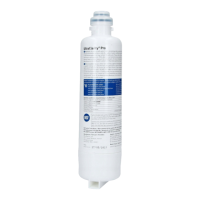
installing the included filter cartridge at the water intake
point.
We recommend that you regularly draw off a certain
amount of water from the water dispenser and do not
switch the appliance off. This will maintain the best
water quality.
Dispensing water
1. Press the "Water" button. The display panel shows
the "Water" symbol.
: WARNING
Risk of injury from broken glass!
Never use fragile glassware to catch ice when
dispensed.
: WARNING
Risk of injury from rotating crusher blades!
Never reach into the ice cube dispenser opening.
NOTICE
Risk of damage to the appliance!
Do not place bottles or food in the ice cube container
in order to cool them quickly. The ice maker may
become blocked and damaged.
: CAUTION
The water filter included with the appliance only
filters out particles from the supplied water and
does not filter out bacteria or microbes.
Question and Answer IconNeed help?

Do you have a question about the Bosch ultraclarity pro and is the answer not in the manual?

Summary

Ice and Water Dispenser Operation

Safety Warnings and Notices

Safety warnings regarding broken glass, rotating blades, and appliance damage.

Initial Setup and Ice Maker Operation

Guidance on initial setup, water line purging, and ice maker operation.

Drinking Water Quality

Information on drinking water quality, filter function, and taste.

Dispensing Water

Instructions on how to dispense water from the unit.

Dispensing Ice

Dispensing Procedure

How to dispense ice cubes or crushed ice.

Ice Maker Control

Switching Off the Ice-Maker

Procedure to temporarily switch off the ice-maker.

Ice Cube Container Maintenance

Removing and Cleaning

Instructions for removing, emptying, and cleaning the ice cube container.

Water Filter System

Important Notes on Water Filter

Key information and recommendations for using the water filter.

Changing the Filter Cartridge

Step-by-step guide for replacing the water filter cartridge.

Filter Replacement Procedure

Resetting the Filter Indicator

How to reset the water filter indicator after replacement.

Using Dispenser Without Filter

Note on using the dispenser with or without a water filter.

Performance Data and Operation Conditions

Substance Reduction Performance

Table detailing tested substance reduction by the water filter.

Operation Conditions

Specifications for service flow rate, water pressure, temperature, and capacity.

Summary

Ice and Water Dispenser Operation

Safety Warnings and Notices

Safety warnings regarding broken glass, rotating blades, and appliance damage.

Initial Setup and Ice Maker Operation

Guidance on initial setup, water line purging, and ice maker operation.

Drinking Water Quality

Information on drinking water quality, filter function, and taste.

Dispensing Water

Instructions on how to dispense water from the unit.

Dispensing Ice

Dispensing Procedure

How to dispense ice cubes or crushed ice.

Ice Maker Control

Switching Off the Ice-Maker

Procedure to temporarily switch off the ice-maker.

Ice Cube Container Maintenance

Removing and Cleaning

Instructions for removing, emptying, and cleaning the ice cube container.

Water Filter System

Important Notes on Water Filter

Key information and recommendations for using the water filter.

Changing the Filter Cartridge

Step-by-step guide for replacing the water filter cartridge.

Filter Replacement Procedure

Resetting the Filter Indicator

How to reset the water filter indicator after replacement.

Using Dispenser Without Filter

Note on using the dispenser with or without a water filter.

Performance Data and Operation Conditions

Substance Reduction Performance

Table detailing tested substance reduction by the water filter.

Operation Conditions

Specifications for service flow rate, water pressure, temperature, and capacity.

Overview

This document describes the features, usage, and maintenance of an ice and water dispenser.

Function Description

The appliance dispenses cooled water, crushed ice, and ice cubes. It automatically produces ice cubes once the freezer compartment reaches its freezing temperature, discharging them into an ice cube container when ready. The ice maker can produce approximately 140 ice cubes within 24 hours if discharged several times throughout the day. Ice making automatically stops when the ice cube container is full.

The water dispenser includes a filter designed to remove particles from the supplied water. It does not filter out bacteria or microbes. All materials used in the water dispenser are odorless and tasteless.

Important Technical Specifications

The water filter system, identified by trade names WFS200MF & WFS210MF and replacement cartridge numbers WFC100MF (for WFS200MF) & WFC110MF (for WFS210MF), has been tested and certified by NSF International against NSF/ANSI Standards 42, 53, and 401 for the reduction of various substances.

Performance Data Sheet:

Substance Influent challenge concentration Average reduction Reduction requirement Max. permissible product water concentration
Chlorine taste and odor 2.0 mg/L ± 10% 97.2% ≥ 50% N/A
Chloramine 3.0 mg/L ± 10% 97.2% N/A 0.5 mg/L
Particulate, Class I at least 10,000 particles/mL >99.9% 85% N/A
Atrazine 0.009 mg/L ± 10% >94.4% N/A 0.003 mg/L
Benzene 0.015 mg/L ± 10 % >96.8% N/A 0.005 mg/L
Carbofuran 0.08 mg/L ± 10% >98.8% N/A 0.04 mg/L
p-Dichlorobenzene 0.225 mg/L ± 10% >99.8% N/A 0.075 mg/L
Lead pH = 6.5 0.15 mg/L ± 10% >98.8% N/A 0.010 mg/L
Lead pH = 8.5 0.15 mg/L ± 10% 97.9% N/A 0.010 mg/L
Mercury pH = 6.5 0.006 mg/L ± 10% >96.5% N/A 0.002 mg/L
Mercury pH = 8.5 0.006 mg/L ± 10% >96.6% N/A 0.002 mg/L
Turbidity 11 ± 1 NTU 99.1% N/A 0.5 NTU
Ethylbenzene 2.1 mg/L ± 10% >99.9% N/A 0.7 mg/L
Toxaphene 0.015 mg/L ± 10% N/A 0.003 mg/L
Asbestos 10^7 to 10^8 fibers/L; fibers greater than 10 µm in length >99% 99% N/A
Cyst minimum 50,000/L 99.99% 99.95% N/A
Meprobamate 400 ng/L ± 20% >95.2% N/A 60 ng/L
Atenolol 200 ng/L ± 20% >95.6% N/A 30 ng/L
Carbamazepine 1,400 ng/L ± 20% >98.6% N/A 200 ng/L
DEET 1,400 ng/L ± 20% >98.7% N/A 200 ng/L
Phenytoin 200 ng/L ± 20% >94.4% N/A 30 ng/L
Metolachlor 400 ng/L ± 20% >98.7% N/A 200 ng/L
Ibuprofen 400 ng/L ± 20% >95.3% N/A 60 ng/L
Trimethoprim 140 ng/L ± 20% >96.7% N/A 20 ng/L
Linuron 140 ng/L ± 20% >96.6% N/A 20 ng/L
Naproxen 140 ng/L ± 20% >96.2% N/A 20 ng/L
Estrone 140 ng/L ± 20% >96.3% N/A 20 ng/L
Bisphenol A 2,000 ng/L ± 20% >99.0% N/A 300 ng/L
Nonyl phenol 1,400 ng/L ± 20% >96.3% N/A 200 ng/L

Operation Conditions:

  • Service flow rate: 0.55 gpm (2 L/m)
  • Water pressure: 30 psi - 120 psi (206 - 861 kPa)
  • Water temperature: 35 °F - 100 °F (2 °C - 38 °C)
  • Function: chemical/mechanical
  • Capacity: WFS200MF 250 gallons (946 L), WFS210MF 150 gallons (567 L)

The system is designed for use with cold water lines only.

Usage Features

Initial Setup: Upon first connection, the appliance requires 24 hours for the first batch of ice cubes to be ready. Air bubbles will be present in the water lines initially; dispense and discard water for at least 5 minutes until it runs without bubbles. For hygienic reasons, discard the first 30 to 40 ice cubes produced.

Dispensing Water:

  1. Press the "Water" button on the display panel. The "Water" symbol will illuminate.
  2. Press a glass or container against the dispenser lever to fill it with the desired amount of water.
    • The water is cooled to a pleasant drinking temperature. For colder water, dispense some ice cubes into the glass first.

Dispensing Ice:

  1. Press the "Ice cubes/Crushed ice" button until the display shows either the "Ice cubes" or "Crushed ice" symbol.
  2. Hold a container against the dispenser lever until it is half full of ice to prevent overflow or blockage.
    • If crushed ice was previously dispensed, some residual crushed ice may come out with the first few ice cubes.

Switching Off the Ice-Maker:

  1. Press and hold the "Ice cubes/Crushed ice" button for 3 seconds.
    • The "Ice cubes," "Crushed ice," and "Lock" symbols will flash for approximately 3 seconds. Then, water dispensing will activate, and the "Water" symbol will light up.
    • An alarm will sound if the button is pressed while the ice-maker is off, and the "Ice cubes," "Crushed ice," and "Lock" symbols will flash.
    • It is crucial to turn off the water supply several hours before switching off the ice-maker.
    • If the ice-maker will not be used for more than one week (e.g., during holidays), temporarily switch it off to prevent ice cubes from freezing together.

Switching On the Ice-Maker: Press and hold the "Ice cubes/Crushed ice" button for 3 seconds. An alarm will sound when the ice-maker switches on.

Maintenance Features

Water Quality:

  • If the water has an aftertaste, it may be due to mineral/chlorine content, materials from the domestic water line, or stale water.
  • If water has not been dispensed for an extended period, discard approximately 15 glasses of water.
  • Rinse the water system if no water has been dispensed in the last five days.
  • Regularly drawing water from the dispenser and keeping the appliance on helps maintain optimal water quality.

Ice Cube Container:

  1. Pull out the ice-cube container.
  2. Empty and clean the container.
  3. Push the container back onto the runners until it snaps into place.
    • Do not place bottles or food in the ice cube container to cool them quickly, as this can block and damage the ice maker.

Water Filter Replacement: The water filter cartridge must be replaced at least every 6 months, or when the water filter symbol starts flashing.

  1. Caution: Unplug the appliance or switch off the circuit-breaker.
  2. Turn off the water supply to the appliance.
  3. Press the button and remove the lid of the filter housing.
  4. Carefully turn the old filter cartridge 90° counter-clockwise and pull it out.
    • The water system is slightly under pressure after use, so take care when removing the filter. Air trapped in the system can cause water to spurt out.
  5. Remove the new filter cartridge from its packaging.
  6. Insert the new filter cartridge and carefully turn it 90° clockwise until it stops.
    • Ensure the filter cartridge is hand-tightened to prevent leaks and ensure proper water supply.
  7. Refit the lid and snap it into place.
  8. Turn on the water supply.
  9. Switch on the appliance.
  10. Dispense and dispose of water for five minutes (approximately 3 gallons) via the water dispenser.
  11. Dispose of the old filter cartridge with normal household waste.
  12. Press and hold the "Light/Filter" button for 3 seconds to reset the water filter indicator. The symbol will stop flashing, indicating the new filter is activated.

Important Filter Notes:

  • After fitting a new filter cartridge, discard the first 24 hours' worth of ice produced.
  • If the ice has not been used for an extended period, discard all ice cubes in the container and any produced over the next 24 hours.
  • If the appliance has not been used, or no ice has been dispensed for several weeks or months, or if ice cubes have an unpleasant taste or smell, change the filter cartridge.
  • Do not use the appliance without suitable disinfection means on the inlet and outlet side of the filter in localities with non-ideal or unknown water quality.
  • Filter cartridges can be obtained from Customer Support.
  • The ice and water dispenser can be used without a water filter by fitting a cover cap, which can be obtained from customer service.
  • Adsorption media will not be regenerated.
  • Systems must be installed and operated according to manufacturer's recommendations and local regulations.
  • Do not use with microbiologically unsafe or unknown quality water without adequate disinfection. Systems certified for cyst reduction may be used on disinfected water that may contain filterable cyst.

Bosch ultraclarity pro Specifications

General IconGeneral
BrandBosch
Modelultraclarity pro
CategoryWater Filtration Systems
LanguageEnglish

Related product manuals