EasyManua.ls Logo

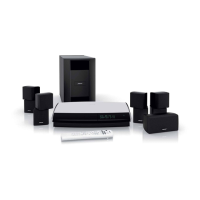
Bose DVD Player - User Manual

Bose DVD Player
185 pages
Print Icon
To Next Page IconTo Next Page
Loading...
LIFESTYLE
®
DVD
HOME ENTERTAINMENT SYSTEMS
Operating Guide
Guía de uso
Notice d’utilisation
®
with the VS-2 Video Enhancer

Table of Contents

Questions and Answers

  • J
    jonesmatthewSep 9, 2025
    Why does storing CD tracks take so long on my Bose ?
    • K
      Katie PetersonSep 9, 2025
      If storing tracks of a CD on your Bose DVD Player takes longer than expected, remove the CD and check for scratches, which may slow the process or make it impossible to store all tracks. If the CD needs cleaning, refer to “Cleaning discs” on page 55.
  • B
    Brittany WhiteAug 22, 2025
    What to do if a disc does not play on my Bose DVD Player?
    • M
      Michael ChambersAug 23, 2025
      If your Bose DVD Player disc does not play, after pressing the CD/DVD button, wait a few seconds before pressing Play. Make sure the disc is properly inserted, label side up. Eject and re-load the disc. The CD may be dirty, or the CD may be defective or incompatible.
  • D
    Donald PowersAug 25, 2025
    How to fix no sound from center speaker on Bose DVD Player?
    • Z
      zenglishAug 25, 2025
      If there is no sound from the center speaker of your Bose DVD Player, ensure the center speaker cable is connected at both ends. Also, select 3- or 5-speaker mode.
  • M
    Mary KingAug 26, 2025
    How to troubleshoot no sound from surround speakers on Bose DVD Player?
    • E
      emily03Aug 27, 2025
      If there's no sound from the surround speakers of your Bose DVD Player, select 5-speaker mode. Increase the Surround setting for the source being played. Make sure the video sound source is stereo- and surround-encoded, and the component used (TV, VCR, DVR, etc.) is stereo.
  • M
    Mary DavisAug 27, 2025
    What causes distorted sound on my Bose DVD Player?
    • L
      Laura ShepherdAug 27, 2025
      If the sound from your Bose DVD Player is distorted, ensure the speaker cables are not damaged and the connections are secure. Also, reduce the output level from any external components connected to the media center.
  • R
    ronaldbrownAug 29, 2025
    What to do if a CD or DVD does not play correctly on Bose DVD Player?
    • E
      Elijah RoweAug 29, 2025
      If a CD or DVD does not play correctly on your Bose DVD Player, check the disc for scratches, fingerprints, smears, or dirt.
  • M
    Mary BrownSep 17, 2025
    Why does my TV screen go dark after changing video settings on Bose DVD Player?
    • S
      stacygentrySep 18, 2025
      If the TV screen goes dark or the image flips after changing video settings on your Bose DVD Player, in the System menu, ensure the Video format is set to NTSC (U.S. standard) or PAL (European standard). In the Settings menu, ensure the SD Progressive Scan setting is off.
  • P
    Paige PetersonSep 19, 2025
    How to reset parental control password on Bose DVD Player?
    • M
      Marissa GriffinSep 22, 2025
      If you forgot your password for your Bose DVD Player, enter the numbers 2673 as a temporary password to access the parental controls. Then, create a new password.
  • B
    Becky AndersonSep 7, 2025
    Why does my Bose DVD Player turn on by itself?
    • J
      Jeffery WilliamsSep 7, 2025
      If your Bose DVD Player system turns on by itself or behaves erratically, change the house code setting to prevent signals from conflicting with another nearby system.
  • B
    Bailey GoodwinSep 4, 2025
    How to decrease the center speaker volume on Bose DVD Player?
    • C
      Chelsea BowenSep 4, 2025
      If there is too much sound from the center speaker on your Bose DVD Player, decrease the Center Channel setting.

Summary

Safety Information

General Safety Precautions

Essential precautions regarding fire, electrical shock, and product usage.

System Controls and Operation

Remote and Media Center Interface

Overview of remote control buttons and media center controls and display.

Initial Setup and Media Playback

Guidance on turning on, playing DVDs, CDs, radio, and managing stored music.

Controlling External Sources and System Menus

Universal Remote Setup

How to configure the remote to control external devices.

System Menu Customization

Navigating and adjusting settings for audio, video, and remote control.

Advanced Features and Reference

Source Settings and uMusic System

Adjusting source settings and exploring the uMusic intelligent playback system.

System Maintenance and Troubleshooting

Procedures for maintenance, care, and solutions for common problems.

End User License Agreement

Legal Terms of Use

The legal agreement governing the use of the system's technology and software.

Bose DVD Player Specifications

General IconGeneral
BrandBose
ModelDVD Player
CategoryDVD Player
LanguageEnglish

Related product manuals