EasyManua.ls Logo

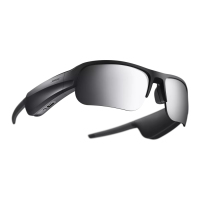
Bose FRAMES TEMPO - User Manual

Bose FRAMES TEMPO
37 pages
Print Icon
To Next Page IconTo Next Page
Loading...
FRAMES TEMPO
Question and Answer IconNeed help?

Do you have a question about the Bose FRAMES TEMPO and is the answer not in the manual?

Summary

IMPORTANT SAFETY INSTRUCTIONS

Safety Instructions and Warnings

Details essential safety instructions, warnings, and cautions for product operation and user safety.

LEGAL INFORMATION

BOSE MUSIC APP SETUP

HOW TO WEAR

POWER

Power On and Off

How to turn the Bose Frames on and off using the temple button.

FRAMES CONTROLS

Media Playback Control

How to control music playback (play, pause, skip) using touch controls.

Volume Adjustment

Instructions for increasing and decreasing volume using the touch surface.

Phone Call Management

How to answer, decline, and manage phone calls using frame controls.

BATTERY

Charging the Frames

Instructions on how to charge the Bose Frames using the USB-C port.

FRAMES STATUS

BLUETOOTH CONNECTIONS

TROUBLESHOOTING

Initial Troubleshooting Steps

Quick steps to resolve common problems with frames or app.

Connectivity Issues

Troubleshooting steps for when frames fail to connect to a mobile device.

App and Audio Problems

Solutions for app errors, no sound, or poor audio quality.

Microphone and Charging Issues

Solutions for microphone issues and frames not charging.

Summary

IMPORTANT SAFETY INSTRUCTIONS

Safety Instructions and Warnings

Details essential safety instructions, warnings, and cautions for product operation and user safety.

LEGAL INFORMATION

BOSE MUSIC APP SETUP

HOW TO WEAR

POWER

Power On and Off

How to turn the Bose Frames on and off using the temple button.

FRAMES CONTROLS

Media Playback Control

How to control music playback (play, pause, skip) using touch controls.

Volume Adjustment

Instructions for increasing and decreasing volume using the touch surface.

Phone Call Management

How to answer, decline, and manage phone calls using frame controls.

BATTERY

Charging the Frames

Instructions on how to charge the Bose Frames using the USB-C port.

FRAMES STATUS

BLUETOOTH CONNECTIONS

TROUBLESHOOTING

Initial Troubleshooting Steps

Quick steps to resolve common problems with frames or app.

Connectivity Issues

Troubleshooting steps for when frames fail to connect to a mobile device.

App and Audio Problems

Solutions for app errors, no sound, or poor audio quality.

Microphone and Charging Issues

Solutions for microphone issues and frames not charging.

Bose FRAMES TEMPO Specifications

General IconGeneral
Control typeTouchpad
Processor frequency- GHz
Processor manufacturer-
Built-in cameraNo
Bluetooth version5.1
Housing colorBlack
Lens polarizationPhoto polarized lens
Glasses frame typeSemi rimless
Battery life (max)8 h
Battery recharge time1 h
Cables includedUSB Type-C
Weight and Dimensions IconWeight and Dimensions
Depth172.5 mm
Width157 mm
Weight49.89 g
Package depth77 mm
Package width159 mm
Package height57 mm

Related product manuals