USING
MULTI-ROOM
AUDIO
3.
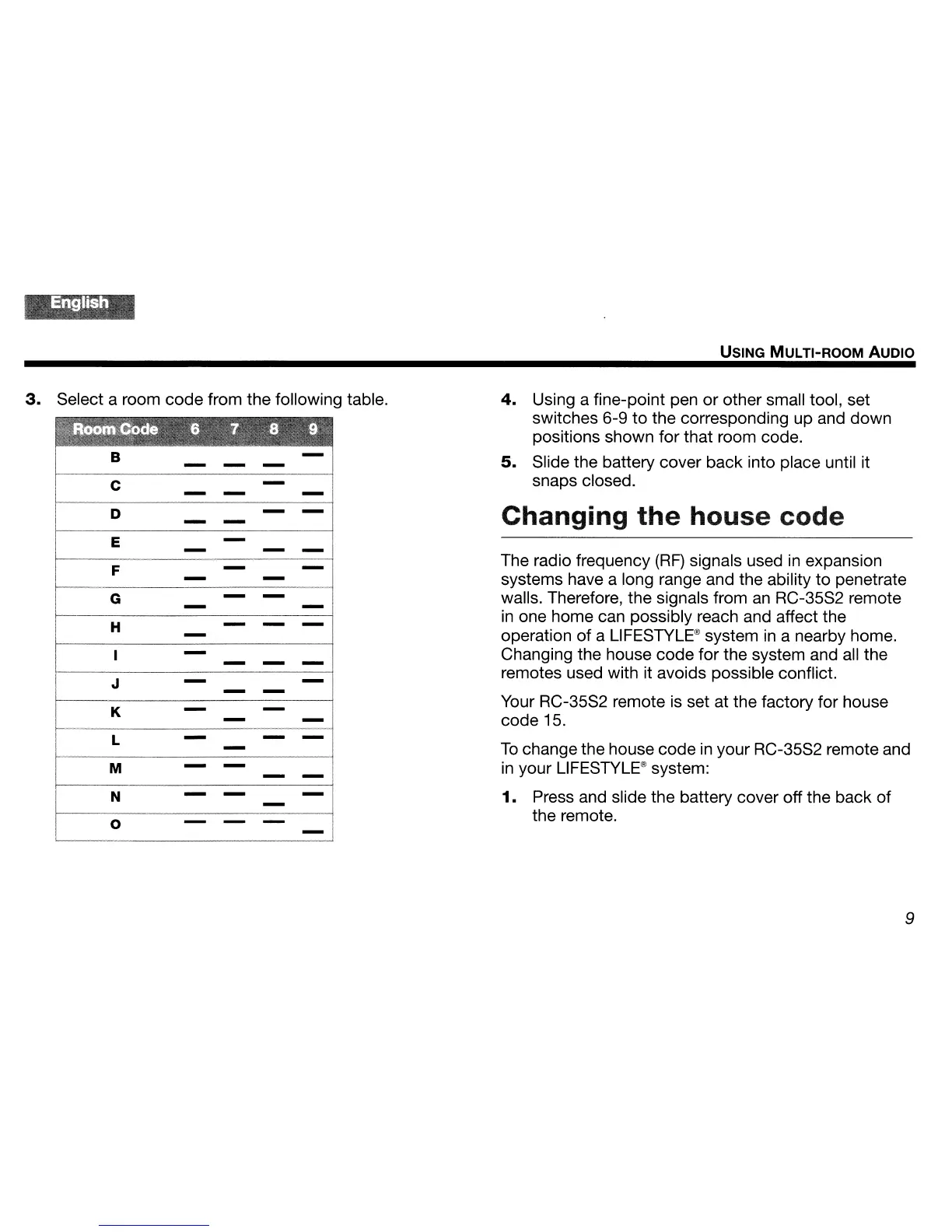
Select a room code from the following table.
4.
Using a fine-point pen
or
other small tool, set
switches 6-9 to the corresponding up and down
positions shown for that room code.
-,
5.
Slide the battery cover back into place until it
- - -
i
I
snaps closed.
C
-
I
I
I
- -
-I
I
1
D
I
Changing
the
house code
-
-I
I
- -
I
I
E
-
I
-
-
_I
I
I
The radio frequency
(RF)
signals used
in
expansion
-------,
F
-
-
I
systems have a long range and the ability to penetrate
I
-
-
I
G
- -
walls. Therefore, the signals from
an
RC-35S2 remote
-
-
I
in
one home can possibly reach and affect the
I
H
- -
-
-
operation of a
L1FESTYLE®
system
in
a nearby home.
I
-
-I
Changing the house code for the system and all the
-
-
1-
J
-
-I
remotes used with it avoids possible conflict.
-
-
K
-
-
i
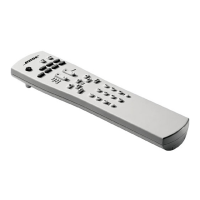
Your RC-35S2 remote
is
set at the factory for house
-
-I
code 15.
f----
-1
L
-
-
-
To
change the house code
in
your RC-35S2 remote and
M
-
-
I
in
your
L1FESTYLE®
system:
-
-I
I
1.
Press and slide the battery cover off the back
of
N
-
-
-'
-
I
0
- -
-
i
the remote.
I
-,
---l
9


 To Next Page