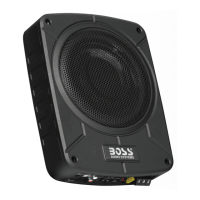
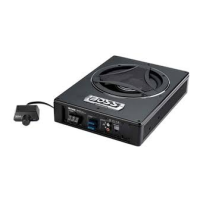
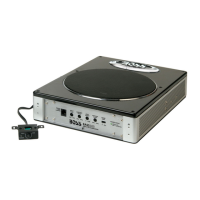
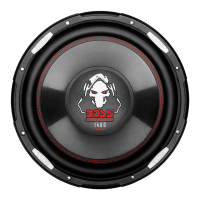
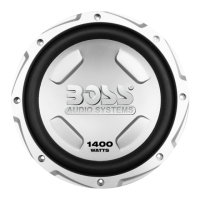
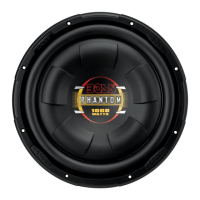
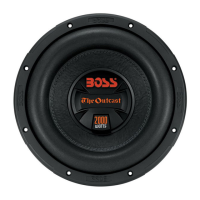
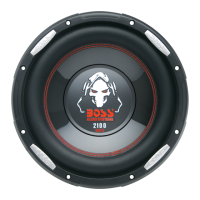
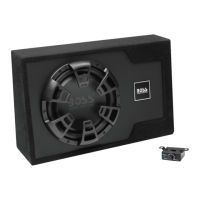
The BOSS B12ES is a 12-inch (305 mm) amplified subwoofer featuring a built-in high-power amplifier, designed to provide enhanced bass in a compact enclosure for various placement possibilities.
Function Description:
The B12ES functions as a complete subwoofer system with an integrated amplifier, eliminating the need for a separate external amplifier. It processes audio signals to reproduce low frequencies, adding depth and impact to an audio system. The unit includes several controls for sound customization, such as a low pass filter (LPF), bass boost, phase control, and input gain control, allowing users to tailor the sound to their personal preferences and the acoustics of their vehicle. It supports both low-level (RCA) and high-level (speaker level) audio inputs, offering flexibility in connecting to different head units. A notable feature is its ability to auto-sense high-level input to power on automatically, which can eliminate the need for a remote turn-on wire connection.
Important Technical Specifications:
- Output Power: Up to 1200W
- Driver Size: 12 inches
- Speaker Impedance: 4Ω
- Total Harmonic Distortion (THD): <0.1%
- Frequency Response: 40Hz - 250Hz
- Signal-to-Noise Ratio: 90dB
- Input Sensitivity:
- Low level/RCA: 0.2V - 6V
- High level: 1V - 10V
- Low Pass Filter (LPF): 50Hz - 250Hz
- Bass Boost: 0 to +12dB
- Phase Control: Switchable between 0° and 180°
- Power Supply: 12-16VDC
- Current Consumption: 12A maximum
- Fuse: ATO type, 15A
- PWM MOSFET Power Supply: Yes
- Protection Circuitry: Yes (overload, short circuit, and thermal protection)
- Remote Turn-on/Turn-off: Yes
- Input Gain Control: Yes, variable
- LED Indicators: Green (power on), Red (protection)
- Enclosure Material: MDF (Medium Density Fiberboard)
- Weight: 25.6 lbs / 11.6 kg
- Dimensions (W x D x H): 24" x 15" x 7" (610 x 381 x 178 mm)
Usage Features:
- Input Gain Control (INPUT LEVEL): This control adjusts the input level of the subwoofer to match the output level of the source unit. It's crucial to set this correctly to prevent distortion and potential damage. The recommended procedure involves setting the subwoofer's gain to minimum, the source unit's volume to about 3/4 full, and then slowly increasing the gain until slight distortion is heard, then backing off slightly.
- Phase Control: A toggle switch (0°/180°) that helps improve bass response, especially when the subwoofer is at a different distance from the listener than other speakers, which can cause time alignment issues.
- Low Pass Filter (LPF): This adjustable control (50Hz - 250Hz) defines the upper frequency limit the subwoofer will reproduce. Setting it higher allows the subwoofer to cover more mid-frequencies, while setting it lower focuses on deep bass.
- Bass Boost Control: An adjustable control (0 to +12dB) to increase the sound output level of bass frequencies, allowing users to enhance the impact of low-end audio.
- Low-Level Input (RCA): Provides a clean audio signal input from head units with RCA outputs, recommended for optimal audio performance.
- High-Level Input (Speaker Level): Allows connection to speaker wires of head units that lack RCA outputs. This input also features an auto-sense function for automatic power on/off, negating the need for a remote wire.
- Remote Subwoofer Control Port: Connects to a supplied wired remote control, enabling independent adjustment of the subwoofer's volume level from the listening position.
- Status Indicators (Green/Red LEDs): A green LED indicates the subwoofer is powered on and operational. A red LED signifies protection mode, triggered by input overload, short circuit, or high temperature.
- Power Terminals: Dedicated terminals for ground (to vehicle chassis), remote turn-on (REM), and 12V positive power (to battery).
- Fuse Holder: Integrates a 15A blade type fuse (ATO) for circuit protection.
Maintenance Features:
- Protection Mode: The system automatically enters protection mode (indicated by a red LED) and shuts down if it detects input overload, a short circuit, or extremely high temperature. Troubleshooting involves checking the audio system for causes, resetting the subwoofer by cycling power, and correcting any identified issues.
- Fuse Replacement: The device uses a 15A blade type fuse. It is critical to replace a faulty fuse with one of the same type and rating to prevent damage or fire.
- Cleaning: The manual advises against using aggressive cleaning agents and recommends cleaning the product with a dry, fiber-free cloth.
- Professional Installation: Installation is recommended to be performed by a professional to ensure proper wiring and secure connections, which is crucial for safety and optimal performance.
- Wiring Integrity: Regular checks of all connections are advised to ensure they are correct and secure, minimizing power/signal loss and preventing short circuits. Wires should be run away from sharp objects and protected with rubber bushings for penetrations.
- Environmental Care: Users are encouraged to dispose of the product according to local laws for electronic products at the end of its life, contributing to environmental preservation.
- Troubleshooting Guide: The manual includes a comprehensive troubleshooting section to help users diagnose and resolve common issues such as no sound, low output, distorted audio, audio noise, and overheating, before seeking technical support.


 To Next Page
 General